EasyManua.ls Logo

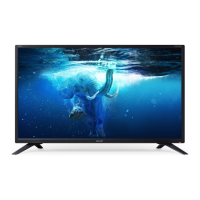
Sharp 32BB2I - User Manual

Sharp 32BB2I
2 pages
Print Icon
To Next Page IconTo Next Page
Loading...
32BD2I
32BD2IW
32BD3I
32BB2I 32BF2I
32BB2IW 32BF3I
32BB3I 32BF4I
32BB4I 32BF5I
32BB5I
Quick Start Set Up Guide
For information on using the TV’s features, please refer to the operating Instructions.
Quick & easy guide for setting up your TV
What is included in the box
Using the remote control
Setting up the TV for the  rst time - including attaching the stand
Connecting other devices to the Television
Need help setting up or using your TV?
Please contact the UK & ROI Helpline*
Telephone UK 0330 024 0803 or ROI 01443 3323
Online support at: www.umc-uk.co.uk
Email support at: service@umc-uk.co.uk
*Calls to 0330 numbers are charged at standard call rates and are included as part of any bundled minutes with your
phone provider.
Calls to the ROI number are charged at the local call rate.
The telephone opening hours are Monday to Friday 8.30am to 6pm, Saturday 9am – 5pm.
Bank Holidays - 10am to 4pm
Closed Christmas and New Years day
Model Numbers
Trademark
Sharp
Model ID
32BB2I 32BD3I
32BB2IW 32BD2IW
32BB3I 32BD2I
32BB4I 32BB5I
32BF2I
32BF3I
32BF4I
32BF5I
Energy e ciency class A+
Visible screen size (diagonal) 81 cm / 32 inches
On-mode power consumption 31.0 W
Annual energy consumption *1 45 kWh
Standby power consumption *2 <0.50 W
O mode power consumption
n/a
Screen resolution 1366 (H) x 768 (V)
1920 (H) x 1080 (V)
*1: Energy consumption XYZ kWh per year, based on the power consumption of the television operating 4
hours per day for 365 days. The actual energy consumption will depend on how the television is used.
*2: When the TV is turned o with the remote control/standby button and no function is active.
Product  che
Additional Technical Information
RF 75 ohm Antenna / Analog / DVB
Inputs 3 x HDMI, 2 x USB, 1 x SCART,
1 x RJ45 LAN/Ethernet, 1 x Composite/CVBS Video & Component/YPbPr
Input, 1 x L/R Audio input for Composite/CVBS & Component/YPbPr
Sound Outputs 1 x Digital Optical Audio output, 1 x 3.5mm Headphone
Speaker* / Ampli er Watts (RMS) 2 x 10 / 2 x 8
Voltage and power consumption
AC 220V ~ 240V; 50Hz
31/45/70W (home mode/standard/max)
(<0.5W in Standby)
AC 220V ~ 240V; 50Hz
31/45/80W (home mode/
standard/max)
(<0.5W in Standby)
Dimensions including stand (mm)
730W x 470H x 179D
Net weight (Kgs) 4.6 4.8
Wall Mounting VESA 200 x 100 (mm)
32BB2I 32BD3I
32BB2IW 32BF2I
32BB3I 32BF3I
32BB4I 32BF4I
32BB5I 32BF4I
32BD2I 32BF5I
32BD2IW
Win a
Soundbar
Register your manufacturers guarantee online
within 14 days of purchase at
www.registertoday.co.uk/sharp
and enter into a prize draw to
Terms and conditions apply. Online registration only.
stration only
.
SHA/QSW/0110
*Built-in Harman Kardon speaker systems (Full-range speaker and tweeter).
Harman Kardon is trademark of HARMAN International
Industries, Incorporated, registered in the United States
and/or other countries.
The terms HDMI, HDMI High-De nition Multimedia Interface,
and the HDMI Logo are trademarks or registered trademarks
of HDMI Licensing Administrator, Inc.
Technical Speci cation
Please save your box/packaging as you will need this in the event of warranty/service repair or support. We
are unable to carry out warranty/service if you are unable to package it correctly. The safest way to package
your item in the event of warranty/service repair is in it’s original box/packaging.
REMOTE CONTROL
1
4
2
3
Key
3
2
1
For models with integrated DVD players.
For models with PVR Function.
For models with USB Playback.
4
( / / / / OK )
Accessories
Included with this TV are the following accessories
What is included in the box
1 x Safety Leafl et
1 x Quick start guide
1 x TV
1 x Remote Control and 2 x AAA Batteries
1 x Stand installation pack
4 x
1 x L (left)
1 x R (right)
Additional Accessories
Should you wish to connect older/analogue devices to your television, you can purchase the necessary
cables either from your retailer or at www.umc-uk.co.uk/cables
To receive Freeview channels, in particular Freeview HD channels, you will need a Digital TV aerial and be in a good Freeview
coverage area.
You can check coverage for your postcode at www.freeview.co.uk.
Please note that any Freeview HD channels found during tuning will be placed in channel positions above 100. For example,
101 (BBC1 HD) 102 (BBC2 HD) et
c.
RF Cable
Sky Remote Code
If you wish to use your Sky remote to operate the TV’s basic
functions, you will need a Sky remote control (Revision 9 or later)
and you will need to program it with the code 2134. If you wish to
use your Sky Q remote to operate the TV’s basic functions, you will
need to program it with the code 4170.
SHA-QSW-0110 32BB2I.indd 1SHA-QSW-0110 32BB2I.indd 1 09/10/2019 14:37:1309/10/2019 14:37:13

Question and Answer IconNeed help?

Do you have a question about the Sharp 32BB2I and is the answer not in the manual?

Overview

This document describes a Sharp television, outlining its functions, technical specifications, usage, and maintenance.

Function Description:

The Sharp television is designed for home entertainment, offering a range of viewing options from digital and analogue TV channels to external media sources. It supports high-definition content and provides various connectivity options for peripherals. The TV features an intuitive on-screen display (OSD) for setup and navigation, accessible via a remote control or a control stick on the TV itself. It includes an auto-tuning function for easy channel setup and offers different viewing modes, including a power-saving "Home Mode." The TV can also be wall-mounted for flexible placement.

Important Technical Specifications:

The manual provides detailed technical specifications across several models (32BB2I, 32BB3I, 32BB4I, 32BB5I, 32BD2I, 32BD3I, 32BD4I, 32BD5I, 32BD2IW).

  • Energy Efficiency Class: All listed models are rated F.
  • Power Consumption (Typical):
    • 32BB2I, 32BD2I, 32BD2IW: 31.0 W
    • 32BB3I, 32BD3I: 31.0 W
    • 32BB4I, 32BD4I: 31.0 W
    • 32BB5I, 32BD5I: 31.0 W
  • Standby Power Consumption: All models consume <0.50 W.
  • Off Mode Power Consumption: All models consume N/A.
  • Annual Energy Consumption (kWh/year):
    • 32BB2I, 32BD2I, 32BD2IW: 45 kWh/year
    • 32BB3I, 32BD3I: 45 kWh/year
    • 32BB4I, 32BD4I: 45 kWh/year
    • 32BB5I, 32BD5I: 45 kWh/year (Calculated based on 4 hours of operation per day for 365 days. Actual energy consumption depends on how the television is used.)
  • Dimensions (W x H x D): 1920 (W) x 1080 (H) mm (specific depth not provided in this section, but implied by overall dimensions).
  • Inputs:
    • RF In: 1 (RF/TV aerial input)
    • HDMI: 3 (HDMI 1, HDMI 2 (ARC), HDMI 3)
    • USB: 2 (USB port 2.0)
    • Ethernet/LAN: 1 (Network connection, used for Freeview HD services and smart functions)
    • Video/YPbPr: 1 (Video Input (green) and HD input (YPbPr))
    • SCART: 1 (SCART input)
    • L/R Audio: Shared for Video/Composite and Component/YPbPr
    • Service Input: 1 (Used only by service centres)
    • CI card in: 1 (Common interface module)
  • Outputs:
    • Digital Audio: 1 (Digital Optical Audio Output)
    • Earphones: 1 (Earphone input)
  • Speaker/Amplifier Watts (RMS): 2 x 10 / 2 x 8 W (model dependent).
  • Voltage and Power Consumption:
    • AC 220V - 240V ~ 50Hz / 31-45 W (Home mode) / 40-58 W (Store mode) / <0.5 W (Standby).
    • AC 220V - 240V ~ 50Hz / 31-45 W (Home mode) / 40-58 W (Store mode) / <0.5 W (Standby).
  • Dimensions including stand (WxHxD):
    • 730 x 470 x 179D mm (for 32BB2I, 32BD2I, 32BD2IW)
    • 730 x 470 x 179D mm (for 32BB3I, 32BD3I)
    • 730 x 470 x 179D mm (for 32BB4I, 32BD4I)
    • 730 x 470 x 179D mm (for 32BB5I, 32BD5I)
  • Net Weight (kg): 4.6 kg (for 32BB2I, 32BD2I, 32BD2IW) and 4.8 kg (for 32BB3I, 32BD3I, 32BB4I, 32BD4I, 32BB5I, 32BD5I).
  • Built-in Harman Kardon speaker systems: All models feature full-range speaker and tweeter.
  • HDMI: The terms HDMI, HDMI High-Definition Multimedia Interface, and the HDMI Logo are trademarks or registered trademarks of HDMI Licensing Administrator, Inc.
  • Harman Kardon: Harman Kardon is a trademark of HARMAN International Industries, Incorporated, registered in the United States and/or other countries.

Usage Features:

  • Quick Start Setup Guide: Provides instructions for initial setup, including fitting the stand, connecting the TV, powering on, and first-time installation.
  • Stand Installation: The TV stand is attached using four screws. The TV panel should face downwards on a flat, clean surface during installation. The stand feet are designed to be longer at the front and shorter at the back.
  • Connectivity:
    • Power: Connect the TV to a power socket.
    • Aerial: Connect an outdoor Digital TV aerial to the RF input for Freeview/Saorview channels.
    • External Devices: Connect various devices (Blu-ray players, game consoles, sound systems) via HDMI, USB, SCART, or component inputs.
    • Network: The Ethernet/LAN port enables Freeview HD services and smart functions.
  • Powering On: The TV can be switched on using the TV control stick located on the TV set or by pressing the standby button on the remote control after inserting the supplied batteries.
  • First Time Installation Guide:
    • Language Selection: Choose your preferred on-screen display language (e.g., English, Deutsch, Dansk).
    • Tuning Mode: Select between Freeview TV, Analogue TV, or ALL (Freeview + Analogue) for channel tuning.
    • Country Selection: Select the correct country to ensure proper installation of country-specific functions.
    • Environment Mode: Choose between "Home Mode" (power-saving, reduces energy by up to 25%) and "Store Mode" (brighter picture, with an on-screen banner displaying functionality after 2 minutes).
  • Remote Control: The remote control provides comprehensive control over the TV's functions, including power, channel selection, volume, input source, menu navigation, and specific feature buttons (e.g., Netflix, YouTube, Prime Video, Freeview Play).
  • Wall Mounting: The TV can be wall-mounted by removing four screws from the mounting holes on the rear of the TV and attaching a compatible wall mounting bracket (sold separately). Spacers may be used depending on the bracket manufacturer.
  • Registration: Users are encouraged to register their manufacturer's guarantee online within 14 days of purchase at www.registertoday.co.uk/sharp to enter a prize draw for a Sharp Soundbar.

Maintenance Features:

  • Customer Support: For technical assistance, users can contact Sharp's customer support via phone (0330 024 0803 or 01443 333233) or email (support@umc-uk.co.uk). Support hours are Monday to Friday, 8:30am to 6pm, and Saturday, 9am to 5pm, excluding Bank Holidays and Christmas/New Year.
  • Power Saving: "Home Mode" reduces power consumption. The TV will automatically switch to standby mode after 4 hours if no buttons on the remote control or TV are used, contributing to energy saving.
  • Cleaning: While not explicitly detailed in the provided text, general TV maintenance typically involves cleaning the screen and exterior with a soft, dry cloth.
  • Battery Replacement: The remote control requires batteries, which should be replaced when depleted.
  • Service Input: A dedicated service input port is available for use by service centres, indicating that professional servicing is supported for potential repairs or diagnostics.

Sharp 32BB2I Specifications

General IconGeneral
BrandSharp
Model32BB2I
CategoryTV
LanguageEnglish

Related product manuals