EN-9
Be sure to disconnect the power cord from
the wall outlet or turn off the circuit breaker
before performing any maintenance.
CLEANING THE FILTERS
1
Turn off the unit.
2
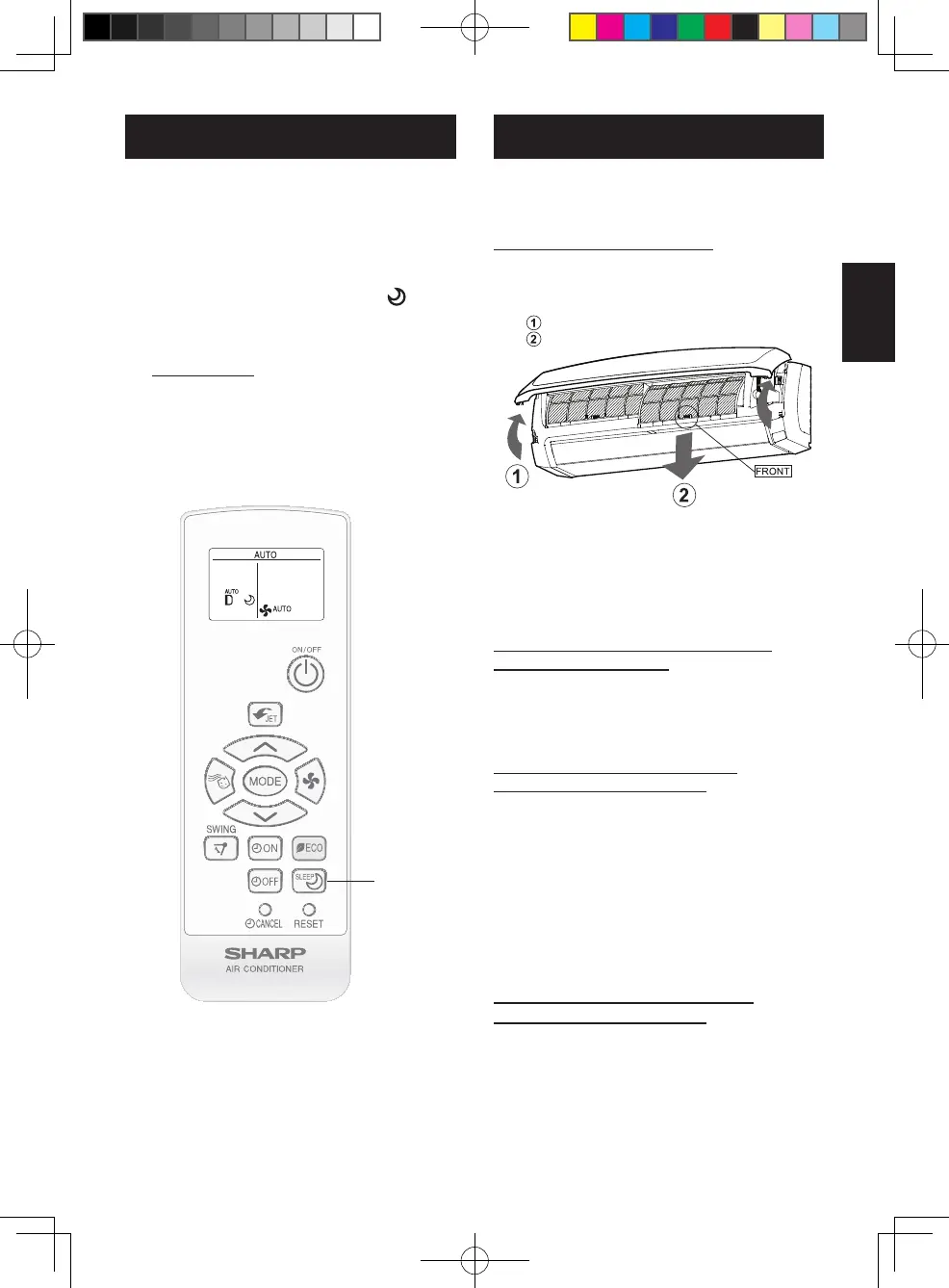
Remove the lters.
Lifttheopenpanel.
Pulltheairltersdowntoremovethem.
3
Clean the lters.
•Useavacuumcleanertoremovedust.Ifthe
lters are dirty, wash them with warm water
andamilddetergent.Dryltersintheshade
beforereinstalling.
4
Reinstall the lters and close the
open panel.
MAINTENANCE
MAINTENANCE AFTER AIR
CONDITIONER SEASON
1
Dry the inside of the indoor unit
thoroughly by taking the following
steps.
•
RuntheunitintheFANmodewithhigh
fanspeedfor3hours.
2
Stop the operation and unplug the
unit.
•Turnoffthecircuitbreaker,ifyouhaveone
exclusivelyfortheairconditioner.
3
Clean the lters, then reinstall them.
MAINTENANCE BEFORE AIR
CONDITIONER SEASON
1
Make sure that the air lters are not
dirty.
2
Make sure that nothing obstructs
the air inlet or outlet.
CLEANING THE UNIT AND THE
REMOTE CONTROL
•Wipethemwithasoftcloth.
•Donotdirectlysplashorpourwateronthem.It
cancauseelectricalshockorequipmentdamage.
•Donotusehotwater,thinner,abrasivepowders
orstrongsolvents.
For more comfortable sleep, temperature
and fan speed will be controlled automati-
cally by the best program.
1
During operation, press the BEST
SLEEP button.
•Theremotecontrolwilldisplay“”.
•Temperatureandfanspeedwillbecon-
trolledautomaticallyforthebestsleep.
TO CANCEL
PresstheBESTSLEEPbuttonagain.
BEST SLEEP OPERATION
1
NOTE:
•BESTSLEEPoperationisnotavailablein
DRYandFANmode.
B129_EN.indd 9 2021/11/10 14:27:26


 To Next Page
 Loading...