EN-6
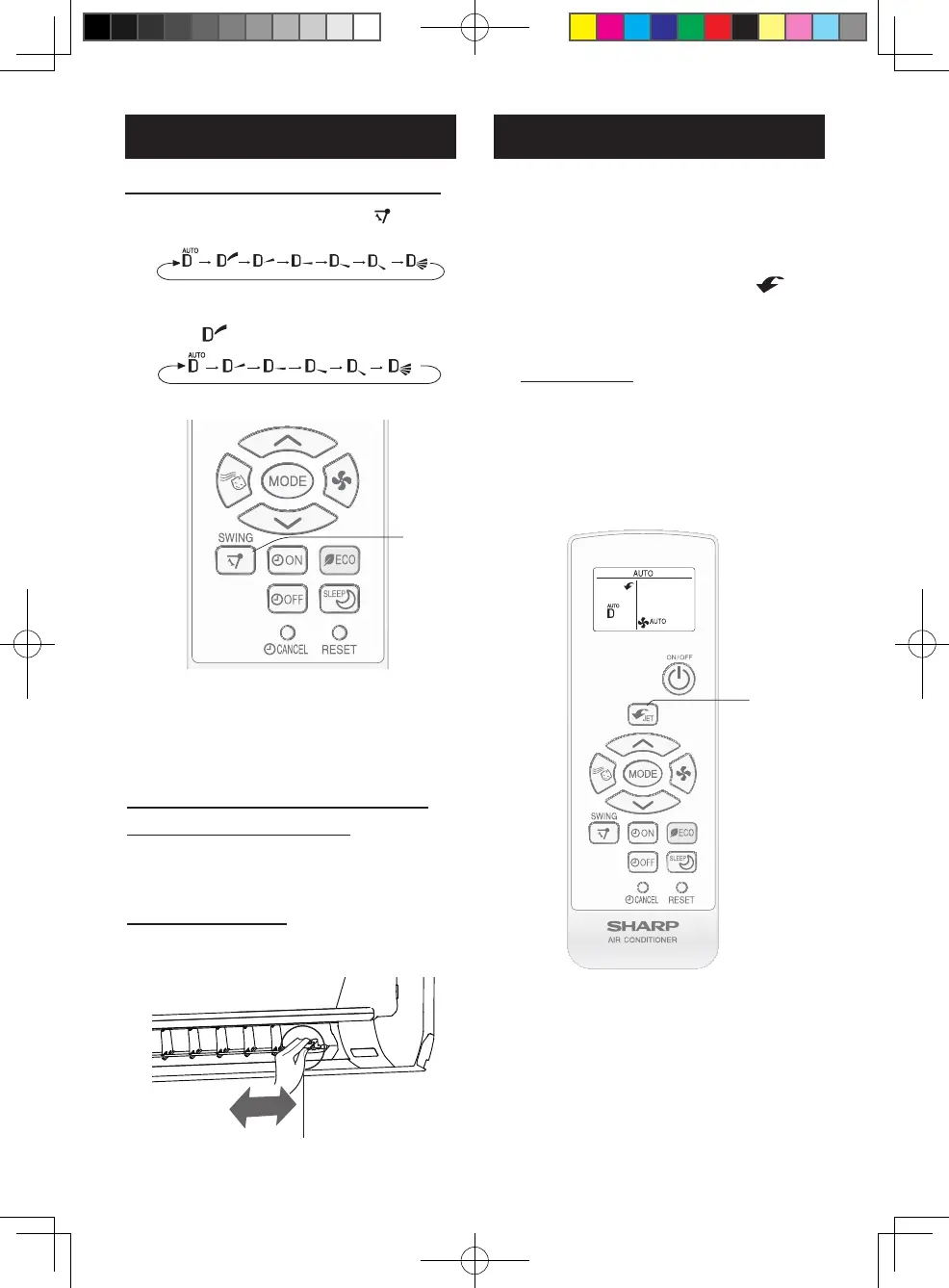
VERTICAL AIR FLOW DIRECTION
1
Press the SWING button ( ) to set
the desired airow direction.
InAUTOmode,airowdirectioncannotbe
setto“ ”.
ADJUSTING THE AIR FLOW
DIRECTION
1
SUPER JET OPERATION
The air conditioner works at the maximum
power and optimum louver direction to
make the room cool rapidly.
1
During operation, press the SUPER
JET button.
•Theremotecontrolwilldisplay“ ”.
•Thetemperaturedisplaywillgooff.
•Theverticalairowlouverwillbeset
obliquelydownward.
TO CANCEL
PresstheSUPERJETbuttonagain.
•Theverticalairowlouverwillreturntothe
originaldirection.
1
NOTE:
•Theairconditionerwilloperateat“Extra
coolingpower”and“ExtraHIGH”fanspeed
for15minutes,thenshiftto“HIGH”fanspeed.
•Youcannotsetthetemperatureorfanspeed
duringtheSUPERJEToperation.
HORIZONTAL AIR FLOW DIRECTION
(ForAH-X10/13/15/18/20series)
Hold the horizontal airow louver and
adjust the airow direction.
Louverlever
(ForAH-X24/25series)
Hold the horizontal airow louver lever
and adjust the airow direction.
B129_EN.indd 6 2021/11/10 14:27:24



 To Next Page