EN-7
Soft , quiet and clean operation cools a
room with well optimized for infants.
1
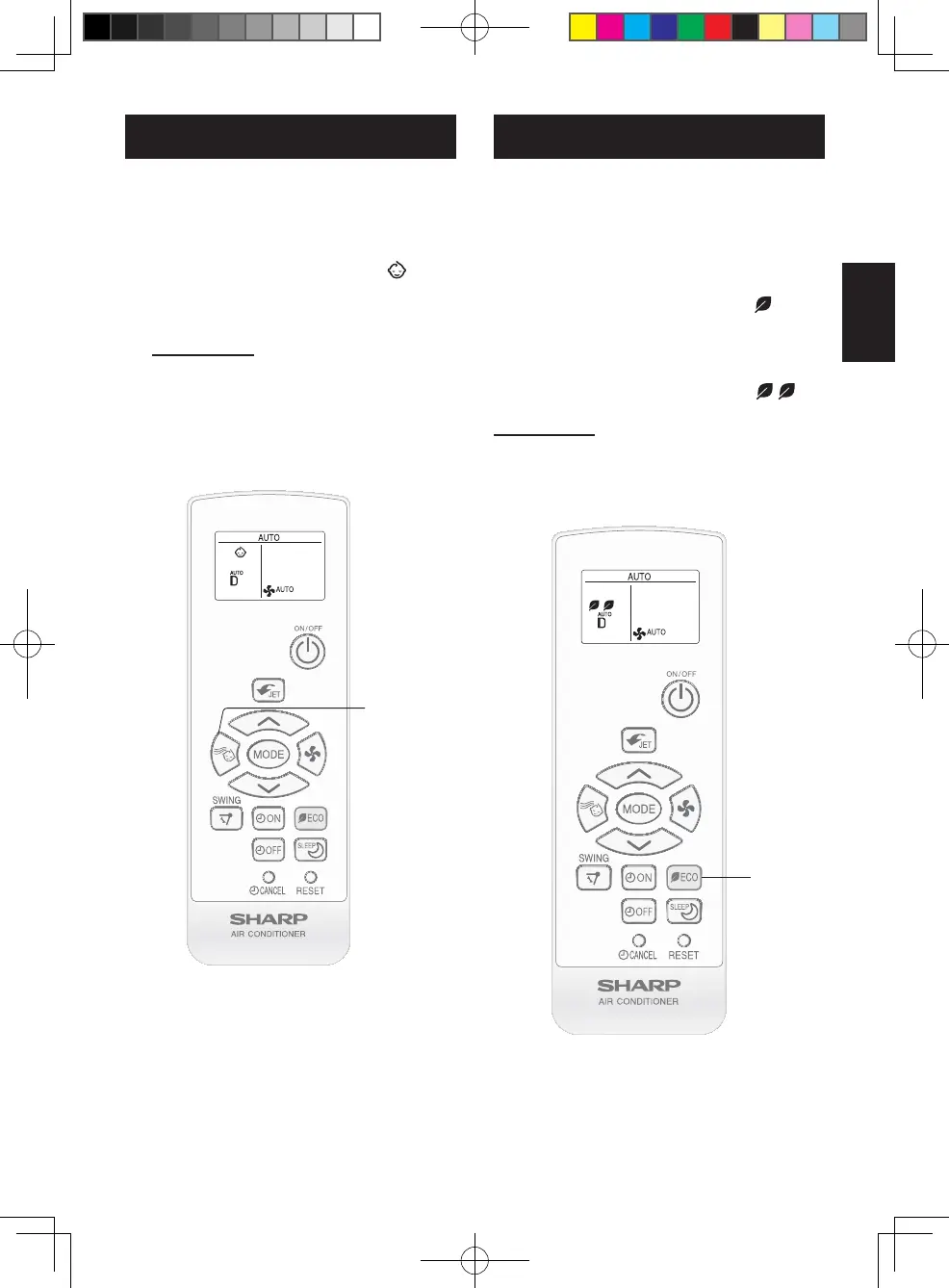
During operation, press the BABY
MODE button.
•Theremotecontrolwilldisplay“”.
•Fanspeedwillbeautomaticallysetto
LOW,SOFTorQUIET.
•Louverwillbesettotopposition.
TO CANCEL
PresstheBABYMODEbuttonagain.
NOTE:
•BABYMODEoperationisnotavailablein
DRYandFANmode.
BABY MODE OPERATION
1
The air conditioner will operate with
lower power consumption than usual in
this mode.
1
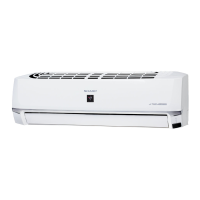
During operation, press the ECO
MODE button to enter 1st step pow-
er consumption mode.
•Theremotecontrolwilldisplay“”.
2
Press the ECO MODE button again
to enter 2nd step power consump-
tion mode.
•Theremotecontrolwilldisplay“
”.
TO CANCEL
PresstheECOMODEbuttonagainduring
2ndsteppowerconsumptionmode.
ECO MODE OPERATION
1
2
B129_EN.indd 7 2021/11/10 14:27:25



 To Next Page