EasyManua.ls Logo

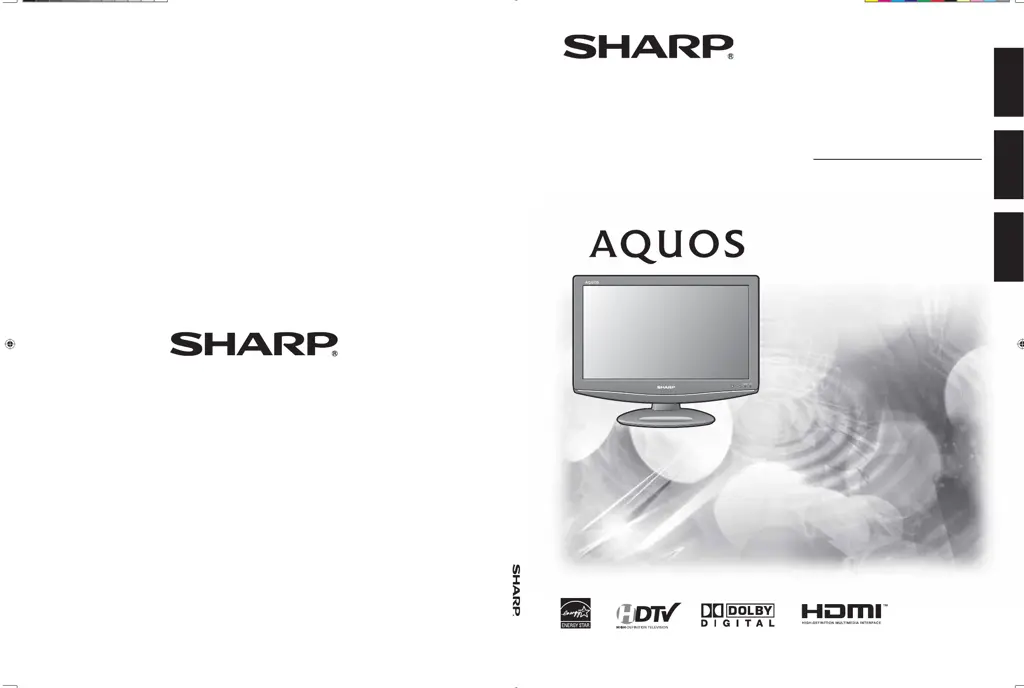
Sharp AQUOS LC-19D45U - User Manual

Sharp AQUOS LC-19D45U
60 pages
Print Icon
To Next Page IconTo Next Page
Loading...
SHARP ELECTRONICS CORPORATION
Sharp Plaza, Mahwah, New Jersey 07495-1163
SHARP CORPORATION
LC-19D45U

OPERATION MANUAL MODE D'EMPLOI MANUAL DE OPERACIÓN
Printed in China
Imprimé au Chine
Impreso en China
TINS-D633WJZZ
08P03-CH
OPERATION MANUAL
MODE D'EMPLOI
MANUAL DE OPERACIÓN
LIQUID CRYSTAL TELEVISION
TÉLÉVISEUR ACL
TELEVISOR CON PANTALLA DE
CRISTAL LÍQUIDO
LC-19D45U
ENGLISHFRANÇAISESPAÑOL
19D45U_E_Hyo.indd 119D45U_E_Hyo.indd 1 2008-4-24 14:08:042008-4-24 14:08:04

Table of Contents

Questions and Answers

  • M
    Mr. Nicholas CareyAug 15, 2025
    How to fix no power on my Sharp Flat Panel TV?
    • R
      Renee BurkeAug 15, 2025
      If your Sharp Flat Panel TV has no power, first check if you have pressed the POWER button on the remote control. If the indicator light on the TV does not turn on, try pressing the POWER button directly on the TV. Also, ensure that the AC cord is properly connected. Finally, verify that the power has been turned on.
  • Z
    Zachary HarrisAug 18, 2025
    What to do if there is no picture on Sharp AQUOS LC-19D45U Flat Panel TV?
    • J
      Jack QuinnAug 18, 2025
      If there is no picture on your Sharp Flat Panel TV, check if the connections to other components are correct. Ensure that the correct input signal source is selected after connection. Verify that the correct input is selected, and picture adjustments are properly configured. Also, check if 'On' is selected in 'Audio Only', and confirm that a compatible signal is being input.
  • R
    Ryan AlvaradoAug 22, 2025
    How to fix picture cut off on Sharp AQUOS LC-19D45U?
    • J
      Jessica DominguezAug 22, 2025
      If the picture on your Sharp Flat Panel TV is cut off or has a sidebar screen, ensure the image position is correct. Also, check if screen mode adjustments, such as picture size, are made correctly.
  • A
    Alejandro FigueroaAug 25, 2025
    Why is my Sharp Flat Panel TV remote not working?
    • M
      Michael ChaseAug 26, 2025
      If your Sharp Flat Panel TV remote control isn't working, ensure the batteries are correctly inserted with the correct polarity (e, f). If they are old, replace them with new ones. Also, check if you are using the remote under strong or fluorescent lighting, or if a fluorescent light is near the remote control sensor, as these can interfere with the signal.
  • F
    Francis BrownAug 29, 2025
    Why does my Sharp Flat Panel TV power off suddenly?
    • A
      Albert HarmonAug 29, 2025
      If your Sharp Flat Panel TV suddenly turns off, the sleep timer might be set. Check your power control settings. Also, the unit's internal temperature may have increased. Remove any objects blocking the vents or clean the vents to ensure proper ventilation.
  • C
    Cassidy GordonSep 1, 2025
    Why is there no sound on my Sharp Flat Panel TV?
    • M
      Mandy KennedySep 1, 2025
      If there is no sound on your Sharp Flat Panel TV, first check if the volume is too low. Also, check whether you have pressed the MUTE button on the remote control.
  • M
    Michael GarciaSep 4, 2025
    What to do if my Sharp Flat Panel TV unit cannot be operated?
    • B
      brownandrewSep 4, 2025
      If your Sharp Flat Panel TV cannot be operated, it might be due to external influences such as lightning or static electricity. To resolve this, turn off the power of the TV or unplug the AC cord, wait for 1 or 2 minutes, and then plug it back in to operate the unit.
  • J
    jessicaowensSep 8, 2025
    Why does my Sharp AQUOS LC-19D45U have strange colors?
    • B
      Bianca SpencerSep 8, 2025
      If you notice strange color, light color, or color misalignment on your Sharp Flat Panel TV, try adjusting the picture tone. If the room is too bright, the picture may appear dark. Check the input signal setting as well.
  • J
    Jeremy YoungSep 12, 2025
    Why does my Sharp Flat Panel TV make a cracking sound?
    • J
      Joseph MillerSep 12, 2025
      This cracking sound from your Sharp Flat Panel TV is normal. It happens when the cabinet slightly expands and contracts due to temperature changes and does not affect the TV’s performance.

Summary

SHARP LC-19 D45 U Operation Manual

OPERATION MANUAL

Official user guide for the SHARP LC-19D45U television.

Important Product Information

WARNING: FIRE OR ELECTRIC SHOCK RISK

Warning against exposure to rain or moisture to prevent fire or electric shock.

Important Safety Instructions

Read Safety Instructions

Instruction to read all safety instructions before using the product.

Supplied Accessories Overview

Attaching the TV Stand

Steps for attaching the TV stand to the unit.

Quick Reference Guide

Ventilation and Cleaning Tips

Guidance on proper ventilation and screen cleaning methods.

Component Identification: TV

TV (Front Panel)

Identifies the front components of the TV unit.

TV (Side;Rear Panel)

Identifies the side and rear components of the TV unit.

Component Identification: Remote Controls

Remote Control Unit

Identifies the components of the remote control unit.

Kitchen Remote Control Unit

Identifies the components of the kitchen remote control.

Product Preparation and Setup

Using the Remote Control Unit

Instructions for operating the remote control unit.

Antenna Connection Guide

Guide on connecting antennas for optimal TV reception.

Connecting External Equipment

Connecting Video Devices

How to connect VCRs, game consoles, and camcorders to the TV.

Connecting Media Players and Tuners

Connecting external media players and digital tuners to the TV.

Basic TV Operation

Turning the TV On

Steps to power on the TV unit using the control panel or remote.

Turning the TV Off

Steps to turn off the TV unit and put it in standby mode.

Initial TV Setup and Tuning

Initial Setup Procedure

Guide for the initial TV setup process, including language and channel tuning.

Basic Adjustment Settings: Navigation

Menu Operation Buttons

Explains the buttons used to navigate the TV's menu system.

On-Screen Display Elements

Describes the elements and indicators shown on the TV screen during menu operation.

Basic Adjustment Settings: Menu Options

Menu Items for TV;INPUT 1;2

Lists TV picture and audio adjustment options for specific inputs.

Menu Items for HDMI;PC-IN

Lists adjustment options for HDMI and PC input modes.

Basic Adjustment Settings: Setup Procedures

EZ Setup Function

Procedure for quick setup of TV channels and settings.

Channel Setup Manual

Manual steps for tuning broadcast channels and antenna settings.

Basic Adjustment Settings: Channel Management

Favorite Channel Setting

How to program and manage favorite TV channels for quick access.

Basic Adjustment Settings: Picture Adjustments

Picture Adjustments Overview

Adjusts visual preferences like brightness, contrast, color, and sharpness.

OPC (Optical Picture Control)

Automatically adjusts backlight brightness based on ambient light.

Basic Adjustment Settings: Advanced Picture

Advanced Picture Settings

Detailed picture adjustments including CMS, Film Mode, 3D-Y/C, etc.

Basic Adjustment Settings: Sound Adjustments

Sound Adjustment Options

Options for adjusting audio settings like treble, bass, and balance.

Basic Adjustment Settings: Power Management

Power Control Features

Settings for managing power consumption and auto-shutoff features.

Power Management Settings

Automatic power-off settings for PC input sources.

Connecting External Equipment

Displaying External Equipment Image

How to select and display images from connected external sources.

Connecting HDMI Equipment

Displaying HDMI Equipment Image

Steps to display images from HDMI-connected devices.

Useful Adjustment Settings: PC Input

Auto Sync. Adjustment (PC)

Automatic adjustment of PC input image for optimal display.

Fine Sync. Adjustment (PC)

Manual adjustments for PC input image position and clarity.

Useful Adjustment Settings: Picture Display

Picture Rotate Function

Options to change the orientation of the displayed picture.

Useful Adjustment Settings: System Preferences

Language Setting

How to select the TV's display language.

Image Position Adjustment

Adjusting the horizontal and vertical position of the picture.

Useful Adjustment Settings: Input and Timer

Input Label Customization

Renaming input sources for easier identification.

Sleep Timer Function

Setting a timer for the TV to automatically switch to standby.

Useful Adjustment Settings: Viewing Modes

View Mode for 4:3 Programs

Selecting screen aspect ratios for 4:3 content.

View Mode for HD Programs

Selecting screen aspect ratios for HD content.

Useful Adjustment Settings: PC Viewing Modes

View Mode for PC Input

Selecting screen sizes for PC input.

Useful Adjustment Settings: Advanced Options

Advanced Option Settings

Accessing advanced picture options like DNR and Color System.

Useful Adjustment Settings: Digital Audio Features

Digital Audio Settings

Selecting primary/secondary languages and audio types for digital broadcasts.

Useful Adjustment Settings: AV Modes

AV MODE Selection

Choosing preset viewing modes for different lighting and content.

Useful Adjustment Settings: Captioning

Closed Captions and Digital Closed Captions

Displaying subtitles for TV programs and home videos.

Useful Adjustment Settings: Digital Caption Customization

Digital Caption Setup

Customizing font, color, and opacity for digital captions.

Parental Control Features

Secret Number Setting for Parental Control

Setting a PIN to protect TV settings from unauthorized changes.

Setting Parental Control Status

Enabling or disabling the parental control function.

Parental Control: V-CHIP and Ratings

V-CHIP Level Setting

Setting V-CHIP levels to filter content based on ratings.

Parental Control: Canadian Ratings

Canadian English Ratings

Viewing and applying Canadian English TV rating guidelines.

Canadian French Ratings

Viewing and applying Canadian French TV rating guidelines.

Kitchen Remote Control Functions

Kitchen Remote Control Unit Overview

Overview of the kitchen remote's functions including timer and alarm.

Kitchen Remote: Clock and Timer Settings

Clock Setting

Setting the current time on the kitchen remote control.

Kitchen Timer Setting

Setting a timer for cooking reminders.

Kitchen Remote: Alarm and Backlight

Alarm Setting and Off

Setting an alarm to turn the TV on at a specific time.

Backlight Adjustment

Adjusting the LCD backlight for the kitchen remote display.

Appendix: Troubleshooting Guide

General Troubleshooting

Common problems and their solutions for TV operation.

Appendix: Product Specifications

Technical Specifications

Technical details and specifications of the LC-19D45U TV model.

Appendix: Security and Environment

Clearing the Secret Number

Procedure to reset a forgotten secret number for parental controls.

Appendix: Software Licensing Information

Software License Details

Details about software licenses and open source components used.

Service and Warranty Information

Limited Warranty Terms

Terms and conditions of the product's limited warranty.

Sharp AQUOS LC-19D45U Specifications

General IconGeneral
BrandSharp
ModelAQUOS LC-19D45U
CategoryFlat Panel TV
LanguageEnglish

Related product manuals