47
Basic adjustment settings
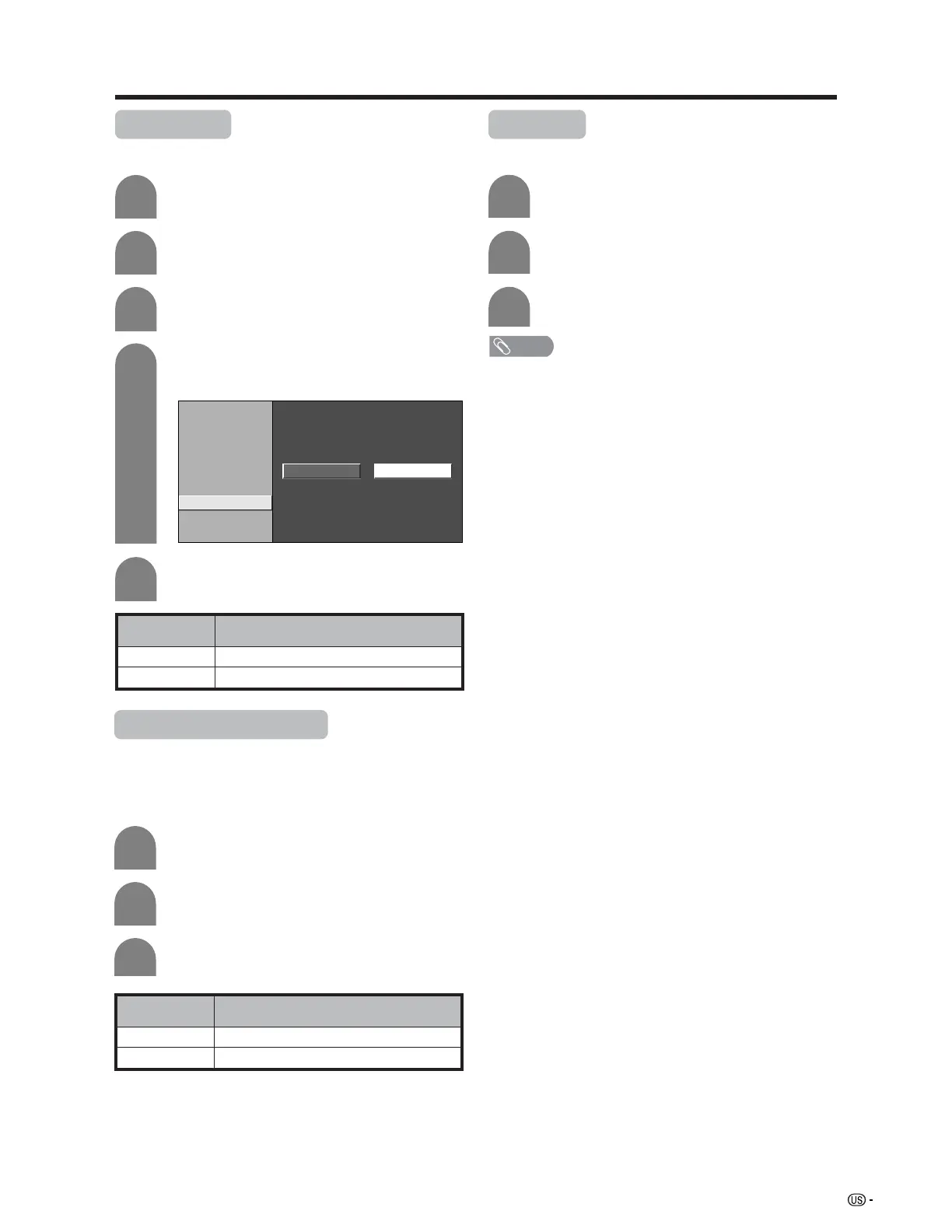
Monochrome
For viewing a video in monochrome.
Description
Normal color
For viewing in monochrome
Selected item
Off
On
Press a/b to select “Monochrome”, and
then press ENTER.
4
Press c/d to select “On”, and then press
ENTER.
5
Press MENU and the MENU screen displays.
1
2
Press c/d to select “Picture”.
3
Press a/b to select “Advanced”, and then
press ENTER.
C. M. S-Hue
C. M. S-Saturation
C. M. S-Value
Color Temp.
Black
3D-Y/C
Monochrome
Film Mode
I/P Setting
On Off
Film Mode (3:2 pull-down)
Automatically detects a film-based source (originally
encoded at 24 frames/second), analyzes it then
recreates each still film frame for high-definition picture
quality.
Description
Normal viewing mode
Detects, analyzes, converts film source
Selected item
Off
On
Press a/b to select “Film Mode”, and then
press ENTER.
Repeat steps 1 to 3 in Monochrome.
1
2
3
Press c/d to select “On”, and then press
ENTER.
I/P Setting
Converts input signals from interlace to progressive.
Press a/b to select “I/P Setting”, and then
press ENTER.
Press c/d to select “Fast” or “Slow”, and
then press ENTER.
Repeat steps 1 to 3 in Monochrome.
1
2
3
NOTE
• I/P Setting is set to Slow when Film Mode is “On”.
• “I/P Setting” is not selectable when channel display shows
an input resolution of 480P or 720P.











 To Next Page