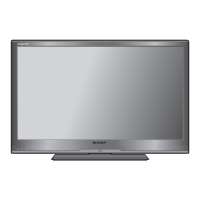
What to do if my Sharp LCD TV has no sound?
- CchasemcdonaldAug 15, 2025
If there is no sound on your Sharp LCD TV, ensure that the volume isn't set too low. Also, check to be sure that headphones are not connected to the TV.
What to do if my Sharp LCD TV has no sound?
If there is no sound on your Sharp LCD TV, ensure that the volume isn't set too low. Also, check to be sure that headphones are not connected to the TV.
Why is my Sharp Aquos LC-32LE345X LCD TV remote not working?
If the remote control for your Sharp LCD TV isn't working, check if the batteries are inserted correctly, matching the polarity (+/-) as indicated. If they are, try replacing the batteries with new ones. Strong or fluorescent lighting, especially if shining on the remote control sensor, can also interfere with the remote's operation.
Why does my Sharp Aquos LC-32LE345X LCD TV suddenly turn off?
If your Sharp LCD TV suddenly turns off, it could be due to the unit's internal temperature increasing. Remove any obstructions blocking the vent or clean the vent. Also, check if the sleep timer is set.
How to fix a Sharp Aquos LC-32LE345X LCD TV with no power?
If your Sharp LCD TV has no power, first check if you have pressed the POWER button on the remote control. If the indicator light on the TV is red, try pressing POWER again. Also, ensure the AC cord is properly connected and that the power is turned on.
Why is there no picture on my Sharp LCD TV?
If your Sharp LCD TV has no picture, verify that all connections to external equipment are correct. Ensure that you have selected the correct input. Check the picture adjustments. Confirm that the antenna is properly connected.
What to do if my Sharp Aquos LC-32LE345X LCD TV cannot be operated?
If your Sharp LCD TV cannot be operated, external influences such as lightning or static electricity may be the cause. Turn off the TV or unplug the AC cord, wait 1 or 2 minutes, and then re-plug it in to restore operation.
How to fix a cut off picture on Sharp Aquos LC-32LE345X?
If the picture on your Sharp LCD TV is cut off, ensure that the screen mode adjustments, such as picture size, are correctly configured.
How to fix strange colors on Sharp Aquos LC-32LE345X LCD TV?
If the color on your Sharp LCD TV appears strange, too light, dark, or misaligned, try adjusting the picture tone. The picture may also appear dark if the room is too bright. Check the color system setting as well.
Why does my Sharp Aquos LC-32LE345X make a cracking sound?
The cracking sound your Sharp LCD TV sometimes makes is not a malfunction. It occurs when the cabinet slightly expands and contracts due to temperature changes, and it does not affect the TV's performance.
Crucial safety guidelines for product use.
How to connect VCRs, game consoles, and camcorders.
Step-by-step guide for initial TV setup.
Blocking channels and setting passwords for parental control.
Automatically and manually adjusting PC display image quality.
Accessing and navigating the electronic programme guide.
Changing audio formats for stereo, bilingual, and monaural broadcasts.
Using the EPG to view schedules and set reminders.
Turning Teletext on/off and using its features.
Reducing power consumption via backlight settings.
Selecting modes for playing media from USB devices.
Addressing frequent issues and their resolutions.
Methods to prevent the TV from tipping over.
Step-by-step guide to reset a lost password.
Crucial safety guidelines for product use.
How to connect VCRs, game consoles, and camcorders.
Step-by-step guide for initial TV setup.
Blocking channels and setting passwords for parental control.
Automatically and manually adjusting PC display image quality.
Accessing and navigating the electronic programme guide.
Changing audio formats for stereo, bilingual, and monaural broadcasts.
Using the EPG to view schedules and set reminders.
Turning Teletext on/off and using its features.
Reducing power consumption via backlight settings.
Selecting modes for playing media from USB devices.
Addressing frequent issues and their resolutions.
Methods to prevent the TV from tipping over.
Step-by-step guide to reset a lost password.
| Screen Size | 32 inches |
|---|---|
| Display Type | LCD |
| Backlight Type | LED |
| HDMI Ports | 2 |
| USB Ports | 1 |
| Aspect Ratio | 16:9 |
| Built-in Tuner | Yes |
| Resolution | 1366 x 768 |
| Audio Output | 10W x 2 |
| Refresh Rate | 50/60 Hz |