EasyManua.ls Logo

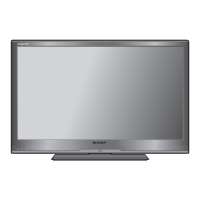
Sharp Aquos LC-32LE700E - User Manual

Sharp Aquos LC-32LE700E
50 pages
Print Icon
To Next Page IconTo Next Page
Loading...
LC-32LE700E LC-40LE700E
LC-46LE700E LC-52LE700E
LCD COLOUR TELEVISION
TELEWIZOR KOLOROWY LCD
LCD SZÍNESTELEVÍZIÓ
TELEVIZOR S BAREVNOU LCD OBRAZOVKOU
TELEVÍZOR S FAREBNOU LCD OBRAZOVKOU
КОЛЬОРОВИЙ ТЕЛЕВІЗОР З
РІДКОКРИСТАЛІЧНИМ ДИСПЛЕЄМ
VÄRVILINE LCD-TELER
ŠĶIDRO KRISTĀLU EKRĀNA (LCD) KRĀSU
TELEVIZORS
SPALVINIS LCD TELEVIZORIUS
ΤΗΛΕΟΡΑΣΗ ΜΕ ΕΓΧΡΩΜΗ ΟΘΟΝΗ LCD
(ΥΓΡΩΝ ΚΡΥΣΤΑΛΛΩΝ)
LCD RENKLİ TELEVİZYON
OPERATION MANUAL
INSTRUKCJA OBSŁUGI
KEZELÉSI ÚTMUTA
NÁVOD K OBSLUZE
NÁVOD NA OBSLUHU
ІНСТРУКЦІЯ З ЕКСПЛУАТАЦІЇ
KASUTUSJUHEND
LIETOŠANAS
ROKASGRĀMATA
NAUDOJIMO INSTRUKCIJA
ΕΓΧΕΙΡΙΔΙΟ ΛΕΙΤΟΥΡΓΙΑΣ
KULLANMA KILAVUZU
ENGLISH
SHARP ELECTRONICS (Europe) GmbH
Sonninstraße 3, D-20097 Hamburg
SHARP CORPORATION
http://www.sharp-eu.com
Printed in Poland
Wydrukowano w Polsce
Készült Lengyelországban
Vytištěno v Polsku
Vytlačené v Poľsku
Надруковано в Польщі
Trükitud Poolas
Iespiests Polijā
Išspausdinta Lenkijoje
Τυπώθηκε στην Πολωνία
Polonya’da basılmıştır
TINS-E283WJZZ
09P07-PL-NG
POLSKIMAGYARČESKY
SLOVENSKY
УКРАЇНСЬКА
EESTI
PIN
LC-32LE700E/LC-40LE700E
LC-46LE700E/LC-52LE700E
E283WJZZ
OPERATION MANUAL/INSTRUKCJA OBSŁUGI/KEZELÉSI ÚTMUTATÓ/NÁVOD K
OBSLUZE/NÁVOD NA OBSLUHU/ІНСТРУКЦІЯ З ЕКСПЛУАТАЦІЇ/KASUTUSJUHEND/
LIETOŠANAS ROKASGRĀMATA/NAUDOJIMO INSTRUKCIJA/ΕΓΧΕΙΡΙΔΙΟ ΛΕΙΤΟΥΡΓΙΑΣ/
KULLANMA KILAVUZU
3
LATVISKI
LIETUVIŠKAI
ΕΛΛΗΝΙΚΑ
TÜRKÇE
LC-32LX700E LC-40LX700E LC-46LX700E
LC-32LU700E LC-40LU700E LC-46LU700E

Cover_PL01_LE700E.indd 1Cover_PL01_LE700E.indd 1 2009/07/13 18:35:582009/07/13 18:35:58

Table of Contents

Other manuals for Sharp Aquos LC-32LE700E

Questions and Answers

  • J
    Jamie PayneJul 30, 2025
    Why won't my Sharp Aquos LC-32LE700E update software?
    • M
      Matthew SmithJul 30, 2025
      If the software update on your Sharp LCD TV is not being carried out, it might be because there is no new software available at the specified download time. Ensure that there is new software available before the download time.
  • Z
    zachary95Aug 3, 2025
    What to do if my Sharp Aquos LC-32LE700E LCD TV settings cannot be restored to normal?
    • P
      petersentammyAug 3, 2025
      If you've made complex adjustments to your Sharp LCD TV settings and can't restore them to normal, you can reset the settings to the factory preset values.
  • M
    mclarkAug 7, 2025
    Why is my Sharp LCD TV not searching for software updates?
    • R
      Renee JonesAug 7, 2025
      If your Sharp LCD TV is not searching for software updates, check if the country setting allows for software updates. All countries except UK, Sweden and Italy are set to “No” for this function.
  • R
    Richard ThomasAug 11, 2025
    What to do if I cannot carry out other operations while downloading on my Sharp LCD TV?
    • V
      Valerie BarnesAug 11, 2025
      If you find that you cannot perform other operations while your Sharp LCD TV is downloading, allow the update to complete before attempting any other actions.
  • M
    Melissa JonesAug 16, 2025
    Why will the software update not be carried out on my Sharp Aquos LC-32LE700E?
    • W
      Willie EvansAug 16, 2025
      The software update for your Sharp LCD TV will not proceed if no new software is available at the specified download time. Confirm that new software is available before proceeding with the update.
  • C
    Christopher PerryAug 20, 2025
    What to do if my Sharp LCD TV asks for a PIN when resetting?
    • J
      Jack MiddletonAug 20, 2025
      If you need to reset your Sharp LCD TV and it's asking for a PIN, try using the default PIN, which is '1234'. This should allow you to proceed with the reset.
  • C
    Casey RodriguezAug 25, 2025
    How to keep Sharp Aquos LC-32LE700E in standby mode for download?
    • F
      fordtravisAug 25, 2025
      To ensure a successful download on your Sharp LCD TV, keep the TV in standby mode. Do not turn off the power using a switch on the TV.

Summary

Introduction

Important safety precautions

Essential safety guidelines for operating the TV to prevent hazards.

Preparation

Quick guide

Initial installation overview

A step-by-step guide for initial TV setup, channel tuning, and connections.

Watching TV

Daily operation

Basic procedures for turning the TV on/off, entering standby, and managing power.

AQUOS LINK

Controlling HDMI devices using AQUOS LINK

Operate connected HDMI devices with the TV's remote control for enhanced convenience.

Menu operation

Basic adjustment

Picture settings

Adjusts picture quality parameters like brightness, contrast, colour, and sharpness.

Connecting a PC

HDMI connection

Steps for connecting a computer via HDMI for displaying PC content on the TV.

Appendix

Troubleshooting

Common problems encountered during TV operation and their suggested solutions.

Specifications

Sharp Aquos LC-32LE700E Specifications

General IconGeneral
Screen Size32 inches
Display TypeLCD
Backlight TypeLED
Brightness450 cd/m²
HDMI Ports4
USB Ports1
Aspect Ratio16:9
Refresh Rate50 Hz
Resolution1920 x 1080 (Full HD)
Audio Output20W (10W x 2)
Viewing Angle176° (H) / 176° (V)

Related product manuals