EasyManua.ls Logo

Sharp AQUOS LC-40LE820UN - User Manual

Sharp AQUOS LC-40LE820UN
73 pages
Print Icon
To Next Page IconTo Next Page
Loading...
LC-40LE820UN/LC-46LE820UN/LC-52LE820UN/LC-60LE820UN OPERATION MANUAL MODE D'EMPLOI MANUAL DE OPERACIÓN
ENGLISHFRANÇAISESPAÑOL
IMPORTANT : Please read this operation manual before starting operating the equipment.
IMPORTANT : Veuillez lire ce mode d'emploi avant de commencer à utiliser l'appareil.
IMPORTANTE : Lea este manual de operación antes de comenzar a operar el equipo.
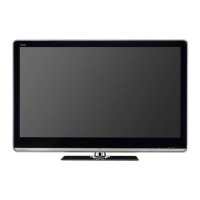
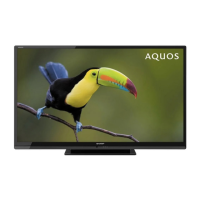
LC-40LE820UN
LC-46LE820UN
LC-52LE820UN
LC-60LE820UN
ENGLISHFRANÇAISESPAÑOL
OPERATION MANUAL
MODE D'EMPLOI
MANUAL DE OPERACIÓN
LIQUID CRYSTAL TELEVISION
TÉLÉVISEUR ACL
TELEVISOR CON PANTALLA
DE CRISTAL LÍQUIDO
ENGLISHFRANÇAISESPAÑOL
SHARP ELECTRONICS CORPORATION
Sharp Plaza, Mahwah, New Jersey 07495-1163
SHARP CORPORATION
Printed in Mexico
Imprimé au Mexique
Impreso en México
TINS-E517WJZZ
10P03-MX-NM
LC-40465260LE820UNECover.in11LC-40465260LE820UNECover.in11 2010/02/1713:49:282010/02/1713:49:28

Table of Contents

Questions and Answers

  • E
    Eugene ParkerAug 19, 2025
    How to troubleshoot no power on my Sharp AQUOS LC-40LE820UN?
    • S
      Steven MayerAug 19, 2025
      If your Sharp LCD TV has no power, first, ensure you've pressed the POWER button on the remote. Then, check if the AC cord is properly connected. Finally, verify that the power outlet is switched on.
  • F
    frederickphilipAug 21, 2025
    What to do if there is no sound on my Sharp AQUOS LC-40LE820UN LCD TV?
    • G
      George HarrisAug 21, 2025
      If you're experiencing a 'no sound' issue with your Sharp LCD TV, here are a few things to check: * Make sure the connections to other components are correct. * Verify that the volume isn't set too low. * Ensure you haven't accidentally pressed the MUTE button on the remote. * Check the audio output settings of any connected external equipment to ensure the volume is adequate and not muted. * If using an HDMI cable, you may need to configure the audio output through the HDMI cable.
  • C
    Christopher FloydAug 23, 2025
    Why doesn't the remote control work on my Sharp LCD TV?
    • M
      Matthew PerezAug 25, 2025
      If the remote control isn't working with your Sharp LCD TV, make sure the equipment to be operated by the remote control unit is set correctly by pressing TV. Check that the batteries are inserted correctly, aligning the polarity (e, f). If the batteries are old, replace them with new ones. Strong or fluorescent lighting near the TV might interfere with the remote's signal. Also, check if a fluorescent light is illuminated near the remote control sensor. Finally, check if 'RC Control Lock' is selected in 'Operation Lock Out'.
  • D
    Donna GreenAug 26, 2025
    Why does my Sharp AQUOS LC-40LE820UN suddenly turn off?
    • G
      Gene PayneAug 27, 2025
      If your Sharp LCD TV is suddenly turning off, check if the sleep timer is set. Also, review the power control settings. If the unit's internal temperature has increased, remove any obstructions blocking the vents or clean the vents to improve airflow.
  • T
    Tyler RoweAug 28, 2025
    How to improve poor HD picture quality on Sharp AQUOS LC-40LE820UN?
    • C
      Christopher JimenezAug 28, 2025
      To improve the HD picture quality on your Sharp LCD TV, ensure you've set up an HDMI or component connection to enjoy HD images from external equipment. If the program content itself isn't HD, it won't display in high definition. Also, the cable/satellite set-top box may need to be configured to output HD images. The cable/satellite broadcast may not support a signal resolution of 1080p.
  • R
    Renee WelchAug 30, 2025
    How to fix strange color on my Sharp LCD TV?
    • M
      Mark LeeAug 30, 2025
      If you notice strange colors, light colors, or color misalignment on your Sharp LCD TV, start by adjusting the picture tone settings. Also, consider the room's brightness; a picture may appear dark in a room that is too bright.
  • C
    Charles TuckerSep 1, 2025
    What to do if my Sharp LCD TV failed to receive broadcast?
    • D
      Donald RamirezSep 1, 2025
      If your Sharp LCD TV fails to receive a broadcast, check the antenna cable and ensure the antenna is correctly set up.
  • M
    marydaltonSep 3, 2025
    Why the original home page cannot be displayed on Sharp AQUOS LC-40LE820UN?
    • S
      Stephanie WoodSep 4, 2025
      If the original home page cannot be displayed on your Sharp LCD TV, check that the ETHERNET cable is connected correctly. Also, review the settings of 'Communication Setup' and 'Interactive Service'.
  • K
    Kathleen PopeSep 6, 2025
    Why does my Sharp AQUOS LC-40LE820UN say no broadcast now?
    • B
      Brenda GreenSep 6, 2025
      If your Sharp LCD TV displays 'no broadcast now', check the broadcast time in the program guide.
  • C
    Claudia SmithSep 8, 2025
    What to do if my Sharp LCD TV unit cannot be operated?
    • S
      Samantha CollierSep 8, 2025
      If your Sharp LCD TV unit cannot be operated, especially after external influences like lightning or static electricity, turn off the power of the TV or unplug the AC cord. Wait for 1 or 2 minutes, then plug it back in and try operating the unit again.

Summary

Important Information

Safety Precautions

General warnings and cautions for safe operation and electrical safety.

Important Safety Instructions

General Safety Instructions

Essential safety precautions for product installation and use.

Water and Moisture Precautions

Warnings against using the TV near water or in damp environments.

Lightning and Power Line Safety

Precautions related to lightning storms and proximity to power lines.

Child Safety Guidelines

Advice on safely installing and using the TV to prevent child injury.

Quick Reference

Connecting to External Equipment

HDMI Connection

How to connect devices using HDMI for audio and video.

Connecting a PC

Instructions for connecting and displaying a computer image.

Watching TV

Initial Installation

Guide for the first-time setup and channel scanning process.

Direct Button Operation

On-Screen Display Menu

Picture Settings

Adjusting picture quality parameters like brightness, contrast, and color.

Audio Settings

Customizing sound preferences like volume, surround, and bass.

Initial Setup

Guide for re-running setup, language, TV location, and channel search.

Parental Controls

Features for blocking content based on ratings and setting parental locks.

Software Update

Instructions for updating the TV's system software via network or USB.

Enjoying Photo and Music Playback

Using AQUOS LINK

Controlling HDMI Equipment via AQUOS LINK

Using HDMI CEC for interactive control of connected devices.

AQUOS LINK Setup Options

Configuring AQUOS LINK features like auto power, recorder selection, and audio channels.

Using a PC

Displaying PC Image and View Mode

Connecting a PC and adjusting screen size and aspect ratio.

Adjusting PC Image Settings

Fine-tuning PC image quality, including auto sync and manual adjustments.

Using the Internet

Internet Setup and Connection

Steps to connect the TV to a broadband internet connection.

Instantly Watching Movies from Netflix

Guide to setting up and watching movies via Netflix streaming.

Appendix

Troubleshooting Common Problems

Solutions for issues like no power, no picture, and sound problems.

Troubleshooting Error Messages

Explanations and solutions for specific error codes displayed on screen.

Calling for Service

Limited Warranty (US)

Terms and conditions of the product's limited warranty in the US.

Sharp AQUOS LC-40LE820UN Specifications

General IconGeneral
BrandSharp
ModelAQUOS LC-40LE820UN
CategoryLCD TV
LanguageEnglish

Related product manuals