32
CLEARING THE PASSWORD
If you forget the password, clear the password using the following procedure.
1
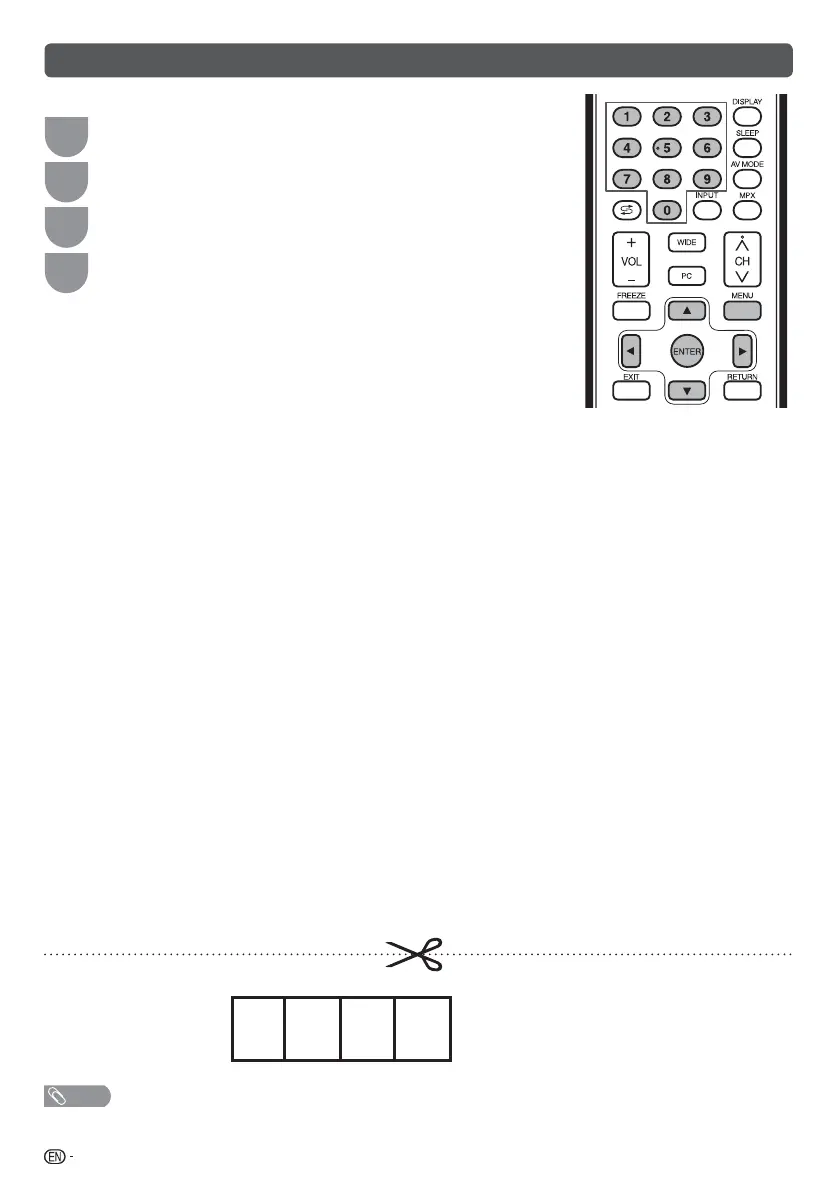
Press MENU to display the MENU screen, and then press
c
/
d
to
select “Setup”.
2
Press
a
/
b
to select “Child lock”, and then press ENTER and the
password input screen display.
3
If you enter “3001” using 0 – 9, the “Child lock” setting menu will be
displayed.
4
Enter the 4-digit number as a password using 0 – 9. The new
password is now set.
The Password is .
NOTE
• As a precautionary measure, make a note of your password above, remove it from this manual, and keep it in a familiar
place.
LC40M500X_EN_CS2_A5.indd 32LC40M500X_EN_CS2_A5.indd 32 10-Jun-11 10:22:43 AM10-Jun-11 10:22:43 AM







 To Next Page