EasyManua.ls Logo

Sharp AQUOS LC-60LE550U - User Manual

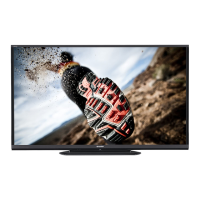
Sharp AQUOS LC-60LE550U
33 pages
Print Icon
To Next Page IconTo Next Page
Loading...
1
Supplied Accessories
Make sure the following accessories are provided with the product.
Remote control unit (
g
1)
Page 9
“AA” size battery (
g
2)
Page 10
LC-70LE550U
LC-60LE550U
LIQUID CRYSTAL
TELEVISION
OPERATION MANUAL
ENGLISH
Always use the AC cord supplied with the TV.
The illustrations above are for explanation purposes and may vary slightly from the actual accessories.
The illustrations and on-screen displays in this operation manual are for explanation purposes and may vary slightly
from the actual operations.
The examples used throughout this manual are based on the LC-60LE550U model.
IMPORTANT : Please read this operation manual
before starting operating the equipment.
Stand unit (
g
1)
Page 7
Operation manual
(
g
3 languages)
Connection guide (
g
1)
LC-7060LE550UE00.indd1
2012/10/3016:21:28
2012/10/3016:21:28

Other manuals for Sharp AQUOS LC-60LE550U

Questions and Answers

  • B
    Brent MeyerAug 15, 2025
    How to troubleshoot no power on Sharp AQUOS LC-60LE550U?
    • R
      Richard AlexanderAug 16, 2025
      If your Sharp LCD TV isn't turning on, first, ensure you've pressed the POWER button on the remote. If the TV's indicator light remains off, press the POWER button on the TV itself. Also, verify that the AC cord is securely connected and that the power outlet is switched on.
  • J
    Jennifer CurtisAug 19, 2025
    Why is there no sound on my Sharp AQUOS LC-60LE550U LCD TV?
    • A
      amorrisSep 12, 2025
      If there is no sound on your Sharp LCD TV, check the connection to other components. Make sure the volume isn't too low and that mute isn't activated on the remote. Verify 'Output Select' settings and the volume of connected external equipment. If using HDMI, configure audio output through HDMI. Also, check 'PC Audio Select' settings, and if using a DVI-HDMI conversion cable, connect an audio cable.
  • K
    Katie Brown DVMAug 21, 2025
    What to do if Sharp AQUOS LC-60LE550U LCD TV remote control does not operate?
    • C
      Carol WallerAug 22, 2025
      If the remote control for your Sharp LCD TV isn't working, first check that the batteries are inserted correctly, paying attention to the polarity. If they are, try replacing the batteries with new ones. Avoid using the remote under strong or fluorescent lighting, or near a fluorescent light that may be interfering with the remote control sensor.
  • D
    David Carpenter DDSAug 25, 2025
    Why is there no picture on my Sharp AQUOS LC-60LE550U?
    • A
      Alicia EdwardsAug 25, 2025
      If your Sharp LCD TV has no picture, start by checking the connections to other components and ensuring the correct input is selected. Also, check the 'Audio Only' setting. If connecting a laptop, ensure the display output mode is set to external monitor and verify the resolution setting for compatibility.
  • C
    Catherine PhamAug 28, 2025
    What to do if Sharp AQUOS LC-60LE550U power is suddenly turned off?
    • P
      paul56Aug 28, 2025
      If your Sharp LCD TV is suddenly turning off, check if the sleep timer is set. Also, check the power control settings. If the unit's internal temperature has increased, remove any objects blocking the vents or clean them.
  • A
    alyssahollowayAug 30, 2025
    Why is picture quality of HD programs poor on Sharp AQUOS LC-60LE550U LCD TV?
    • J
      Jennifer ParkerAug 31, 2025
      If the picture quality of HD programs is poor on your Sharp LCD TV, ensure you've set up an HDMI or component connection to enjoy HD images from external equipment. Note that if the program content itself isn't HD, HD images won't be displayed. Also, the cable/satellite set-top box may need to be configured to output HD images, and the broadcast may not support a signal resolution of 1080p.
  • C
    Cathy RuizSep 3, 2025
    How to fix strange color on Sharp LCD TV?
    • H
      hartmanmelissaSep 3, 2025
      If you're experiencing strange color, light color, or color misalignment on your Sharp LCD TV, try adjusting the picture tone. Also, consider if the room is too bright, as this can make the picture appear dark.
  • M
    Mary BeasleySep 6, 2025
    What to do if Sharp LCD TV unit cannot be operated?
    • Q
      qvaldezSep 6, 2025
      If your Sharp LCD TV cannot be operated, external influences such as lightning or static electricity may be the cause. Turn off the power of the TV or unplug the AC cord, wait 1 or 2 minutes, and then replug it in to resolve the issue.
  • L
    Lori WhiteSep 9, 2025
    How to fix picture cut off on Sharp AQUOS LC-60LE550U LCD TV?
    • M
      Michael LewisSep 9, 2025
      If the picture on your Sharp LCD TV is cut off or has a sidebar screen, check if the image position is correct. Also, ensure that screen mode adjustments, such as picture size, are made correctly.
  • J
    james63Sep 12, 2025
    Why does my Sharp LCD TV sometimes make a cracking sound?
    • J
      Julia JuarezSep 12, 2025
      The occasional cracking sound from your Sharp LCD TV is not a malfunction. It occurs when the cabinet slightly expands and contracts due to temperature changes.

Summary

Important Safety Instructions

Additional Safety Information

Covers power sources, overloading, object entry, damage, replacement parts, and safety checks.

Child Safety and TV Placement

Emphasizes safe TV placement, securing the unit, and preventing children from climbing on furniture.

Quick Reference and Installation

Stand Installation and Wall Mounting

Step-by-step instructions for attaching the TV stand and mounting the TV on a wall.

Initial Setup and Connections

Covers quick installation tips, connecting antennas, and remote control setup.

TV Operation and Features

Part Names and External Connections

Identifies TV parts and explains how to connect external equipment like AV devices and PCs.

Direct Button Operations

Guide to using various TV buttons and remote control functions like changing channels, volume, and mute.

On-Screen Display Menu Navigation and Settings

How to use the on-screen menu to adjust picture, audio, system settings, and parental controls.

Appendix and Support

Troubleshooting Common Issues

Solutions for frequently encountered problems like no power, picture, or sound issues.

Specifications and Warranty Information

Technical specifications of the TV models and details of the limited warranty.

Sharp AQUOS LC-60LE550U Specifications

General IconGeneral
Screen Size60 inches
Display TypeLCD
Backlight TypeLED
Refresh Rate120 Hz
HDMI Ports4
USB Ports1
Smart TVYes
Built-in Wi-FiYes
Resolution1920 x 1080
Audio Output20W

Related product manuals