- 4 -
B
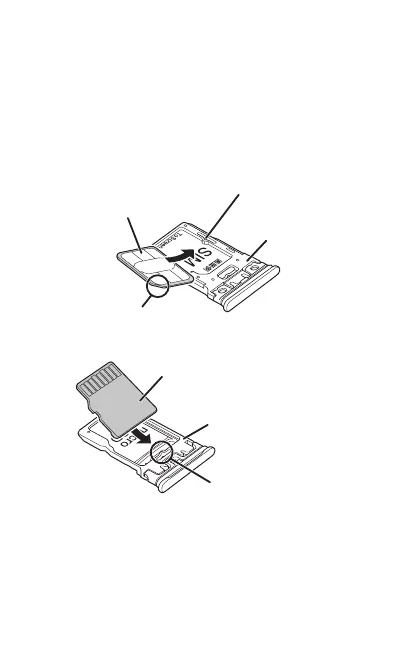
Attach or remove the card.
•
Attach the SIM card to the display side of the SIM card/microSD
memory card tray.
•
Check the direction of the card when attaching it. Aligning the
notch, attach the SIM card securely to the SIM card/microSD
memory card tray with the IC (metal) side/terminal (metal) side
turned up while pressing the card against the projection of the
tray.
•
Make sure the SIM card is in the card tray securely. Installing it in
the product if lifted from the tray may cause damage.
d
tion turned up)
while pressing against the projec
Card tray
(display side)
(terminal side turned up)
Card tray (back side)
while pressing















 To Next Page