- 3 -
Attaching/Removing Cards
•
Before attaching or removing the card, make sure to turn off the
product.
•
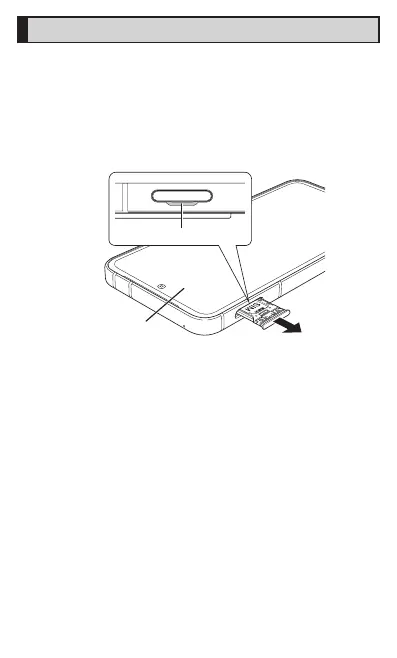
Always attach or remove the SIM card/microSD memory card tray with
the display side turned up.
A
With the display turned up, pull out the SIM card/
microSD memory card tray with your finger on the
groove.
Groove
Display turned up













 To Next Page