EasyManua.ls Logo

Sharp AX-700 - User Manual

Sharp AX-700
40 pages
Print Icon
To Next Page IconTo Next Page
Loading...
A42378,SEC AX700S O/M
®
READ ALL INSTRUCTIONS CAREFULLY BEFORE USING THE OVEN.
CONTENTS
For Customer Assistance... Inside Front Cover
Consumer Limited Warranty ................... 1
Product Information Card ........................ 1
•Important Safeguards.............................. 2-3
Unpacking and Installation Instructions... 3
Grounding Instructions ............................ 4
Information You Need to Know ............... 5-9
Part Names ............................................. 10
Control Panel .......................................... 11
How to Use the Reservoir / Drain Water...
12-13
Before Operating..................................... 14-15
Automatic Cooking .................................. 16-20
Manual Cooking ...................................... 21-29
Other Convenient Features..................... 30-32
Cleaning and Care .................................. 33
Service Call Check /
Troubleshooting Chart............................. 34-36
Specifications .......................................... 37
Quick Programming Guide............. Back Cover
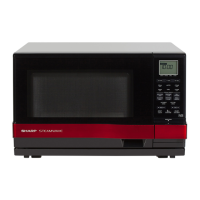
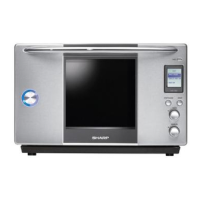
SUPERHEATED STEAM OVEN
OPERATION MANUAL
MODEL
AX-700
followed by letter indicating color
S= silver R= red

Questions and Answers

  • H
    Hannah FowlerSep 4, 2025
    What to do if the Sharp AX-700 START button is not working?
    • L
      lorilopezSep 4, 2025
      If the START button on your Sharp Oven isn't working, try opening and closing the oven door. Check if the oven light is off, and then press START again. Also, if the display shows 'Wait until oven is cool,' wait until the message disappears before pressing START.
  • M
    Maureen IbarraSep 18, 2025
    What does it mean if there are white or gray grains in the drained water of my Sharp AX-700 Oven?
    • A
      Austin PachecoSep 18, 2025
      If you notice white and/or gray grains in the drained water of your Sharp Oven, please refer to page 31 for step-by-step descaling instructions.
  • Q
    qwilliamsSep 16, 2025
    Why does my Sharp AX-700 Oven cavity smell after cooking?
    • A
      Austin HernandezSep 16, 2025
      To remove the aroma from your Sharp Oven cavity after cooking, please refer to page 33 for detailed instructions.
  • J
    Johnny DudleySep 14, 2025
    Why can't I use STOP/CLEAR during draining on my Sharp AX-700?
    • D
      Devon NelsonSep 14, 2025
      If the STOP/CLEAR pad on your Sharp Oven cannot be entered during draining, it is because the pad is locked during the draining process. Wait for 15 seconds and try again.
  • M
    Marilyn JohnsonSep 12, 2025
    Why does my new Sharp Oven smoke or smell during first use?
    • A
      Alexander LeeSep 13, 2025
      If your Sharp Oven smokes or emits an odor during its first use, consult page 15 for step-by-step instructions on how to properly clean the oven before its initial use.
  • N
    Nicole PenningtonSep 12, 2025
    Why does water collect under the base tray of my Sharp AX-700 Oven after cooking?
    • T
      Tony BrownSep 12, 2025
      If water collects under the base tray of your Sharp Oven after cooking, it is likely due to steam condensation on the oven floor. Wipe the area dry with a soft cloth.
  • C
    Courtney GallagherSep 9, 2025
    Why is there water inside my Sharp Oven after opening the door?
    • C
      Carla AnthonySep 9, 2025
      If you find water inside your Sharp Oven when you open the door, it's likely due to steam condensation. Simply wipe the interior dry with a soft cloth.
  • M
    Michael WalkerSep 7, 2025
    What to do if the Sharp AX-700 displays 'Water cannot be pumped'?
    • A
      andrew87Sep 7, 2025
      If your Sharp Oven displays 'Water cannot be pumped', remove the reservoir and check the following: - Ensure it is filled to the MAX mark. - Verify the air holes are not clogged. - Check that the reservoir filter is not clogged. - Inspect the reservoir for any damage. If all seems correct, reposition the filled reservoir correctly and push firmly into place. Reprogram and touch START. If the message persists, descale the oven (page 31). If the message continues, contact a Sharp Authorized Servicer.
  • B
    beckerbrendaSep 5, 2025
    How to fix Sharp Oven error EE12?
    • T
      tonya96Sep 5, 2025
      If your Sharp Oven displays error code EE12, press STOP/CLEAR and then drain the water by following the DRAIN WATER instructions on page 13.
  • D
    Diana RichAug 20, 2025
    What to do if the Sharp Oven displays 'Fill reservoir'?
    • E
      Erin LewisAug 21, 2025
      If your Sharp Oven displays 'Fill reservoir', it means there isn't enough water in the reservoir for the selected cooking operation. To resolve this, remove the reservoir, fill it with water up to the MAX mark, and firmly place it back into its cavity. Then, press START again. Note that this message might appear if the START button is pressed while the oven is checking the water level.

Summary

For Customer Assistance

To Phone

Phone numbers for service, parts, and additional customer information.

To Write

Mailing address for customer assistance and correspondence.

To Access Internet

Website address for online product support and information.

Consumer Limited Warranty

Warranty Terms and Conditions

Covers warranty period, exclusions, and service acquisition steps.

Product Information Card

Important Safeguards

General Usage and Electrical Safety

Essential precautions for safe operation, grounding, and avoiding electrical hazards.

Installation and Placement Guidelines

Recommendations for proper installation location and avoiding heat sources.

Fire Prevention and Hot Surface Warnings

Advice on preventing fires and avoiding burns from hot oven components.

Unpacking and Installation Instructions

Unpacking and Inspection

Guide to removing packaging and checking the oven for any damage.

Oven Placement Requirements

Requirements for selecting a safe and functional location for the oven.

Grounding Instructions

Electrical Requirements

Specifies the required voltage, frequency, and amperage for the power supply.

Extension Cord Usage

Guidelines for selecting and using an appropriate extension cord.

Information You Need to Know

Cooking Methods Overview

Explains the basic capabilities of Steam, Superheated Steam, and Thermal cooking.

Steam Cooking Techniques and Tips

Provides detailed techniques, hints, and usage tips for steam cooking.

Cooking Factors and Defrosting

Discusses factors affecting cooking time and defrosting procedures.

Utensils, Coverings, and Child Safety

Guidelines on cookware, coverings, and essential safety measures for children.

General Safety and Operation Warnings

Comprehensive advice on food safety, hot parts, door operation, and preventing hazards.

Part Names

Oven Accessories Identification

Lists and describes the accessories included with the oven.

Included Printed Materials

Lists the documentation provided with the appliance.

Control Panel Overview

Operating Pads and Dials

Details the functions of the INFO, START, STOP/CLEAR pads and AUTO/MANUAL dials.

Indicators and Symbols

Explains the meaning of various indicators like water level, cooking status, and steam.

How to Use the Reservoir

Reservoir Filter Information

Information about the reservoir's built-in filter and its maintenance.

Drip Tray Usage and Cleaning

Guidance on removing, inserting, and cleaning the drip tray that collects condensation.

Drain Water Function

Automatic Draining Process

Steps for the automatic draining sequence after cooking or idle periods.

Manual Draining Process

How to initiate the draining process using the INFO pad.

Drain Tube Positioning

Instructions for correctly inserting and cleaning the drain tube.

Before Operating

Initial Setup Procedures

Steps like inserting the drain tube and placing the base tray.

Setting the Clock

A step-by-step guide to setting the oven's clock.

Automatic Cooking

Roast Function Details

Specific foods and parameters for the automatic Roast function.

Grill Function Details

Specific foods and parameters for the automatic Grill function.

Steam Function Details

Specific foods and parameters for the automatic Steam function.

Convenience Foods Function Details

Specific foods and parameters for the automatic Convenience Foods function.

Manual Cooking

Manual Cooking Mode Overview

Summary of all manual cooking modes, their temperatures, and capabilities.

Specific Manual Cooking Procedures

Step-by-step instructions for using Steam, Super Grill, Super Roast, Super Bake, Thermal, Proof, Defrost, and Reheat modes.

Other Convenient Features

Adjusting Cooking Time and Temperature

Methods for extending cooking duration and adjusting temperature during operation.

Info Pad and System Settings

Using the INFO pad for features and adjusting system settings like clock and sound.

Descaling the Oven

Instructions for descaling the oven to maintain steam performance and prevent scale buildup.

Oven Cleaning Function

How to use the steam-assisted cleaning cycle for the oven interior.

System Settings

Adjusting clock, display contrast, sound, and demo mode.

Cleaning and Care

Interior and Exterior Cleaning Procedures

Steps for cleaning the oven's internal cavity, external surfaces, and door components.

Cleaning Oven Accessories

Instructions for washing and maintaining the reservoir, drip tray, racks, and trays.

Service Call Check and Troubleshooting

Error and Information Message Troubleshooting

Actions to resolve specific error codes and information messages displayed by the oven.

Display Message Troubleshooting

Addresses messages like DRAIN WATER, NOW COOLING, and PREPARING STEAM.

Common Situations and Answers

Answers to frequently asked questions about oven operation and potential issues.

Normal Operational Situations

Explains expected steam behavior, operational noises, and initial smoke/aroma.

Specifications

Quick Programming Guide

Automatic Cooking Chart

Quick reference table detailing food items and amounts for automatic modes.

Quick Setup Procedures

Condensed steps for setting the clock, using automatic and manual cooking, and the INFO pad.

Sharp AX-700 Specifications

General IconGeneral
BrandSharp
ModelAX-700
CategoryOven
LanguageEnglish

Related product manuals