EasyManua.ls Logo

Sharp CD-XP300H - User Manual

Sharp CD-XP300H
4 pages
Print Icon
To Next Page IconTo Next Page
Loading...
– 1 –
This Quick Guide will help you to correctly
install and operate your system.
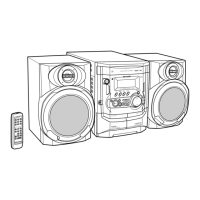
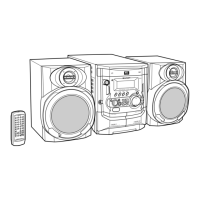
CD-XP300H
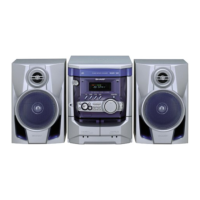
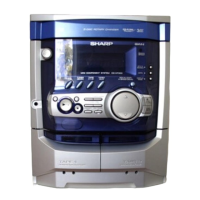
MINI COMPONENT SYSTEM
Accessories
123
Remote control battery installation
Use 2 “AAA” size batteries (UM-4, R03, HP-16 or similar). Batteries are not included.
Open the
Insert the batteries
Close the
battery cover.
as shown.
battery cover.
1
1
2
2
FM aerial × 1
Remote control × 1 AM loop aerial × 1
If you require any advice or assistance regarding
your Sharp product, please visit our web-site
www.sharp.co.uk/support.
Customers without Internet access may telephone
08705 274277 during office hours (or (01) 676 0648
if telephoning from Ireland).
0101
TINSZ0804AWZZ
02D R HK
CDXP300HE_QG 02.4.24, 4:34 PM1

Other manuals for Sharp CD-XP300H

Questions and Answers

  • C
    Christopher GrahamAug 16, 2025
    Why is my Sharp CD-XP300H Stereo System remote control not working?
    • W
      williamyoungAug 16, 2025
      If the remote control for your Sharp Stereo System isn't working, consider these potential causes: * Verify that the AC power lead of the unit is properly plugged in. * Check the battery polarity in the remote control. * Replace the batteries if they are dead. * Adjust the distance or angle from which you are using the remote. * Ensure the remote control sensor on the unit is not exposed to strong light.
  • T
    tammy97Aug 19, 2025
    What to do if my Sharp CD-XP300H Stereo System has no sound?
    • K
      Karen BaileyAug 19, 2025
      If you cannot hear any sound from your Sharp Stereo System, there are a few things to check: * Ensure that the volume level is not set to "0". If it is, increase the volume. * Make sure headphones are not connected, as this may mute the speakers. Disconnect them. * Verify that the speaker wires are properly connected. Reconnect them if necessary.
  • M
    molly05Aug 22, 2025
    What to do if Sharp Stereo System playback stops or doesn't start?
    • C
      Courtney StevensAug 22, 2025
      If playback on your Sharp Stereo System doesn't start, stops midway, or isn't performing correctly: * Ensure the disc is loaded correctly (not upside down). * Verify that the disc meets the required standards. * Check the disc for distortions or scratches, and replace it if necessary.
  • D
    Danielle VasquezAug 26, 2025
    Why does my Sharp CD-XP300H Stereo System skip or stop during playback?
    • J
      Joshua LopezAug 26, 2025
      If the playback sounds are skipping or stopping on your Sharp Stereo System, consider the following: * Move the unit away from locations with excessive vibrations. * Clean the disc if it is dirty. * If condensation has formed inside the unit, leave the power on with no disc until normal playback is possible.
  • S
    Shelley TaylorAug 28, 2025
    What to do if my Sharp Stereo System buttons are not responding?
    • S
      Sharon Martinez DDSAug 28, 2025
      If your Sharp Stereo System does not respond when a button is pressed, try setting the unit to the power stand-by mode and then turning it back on. If that doesn't work, reset the unit.
  • J
    Jill BakerAug 31, 2025
    Why does my Sharp CD-XP300H Stereo System radio make unusual noise?
    • J
      jasonmooreAug 31, 2025
      If your Sharp Stereo System radio is making unusual noises, it might be due to the unit's placement. Try moving it away from TVs or computers. Also, ensure that the FM aerial or AM loop aerial is properly placed; adjust their placement as needed.
  • M
    Mary JohnsonSep 3, 2025
    Why is the clock on my Sharp Stereo System not on time?
    • M
      Michael LucasSep 3, 2025
      If the clock on your Sharp Stereo System is not on time, it may be due to a power failure. Reset the clock.
  • R
    Ronald RosarioSep 6, 2025
    What to do if Sharp CD-XP300H Stereo System cannot record with good sound quality?
    • C
      Corey RobbinsSep 6, 2025
      If you cannot record tracks with proper sound quality or cannot erase completely on your Sharp Stereo System, ensure that you are using a normal tape. Metal or CrO tapes are not suitable for recording.
  • J
    John ReeseSep 9, 2025
    What to do if I cannot remove tape from my Sharp CD-XP300H Stereo System?
    • K
      Kellie HowellSep 9, 2025
      If you cannot remove the tape from your Sharp Stereo System, and a power failure occurred during playback, wait until electricity resumes before attempting to remove the tape. The heads remain engaged with the tape during a power failure.
  • K
    kcruzSep 12, 2025
    Why Sharp CD-XP300H cannot record?
    • K
      kimwagnerSep 12, 2025
      If your Sharp Stereo System cannot record, check the erase-prevention tab on the tape.

Sharp CD-XP300H Specifications

General IconGeneral
BrandSharp
ModelCD-XP300H
CategoryStereo System
LanguageEnglish

Related product manuals