EasyManua.ls Logo

Sharp EL-6660 - Page 29

Sharp EL-6660
50 pages
Print Icon
To Next Page IconTo Next Page
To Previous Page IconTo Previous Page
Loading...
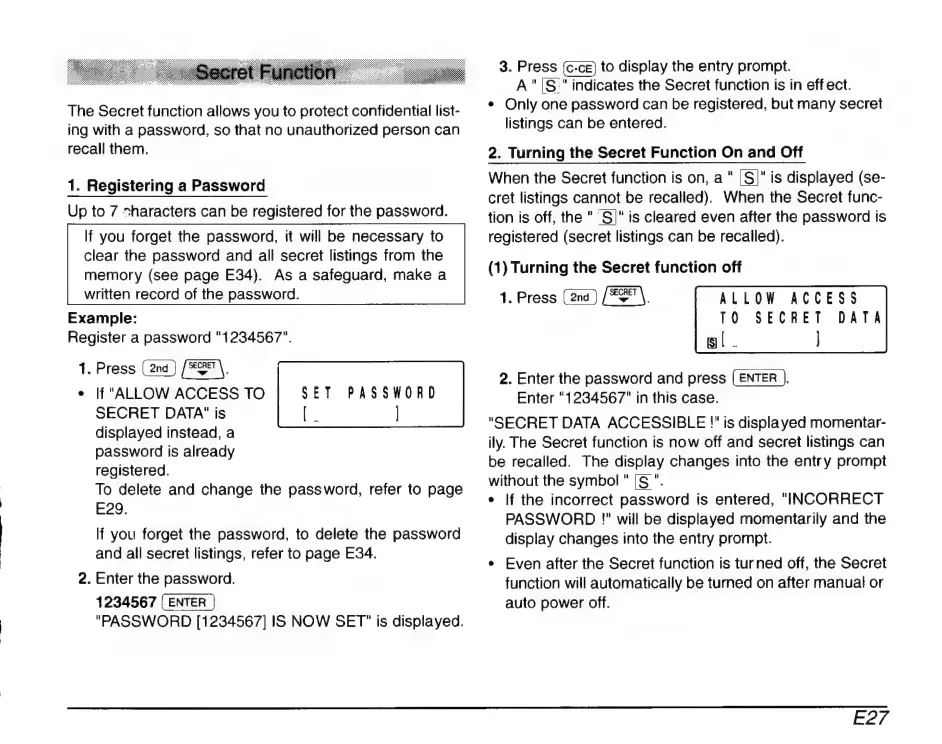
The
Secret
function
allows
you
to
protect
confidential
list-
ing
with
a
password,
so
that
no
unauthorized
person
can
recall
them.
1.
Registering
a
Password
Up
to
7
sharacters
can
be
registered
for
the
password.
If
you
forget
the
password,
it
will
be
necessary
to
clear
the
password
and
all
secret
listings
from
the
memory
(see
page
E34).
As
a
safeguard,
make
a
written
record
of
the
password.
Example:
Register
a
password
"1234567".
1.
Press
dcos
*
If
"ALLOW
ACCESS
TO
SET
PASSWORD
SECRET
DATA"
is
[|
]
displayed
instead,
a
password
is
already
registered.
To
delete
and
change
the
password,
refer
to
page
E29.
If
you
forget
the
password,
to
delete
the
password
and
all
secret
listings,
refer
to
page
E34.
2.
Enter
the
password.
1234567
"PASSWORD
[1234567]
IS
NOW
SET"
is
displayed.
3.
Press
to
display
the
entry
prompt.
A"|S'"
indicates
the
Secret
function
is
in
eff
ect.
*
Only
one
password
can
be
registered,
but
many
secret
listings
can
be
entered.
2.
Turning
the
Secret
Function
On
and
Off
When
the
Secret
function
is
on,
a
"
S)"
is
displayed
(se-
cret
listings
cannot
be
recalled).
When
the
Secret
func-
tion
is
off,
the
"
S|"
is
cleared
even
after
the
password
is
registered
(secret
listings
can
be
recalled).
(1)
Turning
the
Secret
function
off
1.
Press
(ana)
[EE
ALLOW
ACCESS
10
SECRET
DATA
gl.
|
2.
Enter
the
password
and
press
(ENTER
).
Enter
"1234567"
in
this
case.
"SECRET
DATA
ACCESSIBLE
!"
is
displayed
momentar-
ily.
The
Secret
function
is
now
off
and
secret
listings
can
be
recalled.
The
display
changes
into
the
entry
prompt
without
the
symbol
"
[S
".
*
|f
the
incorrect
password
is
entered,
"INCORRECT
PASSWORD
!"
will
be
displayed
momentarily
and
the
display
changes
into
the
entry
prompt.
*
Even
after
the
Secret
function
is
turned
off,
the
Secret
function
will
automatically
be
turned
on
after
manual
or
auto
power
off.
E27

Related product manuals