EasyManua.ls Logo

Sharp EL-6660 - Page 31

Sharp EL-6660
50 pages
Print Icon
To Next Page IconTo Next Page
To Previous Page IconTo Previous Page
Loading...
2.
Enter
the
desired
mode.
The
entry
prompt
is
displayed.
3.
Press
uta].
The"
x"
is
displayed.
4.
Press
(2
(or
A).
The
secret
listings
only
are
sequentially
recalled.
e
Ifnosecretlisting
is
found,
"NOT
FOUND
!"
is
displayed
momeritarily
and
the
display
returns
to
the
entry
prompt.
6.
Deleting
and
Changing
the
Password
1.
Turn
the
Secret
function
off.
(Refer
to
page
E27.)
A"[S]"
is
cleared.
2.
Press
EB:
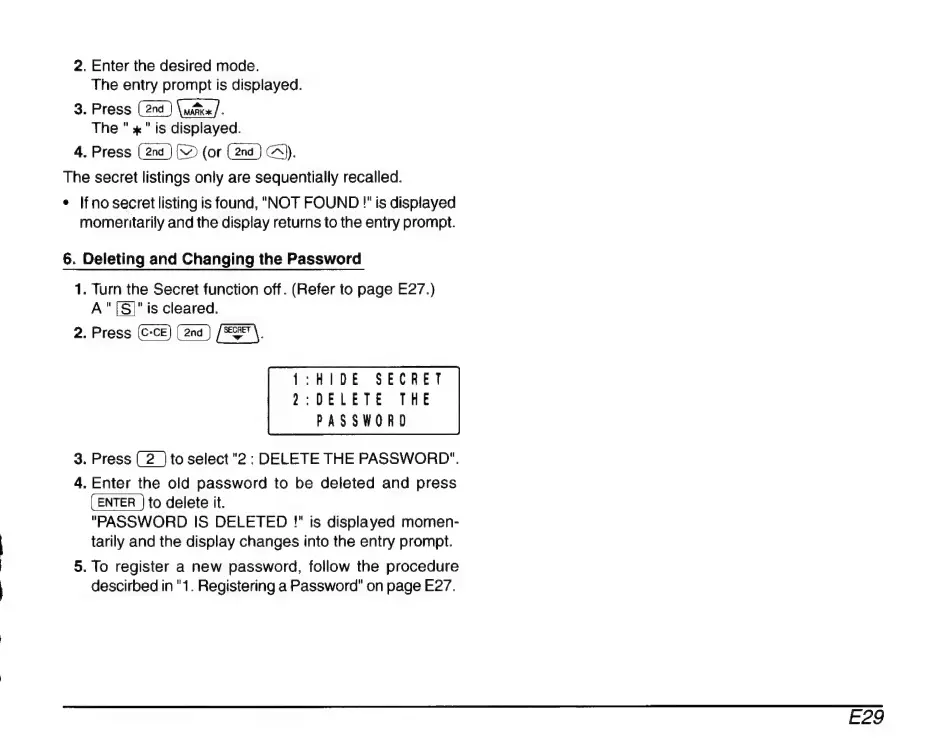
1:HI
DE
SECRET
2:DELETE
THE
PASSWORD
3.
Press
to
select
"2
:
DELETE
THE
PASSWORD".
4.
Enter
the
old
password
to
be
deleted
and
press
to
delete
it.
"PASSWORD
IS
DELETED
!"
is
displayed
momen-
tarily
and
the
display
changes
into
the
entry
prompt.
5.
To
register
a
new
password,
follow
the
procedure
descirbed
in
"1.
Registering
a
Password"
on
page
E27.
E29

Related product manuals