EasyManua.ls Logo

Sharp EL-6660 - Page 35

Sharp EL-6660
50 pages
Print Icon
To Next Page IconTo Next Page
To Previous Page IconTo Previous Page
Loading...
*
After
setting
each
rate,
you
can
perform
a
consecutive
2.
Enter
the
new
name
to
replace
the
previous
one.
conversion
such
as
from
X
to
$,
and
then
from
$
to
£.
Up
to
5
characters
can
be
entered
for
the
unit
name.
After
having
finished
the
conversion
No.
1
(from
X
to
$),
After
a
new
unit
name
is
entered
in
the
left
side,
press
and
when
you
press
[32
to
select
the
conversion
No.
2
(>)
to
move
the
cursor
to
the
right
side
and
enter
a
new
(from
$
to
£),
the
conversion
result
to
$
remains
on
the
unit
name.
To
set
the
rate
subsequently,
press
{+
5
display.
Pressing
>)
once
converts
the
result
from
$
to
and
enter
a
new
rate.
£.
3.
Press
after
the
new
names
and
rate
have
been
Example
2:
entered.
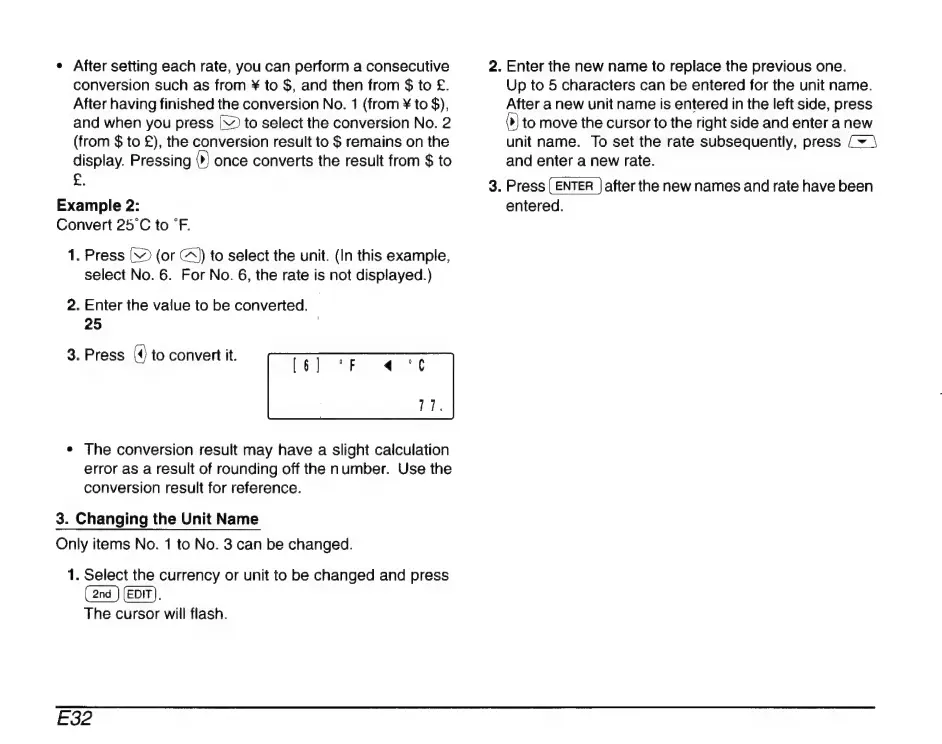
Convert
25°C
to
°F.
1.
Press
C2
(or
A)
to
select
the
unit.
(In
this
example,
select
No.
6.
For
No.
6,
the
rate
is
not
displayed.)
2.
Enter
the
value
to
be
converted.
|
25
|
3.
Press
(4)
to
convert
it.
e
The
conversion
result
may
have
a
slight
calculation
error
as
a
result
of
rounding
off
the
number.
Use
the
conversion
result
for
reference.
3.
Changing
the
Unit
Name
Only
items
No.
1
to
No.
3
can
be
changed.
1.
Select
the
currency
or
unit
to
be
changed
and
press
(2nd
)
(EDIT).
The
cursor
will
flash.
E32