62
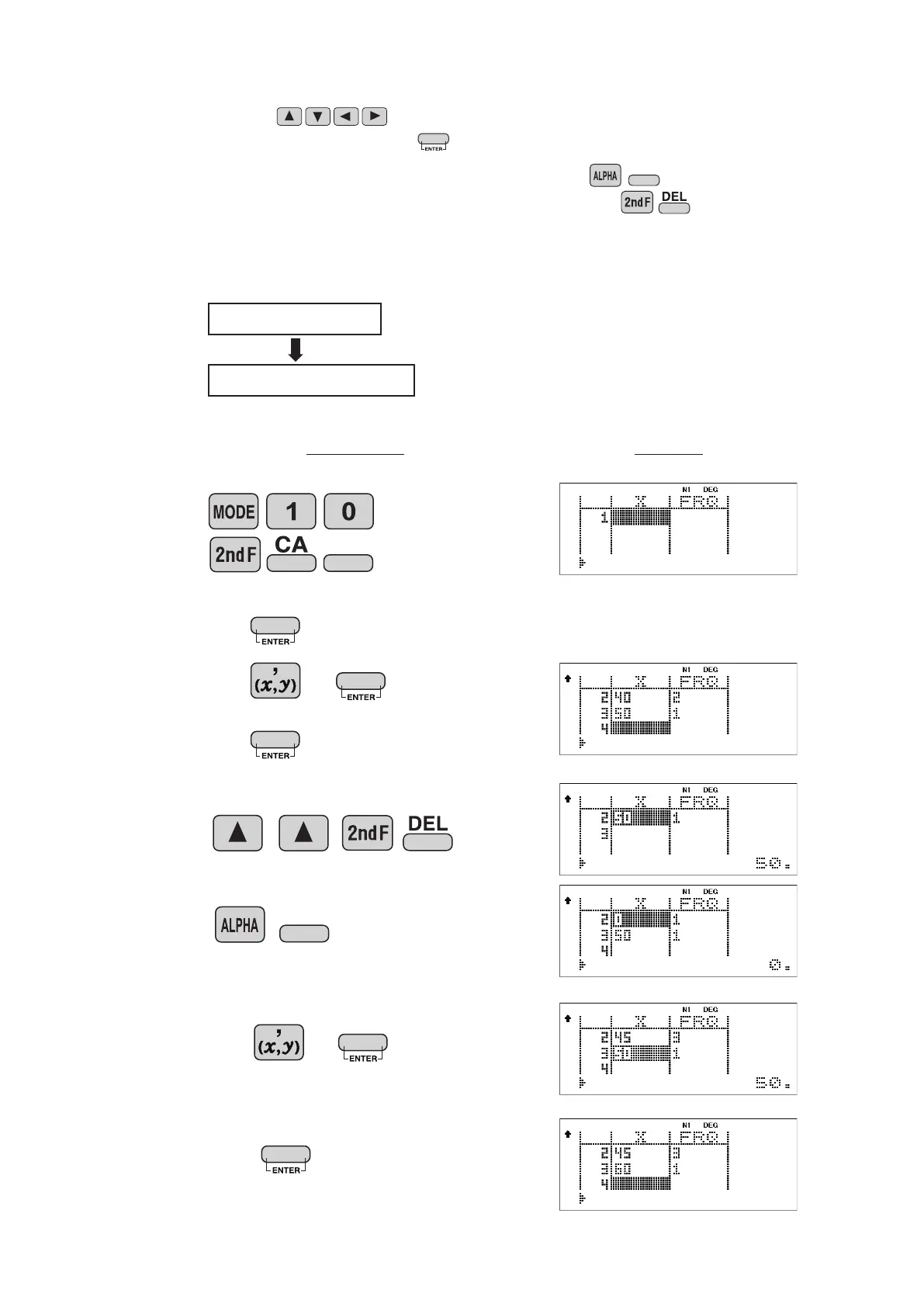
<Example 3>
Operation Display
• To
insert a line in front of the cursor position,
press .
• To delete the entire line where cursor is positioned,
press .
Data table 2
X: 30, 40, 40, 50
X: 30, 45, 45, 45, 60
40 2
50
30
DATA CORRECTION
Move the cursor ( ) to the data that you want to correct,
enter the numeric value, and press .
INS-D
45 3
60
INS-D
DATA



 To Next Page