EasyManua.ls Logo

Sharp GF-6060H - Front Cabinet Removal; Voltage Selection

Sharp GF-6060H
24 pages
Print Icon
To Next Page IconTo Next Page
To Previous Page IconTo Previous Page
Loading...
DISASSEMBLY
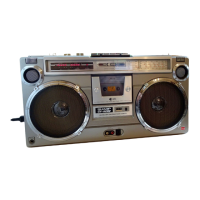
(PHOTO:
GF-6060H)
Caution:
Prior
to
the
disassembly,
be
sure
to
remove
the
power
supply
cord
plug,
cassette
tape,
battery
and
adaptor
from
the
unit.
@
FRONT
CABINET
REMOVAL
(Refer
to
Figure
3—1)
1.
Remove
the
seven
(7)
screws
at
the
rear
of
the
unit
retaining
the
front
cabinet.
2.
Push
the
stop/eject
key
to
open
the
cassette
holder.
3.
Detach
the
front
cabinet,
and
withdraw
the
three
(3)
tips.
Figure
3—1
@
CHASSIS
(PWB)
REMOVAL
(Refer
to
Figure
3—3)
1.
Take
the
six
(6)
knobs
off.
2.
Disconnect
the
three
(3)
tips
from
the
PWB.
3.
Remove
the
seven
(7)
screws
retaining
the
amp./tuner
PWB,
then
it
can
be
removed
from
the
back
cabinet.
Figure
3—3
@
MECHANISM
BLOCK
REMOVAL
(Refer
to
Figure
3—2)
1.
Detach
the
dial
scale
plate.
2.
Remove
the
four
(4)
screws
retaining
the
mechanism
block.
3.
Disconnect
the
three
(3)
sockets
(CNS101,
CNS102,
CNS103)
and
the
one
(1)
tip
from
the
PWB,
then
the
mechanism
block
can
be
removed.
Figure
3—2
VOLTAGE
SELECTION
Before
operating
the
unit
on
mains,
check
the
preset
voltage.
If
the
voltage
is
different
from
your
local
voltage,
adjust
the
voltage
as
follows:
Slide
the
AC
power
supply
socket
cover
by
a
little
loosing
two
screws
to
the
visible
indication
of
the
side
of
your
local
voltage.
See
Figure
3-4.
OX]
‘Te
=orvavetets
ROMO
KeSeseoe5s
ACIIO~
l20v
>
AC
220~
240V
SCREWS
AC
Power
Supply
Socket
Cover
Figure
3-4

Related product manuals