CD
MECHANISM
SECTION
Perform steps
1,2,8,9,
and 10 of the disassembly method to
remove the CD mechanism.
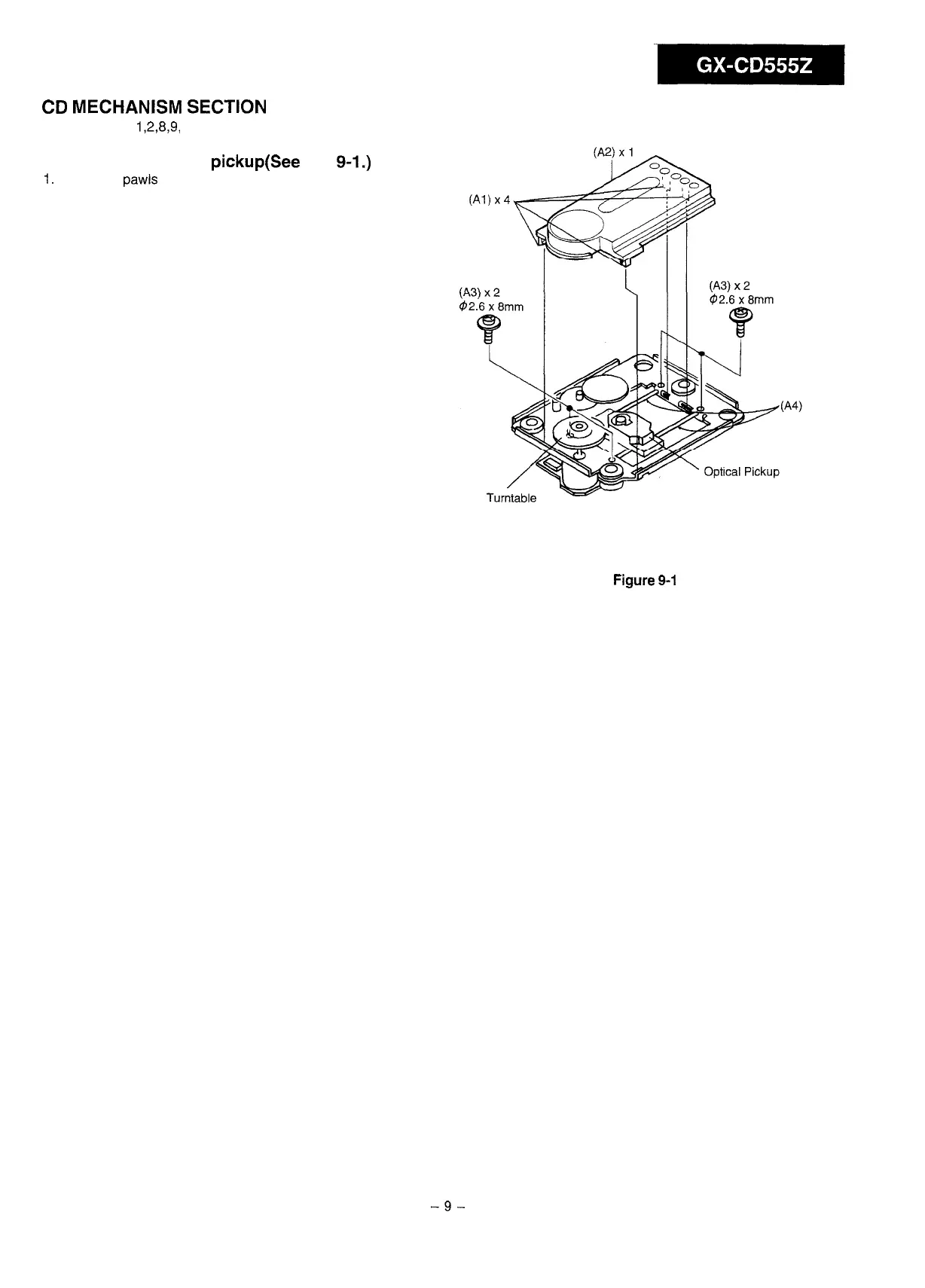
Removing the optical pickup(See Fig.
9-1.)
1.
Remove 4
pawls
(Al) and remove cover (A2).
2.
Remove 4 screws (A3) and remove 2 shafts (A4).
(Al)x4
x2
Figure
9-1
VOLTAGE SELECTION
Before operating the unit on mains, check the preset voltage. If
the voltage is different from your local voltage, adjust the voltage
as follows: Slide the AC power supply socket cover by slightly
loosing the screw to the visble indication of the side of your local
voltage.
-9-



 To Next Page