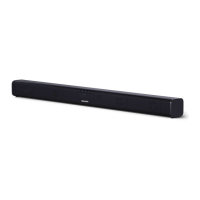
EasyManua.ls Logo

Sharp HT-SB110 - User Manual

Sharp HT-SB110
12 pages
Print Icon
To Next Page IconTo Next Page
Loading...
HT-SB110
MODEL
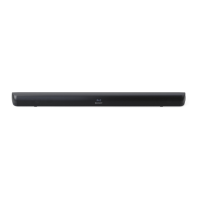
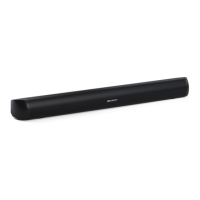
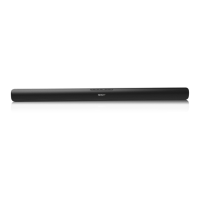
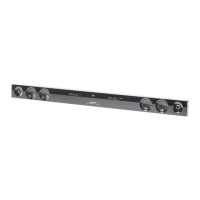
SOUND BAR HOME THEATRE SYSTEM
OPERATION MANUAL
Thank you for purchasing this SHARP product. To obtain the best performance from this product, please read this manual
carefully. It will guide you in operating your SHARP product.

Other manuals for Sharp HT-SB110

Question and Answer IconNeed help?

Do you have a question about the Sharp HT-SB110 and is the answer not in the manual?

Summary

Controls and Indicators

Front Panel Controls

Details controls and indicators located on the front of the sound bar, including LED status lights.

Rear Panel Connections

Details connection ports and indicators located on the rear of the sound bar for audio and power.

Remote Control Overview

Explains the functions of each button on the remote control for operating the sound bar.

Remote Control Operation

Connection Options

Power Connection

Procedure for safely connecting the sound bar to a power source.

Bluetooth Operation

Pairing Bluetooth Devices

Steps to connect a Bluetooth-enabled device to the sound bar for audio playback.

Troubleshooting

No Power Issues

Solutions for when the sound bar does not turn on.

No Sound Problems

Troubleshooting steps for when no audio is output from the sound bar.

Summary

Controls and Indicators

Front Panel Controls

Details controls and indicators located on the front of the sound bar, including LED status lights.

Rear Panel Connections

Details connection ports and indicators located on the rear of the sound bar for audio and power.

Remote Control Overview

Explains the functions of each button on the remote control for operating the sound bar.

Remote Control Operation

Connection Options

Power Connection

Procedure for safely connecting the sound bar to a power source.

Bluetooth Operation

Pairing Bluetooth Devices

Steps to connect a Bluetooth-enabled device to the sound bar for audio playback.

Troubleshooting

No Power Issues

Solutions for when the sound bar does not turn on.

No Sound Problems

Troubleshooting steps for when no audio is output from the sound bar.

Overview

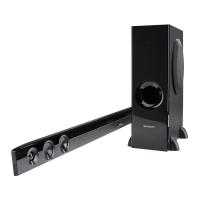
The SHARP HT-SB110 is a sound bar home theatre system designed to enhance your audio experience, whether for movies, music, or news. This device integrates multiple connectivity options and sound modes to provide versatile usage.

Function Description

The core function of the HT-SB110 is to deliver high-quality audio output, serving as a central audio hub for your home entertainment system. It can be connected to various audio sources, including TVs, DVD players, Blu-ray players, and Bluetooth-enabled devices. The sound bar features a front panel with LED indicators that clearly show the current operating mode (STANDBY, AUX, Optical, Bluetooth, HDMI ARC), making it easy to identify the active input.

The sound bar offers several input options:

  • Optical Input: Allows connection to a TV's optical output for digital audio transmission. This is ideal for achieving clear sound from your television.
  • AUX Input: Provides a versatile connection for external audio devices using either an RCA to 3.5 mm audio cable or a 3.5 mm to 3.5 mm audio cable. This is suitable for older TVs or devices with headphone outputs.
  • HDMI ARC Input: Supports the Audio Return Channel (ARC) function, enabling a single HDMI cable connection to an ARC-compliant TV for both audio and control. When properly set up, you can use your TV remote to adjust the sound bar's volume.
  • Bluetooth® Connectivity: Facilitates wireless audio streaming from Bluetooth-enabled devices such as smartphones, tablets, or computers. This allows for convenient playback of music without physical cables.

The sound bar can be switched between ON and STANDBY modes using either the front panel button or the remote control. It also features an auto-power-on function when it detects an audio signal from HDMI/ARC or AUX 1, and an auto-standby function after 15 minutes of no input signal, contributing to energy efficiency.

For sound customization, the HT-SB110 includes preset equalizer (EQ) effects:

  • Movie Mode: Recommended for viewing movies, optimizing audio for cinematic experiences.
  • Music Mode: Recommended for listening to music, enhancing the clarity and depth of musical tracks.
  • News Mode: Recommended for listening to news, making voices clearer and easier to understand.

Usage Features

The HT-SB110 is designed for ease of use, offering both front panel controls and a comprehensive remote control.

Front Panel Controls:

  • Remote Control Sensor: Receives signals from the remote control.
  • LED Indicators: Provide visual feedback on the current operating mode.
  • Power Button (ن): Switches the sound bar between ON and STANDBY.
  • Input Select Button (G): Cycles through available input functions (AUX, Optical, Bluetooth, HDMI ARC).
  • Bluetooth Button (*): Selects Bluetooth mode. Press and hold to activate pairing or disconnect an existing Bluetooth device.
  • Volume Buttons (+/-): Adjust the volume level.

Remote Control Features:

The remote control provides full command over the sound bar's functions, including:

  • Power Button (ن): Turns the sound bar ON or OFF.
  • MUTE Button: Mutes or resumes the sound.
  • Function Buttons (AUX, BT, HDMI ARC, OPTICAL): Directly select the desired input mode.
  • Volume Buttons (VOL+/VOL-): Increase or decrease the volume.
  • Playback Controls (K, ►II/PAIR, ☑): In Bluetooth mode, these buttons allow you to skip to previous/next tracks and play/pause/resume playback. The ►II/PAIR button also initiates Bluetooth pairing when pressed and held.
  • Equalizer Buttons (NEWS, MOVIE, MUSIC): Select preset sound modes for optimized audio.

Bluetooth Operation:

Pairing a Bluetooth device is straightforward. In Bluetooth mode, the blue indicator will blink. Activate search mode on your Bluetooth device and select "HT-SB110 SHARP" from the list. If the sound bar is not found, pressing and holding the ►II/PAIR button on the remote control will make it discoverable. Once paired, the blue indicator will light up, and you can stream music from your device. The sound bar supports Advanced Audio Distribution Profile (A2DP) for music playback and Audio Video Remote Control Profile (AVRCP) for controlling playback via the remote.

Wall Mounting:

The sound bar can be placed on a level surface in front of a TV or wall-mounted for a cleaner setup. Wall mounting involves removing rear screws, attaching wall brackets to the sound bar, drilling parallel holes in the wall, and then lifting the sound bar onto the screws. It is crucial to ensure the wall strength and use appropriate mounting screws.

Troubleshooting:

The manual provides guidance for common issues such as no power, no sound, remote control malfunction, buzzing/humming, and Bluetooth connectivity problems. For instance, if there's no sound from digital inputs, it suggests setting the TV output to PCM or connecting directly to the source device. It also highlights the 15-minute power off function, an ERPII standard requirement for saving power, which activates if the external input signal level is too low.

Maintenance Features

Maintaining the HT-SB110 primarily involves proper handling and battery care for the remote control.

General Precautions:

  • Ventilation: Ensure a minimum distance of 5 cm around the sound bar for adequate ventilation and do not block openings.
  • Placement: Use on a firm, level surface, away from direct sunlight, strong magnetic fields, excessive dust, humidity, and electrical noise-generating equipment. Do not place anything on top of the sound bar.
  • Environmental Conditions: Avoid exposure to moisture, extreme temperatures (above 60°C/140°F or extremely low). The unit is designed for use between 5°C and 35°C (41°F - 95°F) in moderate climates.
  • Power Connection: Always hold the AC power plug by the head when removing it from the wall socket to prevent damage to internal wires. The AC power plug serves as the disconnect device and should always be readily operable.
  • Safety: Do not remove the outer cover to avoid electric shock; refer internal service to a SHARP service facility. No naked flame sources should be placed on the apparatus. To prevent fire or shock hazard, do not expose the appliance to dripping or splashing, and no objects filled with liquids should be placed on it.
  • Cleaning: Periodically clean the remote control's transmitter and the sound bar's sensor with a soft cloth.

Remote Control Battery Installation and Care:

  • Battery Type: Uses a CR 2025 coin lithium battery.
  • Installation: To install, push the locking tab towards the center of the remote control and slide out the battery holder. Insert the new battery with correct polarity (+/-) and slide the holder back in.
  • Safety Warning: The remote control contains a coin/button cell battery, which can cause severe internal burns if swallowed. Keep new and used batteries away from children. Seek immediate medical attention if ingestion is suspected.
  • Battery Replacement: Replace the battery if the operating distance is reduced or if operation becomes erratic.
  • Storage: Remove the battery if the sound bar will not be used for a long period to prevent damage from battery leakage.
  • Battery Disposal: Attention should be drawn to the environmental aspects of battery disposal.
  • Avoid Rechargeable Batteries: Do not use rechargeable batteries (nickel-cadmium, etc.).
  • Heat Exposure: Batteries should not be exposed to excessive heat such as sunshine, fire, or similar conditions.

By following these guidelines, users can ensure the longevity and optimal performance of their SHARP HT-SB110 sound bar.

Sharp HT-SB110 Specifications

General IconGeneral
BrandSharp
ModelHT-SB110
CategorySpeaker System
LanguageEnglish

Related product manuals