EasyManua.ls Logo

Sharp HT-SB300 - User Manual

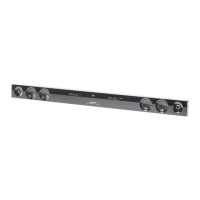
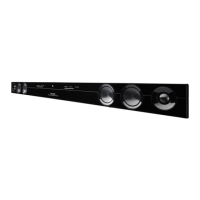
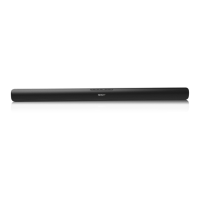
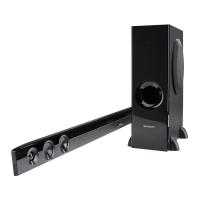
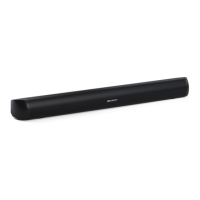
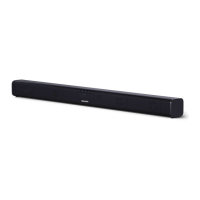
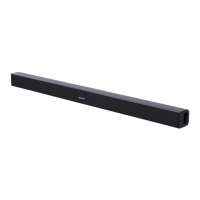
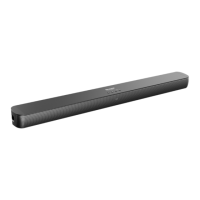
Sharp HT-SB300
33 pages
Print Icon
To Next Page IconTo Next Page
Loading...
SOUNDBAR-SYSTEM
BARRE DE SON
SISTEMA SOUND BAR
SOUND BAR SYSTEM
SISTEMA SOUND BAR
SOUND BAR SYSTEEM
SISTEMA SOUND BAR
SOUND BAR SYSTEM
MODELL
MODÈLE
MODELO
MODELL
MODELLO
MODEL
MODELO
模型
MODEL
HT-SB300
Note:
This product is recommended for flat panel TV
(LCD and plasma).
BEDIENUNGSANLEITUNG
MODE D’EMPLOI
MANUAL DE MANEJO
BRUKSANVISNING
MANUALE DI ISTRUZIONI
GEBRUIKSAANWIJZING
MANUAL DE OPERAÇÃO
操作指南
OPERATION MANUAL
DEUTSCH
...
Siehe Seiten i bis xii und D-1 bis D-20.
FRANÇAIS
...
Se reporter aux pages i à xii et F-1 à F-20.
ESPAÑOL
...
Consulte las páginas i a xii y S-1 a S-20.
SVENSKA
...
Hänvisa till sidorna i till xii och V-1 till V-20.
ITALIANO
...
Leggere le pagine i a xii e I-1 a I-20.
NEDERLANDS
...
Raadpleeg de bladzijden i t/m xii en N-1 t/m N-20.
PORTUGUÊS
...
Favor consultar as páginas i a xii e P-1 a P-20.
₼㠖
...
庆♑屐䶻L檐Ⓙ䶻[LL檐✛₼Ⓙ₼
ENGLISH
...
Please refer to pages i to xii and E-1 to E-20.
...
xii
is a trademark of SRS Labs, Inc.
WOW HD technology is incorporated under license from
SRS Labs, Inc.

Questions and Answers

  • J
    James BurnettAug 18, 2025
    Why is my Sharp Speaker System remote control not working?
    • A
      Ashley ReedAug 19, 2025
      If the remote control for your Sharp Speaker System isn't working correctly, start by checking if the battery polarity is correct and replace the battery if it's dead. Then, adjust the distance and angle of the remote control and remove any obstructions in front of the speaker. Also, eliminate strong light shining on the remote sensor and ensure that remote controls for other equipment are not being used simultaneously.
  • A
    Ashley CastanedaAug 21, 2025
    What to do if TV cannot be operated with the remote control of Sharp HT-SB300?
    • I
      icastilloAug 21, 2025
      Use the remote control supplied with the TV.
  • M
    Megan ThomasAug 23, 2025
    Why is there no sound coming from my Sharp Speaker System?
    • M
      Madeline PonceAug 23, 2025
      If no sound is coming from your Sharp Speaker System, first, ensure that the input signal is correctly selected. Then, check that the volume isn't set to “0” and increase it if necessary. Finally, verify that muting is deactivated.
  • S
    Sara BrownAug 26, 2025
    How to fix a Sharp HT-SB300 Speaker System that won't turn on with the remote?
    • D
      dsteeleAug 26, 2025
      If your Sharp Speaker System isn't turning on with the remote, first check if the AC power lead of the speaker is plugged in. Also, verify that the battery is inserted correctly.
  • D
    Daniel CunninghamAug 28, 2025
    What to do if my Sharp Speaker System power is not turned on?
    • K
      kristenfullerAug 28, 2025
      If your Sharp Speaker System isn't turning on, check if it is properly plugged in. If it is, the protection circuit may be activated; unplug the power lead and plug it in again after 5 minutes or more.
  • J
    Jennifer StuartAug 30, 2025
    How to stop noise during playback on my Sharp HT-SB300?
    • D
      dthompsonAug 30, 2025
      If you hear noise during playback with your Sharp Speaker System, try moving the speaker away from any computers or mobile phones.
  • A
    Amanda BarnettSep 2, 2025
    What to do if my Sharp Speaker System buttons are not responding?
    • V
      Veronica SchneiderSep 2, 2025
      If your Sharp Speaker System isn't responding when a button is pressed, set the speaker to stand-by mode and then turn it back on.
  • J
    Jason GambleSep 4, 2025
    What to do if my Sharp HT-SB300 malfunctions?
    • B
      Betty HoganSep 4, 2025
      If your Sharp Speaker System malfunctions due to strong external interference or incorrect operation, set the speaker to the stand-by mode and turn the power on again. If that doesn't work, unplug and plug in the speaker, and then turn the power on.
  • D
    doris33Sep 6, 2025
    Why is there condensation in my Sharp HT-SB300?
    • P
      Patricia WilliamsSep 6, 2025
      Sudden temperature changes, or storage/operation in high humidity can cause condensation inside your Sharp Speaker System. Leave the power on for about 1 hour until normal operation is possible. Wipe off any condensation on the transmitter with a soft cloth before operating the speaker.
  • L
    Lisa EdwardsSep 8, 2025
    What to do if TV cannot be operated with Sharp Speaker System remote control?
    • C
      Cindy FoxSep 8, 2025
      Use the remote control supplied with the TV.

Summary

Critical Safety Information

Operational Hazard Warnings

Critical warnings regarding standby power, dangerous voltages, and user-serviceable parts.

General Setup and Precautions

Product Controls and Indicators

Front Panel Controls

Identifies and explains the buttons and indicators on the front of the speaker.

Remote Control Usage

Speaker Installation and Placement

System Connectivity

AC Power Connection and Adapter

Basic Operation and Controls

Troubleshooting Common Issues

Maintenance and Error Diagnostics

Cabinet Care and Error Codes

Recommendations for cleaning the speaker cabinet and understanding error indicators.

Sharp HT-SB300 Specifications

General IconGeneral
TypeSoundbar
Channels2.1
Total Power Output300W
SubwooferYes
Wireless SubwooferNo
BluetoothYes
HDMI Inputs1
Optical Inputs1
Remote ControlYes
Wall MountableYes
Audio InputsAnalog (3.5mm)

Related product manuals