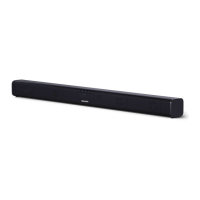
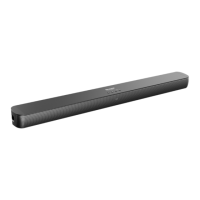
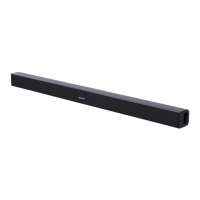
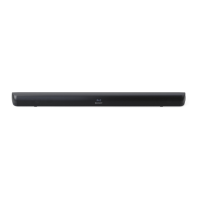
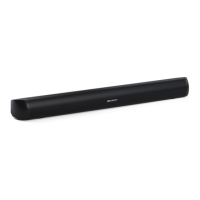
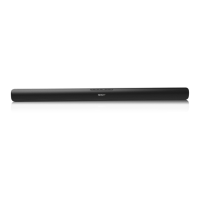
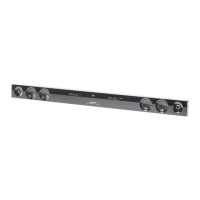
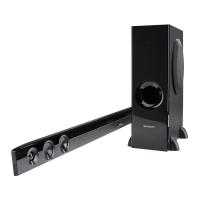
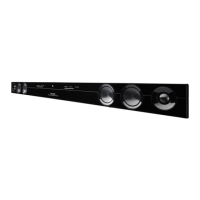
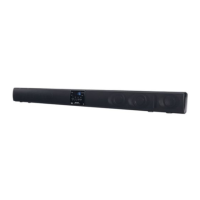
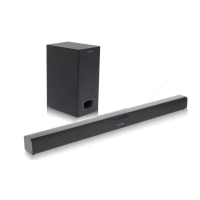
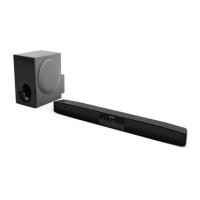
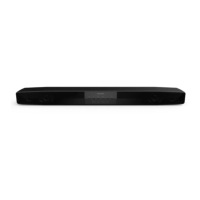
This document describes the SHARP HT-SB116 Sound Bar Home Theater System, an audio device designed to enhance the sound experience for flat panel TVs (LED, LCD, and plasma).
Function Description:
The SHARP HT-SB116 is a sound bar system that functions as a home theater audio output. It supports various input sources including HDMI ARC, USB for MP3 playback, Audio In (3.5mm jack), Optical In, and Bluetooth for wireless audio streaming. The sound bar can be operated via its front panel controls or a supplied remote control. It features preset equalizer effects (NEWS, MOVIE, MUSIC, GAME) and allows for adjustment of bass and treble levels. The system includes an auto power on/off function and can enter an Eco mode for reduced power consumption. It is designed for either tabletop placement or wall mounting.
Important Technical Specifications:
- Model: HT-SB116
- Power Source: AC 100 - 240 V ~ 50/60 Hz
- Power Consumption: 15 W (Standby: < 0.4 W)
- Dimensions: Length: 800 mm, Height: 72 mm, Depth: 95 mm
- Weight: 1.7 kg
- Output Power (RMS): Total 60 W (30 W + 30 W) (10% T.H.D.)
- Frequency Response: 20 Hz - 20 kHz
- Input Terminals:
- AUDIO IN: 500 mV / 47 kΩ
- OPTICAL IN: Square type x 1
- HDMI input: (Audio/HDMI ARC) x 1
- Speaker System: 1-way Bass Reflex stereo speaker system with 5.7 cm full range drivers.
- Bluetooth:
- Version: V 5.2
- Maximum Power Transmitted: < 20dbm
- Frequency Bands: 2.402 GHz - 2.480 GHz
- Compatible Bluetooth Profile: A2DP (Advanced Audio Distribution), Bluetooth 2.1 + EDR
- Operation Range: Approximately 8 meters (without obstacles)
- USB (MP3):
- USB Host Interface: Complies with USB 1.1 (Full Speed)/2.0 Mass Storage Class, supports Bulk only and CBI protocol.
- Support File: MPEG 1 Layer 3
- Bitrate Support: MP3 (32 ~ 320 kbps)
- Maximum Total Number of MP3 Files: 999
- File System Support: USB devices with FAT 32.
Usage Features:
- Controls and Indicators: The front panel includes LED indicators for different modes (RED for Standby, MAGENTA for USB, BLUE for Bluetooth, WHITE for HDMI, GREEN for Audio In, ORANGE for Optical In). Buttons for power, input selection, Bluetooth pairing, play/pause, and volume adjustment are also present. The rear panel features HDMI ARC, USB, Audio In, and Optical In terminals.
- Remote Control: A comprehensive remote control is provided, offering buttons for power, volume (+/-), track skip (<< / >>), input selection (SOURCE), Bluetooth pairing, mute (MUTE), equalizer (EQ), bass (BASS), and treble (TREBLE).
- Installation: The sound bar can be placed on a firm, level surface or mounted on a wall. Instructions for wall mounting include details on screw points (403 mm distance), screw dimensions (1/8" (3.2 mm) diameter, 3/16" (5 mm) head diameter, Min. 7/8" (22 mm) length), and the use of wall mount plugs. Safety wires (not supplied) are recommended for falling prevention, whether placed on a shelf/table or mounted on a wall.
- System Connection:
- HDMI ARC: Connects to a TV via an HDMI cable (version 1.4 or higher recommended). Supports HDMI-CEC and ARC functions, allowing TV remote control to adjust sound bar volume. A 270-degree L-shaped HDMI adaptor (length 23mm or less) is recommended for wall mount installations.
- Optical In: Connects to a TV's OPTICAL OUT terminal using an optical cable. Requires activation of PCM signal output on the source device if no sound is heard.
- Audio In: Connects to a TV's headphone terminal or an external audio device using a 3.5mm to 3.5mm audio cable or an RCA to 3.5mm audio cable.
- Power Connection: Connect the AC power cord to a mains socket after all other connections are made.
- Bluetooth Operation:
- Pairing: Select Bluetooth mode, activate search on your Bluetooth device, and select "HT-SB116 SHARP" from the pairing list. The blue indicator will blink during pairing and light up when connected. Password "0000" may be required.
- Playback: Play music from the connected Bluetooth device. The remote control can be used for play/pause and track skipping (if the device supports AVRCP).
- Disconnection: Switch to another function on the sound bar, disable Bluetooth on your device, or press the Bluetooth button on the sound bar or remote control.
- USB Operation:
- Playback: Plug a USB memory device with MP3 files into the USB terminal. Select USB function using the input selection button. Playback will start automatically or by pressing the play/pause button. The remote control can be used for play/pause and track skipping. Fast forward/reverse is invalid for variable bitrate files.
- General Control:
- Power On/Off: Press the power button on the sound bar or remote control. The LED indicator lights red in Standby mode. The system can automatically power on if a HDMI CEC-supported TV is turned on.
- Standby Mode: The sound bar automatically powers on if an audio signal is detected from HDMI/ARC or Optical connections. It switches to Standby mode after 15 minutes of no input signal.
- Eco Mode: The sound bar enters Eco mode (off) when first plugged in. To cancel, press and hold the power button for 6 seconds.
- Volume Control: Adjust volume using the +/- buttons on the sound bar or remote control. Mute function is available via the remote control.
- Equaliser (EQ) Effect: Select preset sound modes (NEWS, MOVIE, MUSIC, GAME) using the EQ button on the remote control.
- Audio Format: The LED indicator lights GREEN for PCM (Pulse Code Modulation) audio format during HDMI ARC and Optical In functions.
- Auto Power On/Off: The sound bar can auto power on when an external source (Optical In) is turned on. It auto powers off to standby mode if no audio signal is detected (Optical In, Bluetooth, USB) for approximately 15 minutes.
- Bass and Treble Control: Adjust bass and treble levels using the BASS and TREBLE buttons on the remote control, followed by the +/- buttons within 5 seconds.
Maintenance Features:
- Cleaning the Cabinet: Periodically wipe the cabinet with a soft cloth. Avoid using chemicals like petrol, paint thinner, or alcohol, as they may damage the finish. Do not apply oil to internal components.
- Battery Installation (Remote Control): Insert two "AAA" size batteries (UM/SUM-4, R3, HP-16 or similar) according to the polarity markings. Replace all old batteries with new ones simultaneously. Remove batteries if the remote control will not be used for a long period.
- Troubleshooting Chart: Provides solutions for common issues such as no sound, sudden power off, noise during playback, unresponsive buttons, power not turning on, background noise, remote control malfunction, Bluetooth connection problems, and USB device detection/playback issues.
- Condensation: If condensation occurs due to temperature changes or humidity, leave the power on for about 1 hour until normal playback is possible. Wipe off condensation from the remote control transmitter with a soft cloth.
- Factory Reset: To clear all memory, disconnect all cables, then in standby mode, press the "+" button on the sound bar, and simultaneously press and hold the play/pause button until white, green, and orange LED indicators light up. This operation will erase all stored data.


 To Next Page
 General