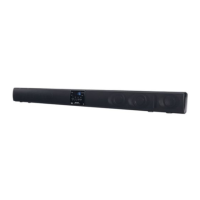
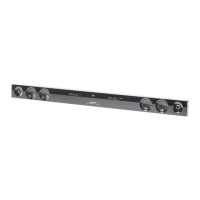
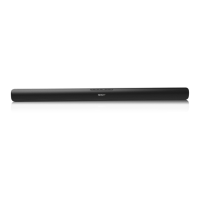
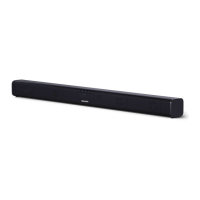
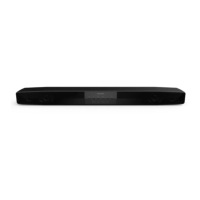
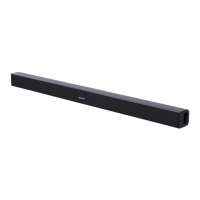
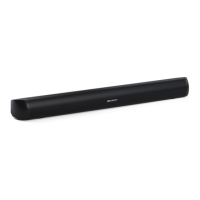
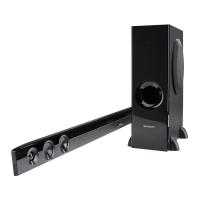
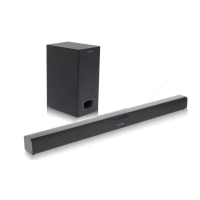
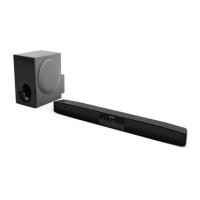
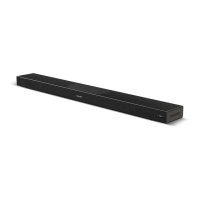
The SHARP HT-SB32D is a sound bar home theatre system designed to enhance the audio experience of flat panel TVs (LED, LCD, and plasma). It offers various connectivity options, including optical, audio-in, and Bluetooth with NFC for seamless integration into a home entertainment setup.
Function Description:
The HT-SB32D serves as an external speaker system for televisions, DVD players, Blu-Ray players, digital tuners, and other audio sources. It features left and right channel speakers, along with a remote control for convenient operation. The sound bar supports multiple sound modes, including Cinema, Music, News, and Bypass (flat sound effect), allowing users to tailor the audio output to their content. A Surround button activates a surround sound effect, indicated by an orange light.
One of its key features is Bluetooth connectivity, enabling wireless audio streaming from compatible devices like smartphones and tablets. This is further simplified by Near Field Communication (NFC) technology, which allows for one-touch pairing by simply tapping an NFC-enabled device or the supplied NFC tag to the sound bar's detection area. The system also includes an auto power on/off function, which can automatically turn the sound bar on when an audio signal is detected from a connected source (in Bluetooth standby mode) and turn it off after a period of inactivity.
The sound bar provides visual indicators for its operational status: the On/Standby/Input Indicator changes color (green for Optical In, cyan for Audio In, blue for Bluetooth) to show the selected input source. The PAIRING indicator (blue) blinks during Bluetooth pairing and stays solid when connected. The AUDIO FORMAT indicator lights up to show the detected audio format (blue for Dolby Digital, violet for PCM).
Important Technical Specifications:
- Power Source: DC IN 19V - 3.42A, supplied by an AC/DC adaptor (AC 100 - 240V ~ 50/60Hz).
- Power Consumption: 10 W during operation, 0.4 W in low power consumption standby mode, and < 2 W in Bluetooth Standby mode.
- Maximum Output Power: MPO: 60 W (30 W + 30 W) at 10% T.H.D. RMS: 30 W (10% T.H.D.) and 24 W (1% T.H.D.).
- Speaker System: 2-way, featuring 5.7cm woofers and 2.5cm soft dome tweeters.
- Input Terminals:
- Analog input (AUDIO IN): Stereo mini socket Ø 3.5mm, 500mV/47kohms.
- Optical digital input (OPTICAL): Square type x 1.
- Bluetooth Frequency Band: 2.400GHz - 2.480GHz.
- Compatible Bluetooth Profile: A2DP (Advanced Audio Distribution Profile), AVRCP (Audio/Video Remote Control Profile).
- Bluetooth Version: Bluetooth Specification version 2.1 + EDR.
- Dimensions: Width: 940mm, Height: 73mm, Depth: 83mm.
- Weight: 2.3 kg (5.1 lbs.).
- Operating Temperature Range: 5°C - 35°C (41°F - 95°F).
- Stand-by Power Consumption: 0.4W.
Usage Features:
- Installation: The sound bar can be placed on a flat surface in front of a TV or wall-mounted using appropriate screws (not supplied). Spike legs are provided for tabletop placement. Pattern paper is included to assist with wall-mounting screw placement. Safety wires (not supplied) are recommended for fall prevention in both tabletop and wall-mounted setups.
- Connectivity:
- Wired: Connects to TVs, DVD players, Blu-Ray players, or digital tuners via optical or analog audio cables. The INPUT button cycles through available sources.
- Bluetooth: Allows wireless audio streaming from Bluetooth-enabled devices. The PAIRING button initiates pairing mode.
- NFC: Simplifies Bluetooth pairing for NFC-enabled Android devices (Android 4.1, Jelly Bean, or higher) by tapping the device or an NFC tag to the sound bar's detection area. NFC tags with velcro tape are supplied for convenient placement.
- Controls:
- Front Panel: Includes On/Standby, Input, Pairing, Surround, Volume Down, Volume Up buttons, and various indicators (On/Standby/Input, Pairing, Surround, Audio Format, Remote Sensor, NFC detection area).
- Remote Control: Provides comprehensive control over power, mute, sound modes (Cinema, Music, News, Bypass), surround, input selection, Bluetooth pairing, play/pause, skip up/down, and volume. It also includes TV operation buttons for compatible SHARP TVs (On/Standby, Input Select, Channel Up/Down, Volume Up/Down).
- Sound Modes: Dedicated buttons on the remote control allow selection of Cinema, Music, News, or Bypass sound effects.
- Volume Control: Adjustable via front panel buttons or remote control. Volume auto fade-in ensures a gradual increase to the last set level when the sound bar is turned on.
- Muting: The MUTE button on the remote control temporarily silences the audio.
- Auto Power On/Off: The sound bar can automatically power on when an audio signal is detected (in Bluetooth standby mode) and enter standby mode after 15 minutes of no audio signal (Optical In/Audio In) or 1 minute of no Bluetooth connection/15 minutes in pause/stop mode.
- Audio Format Detection: The AUDIO FORMAT indicator displays whether Dolby Digital (blue) or PCM (violet) audio is being received via the optical input.
- Bluetooth Disconnection: Can be achieved by disconnecting from the source device, turning off the Bluetooth device, or turning off the sound bar.
Maintenance Features:
- Cleaning: The cabinet should be periodically wiped with a soft cloth. Harsh chemicals (petrol, paint thinner, etc.) and oil should not be used.
- Battery Replacement: The remote control uses a CR 2025 coin lithium battery. Instructions are provided for safe battery replacement.
- Troubleshooting: A comprehensive troubleshooting chart helps identify and resolve common issues related to no sound, noise, distorted sound, unresponsive controls, power issues, NFC/Bluetooth connection problems, and remote control malfunction.
- Factory Reset: A procedure is outlined to reset the sound bar to factory settings, clearing all stored data.
- Condensation: Advice is given on how to handle condensation inside the unit or on the remote control transmitter.


 To Next Page

 General