EasyManua.ls Logo

Sharp HT-SB32D - User Manual

Sharp HT-SB32D
21 pages
Print Icon
To Next Page IconTo Next Page
Loading...
MODEL
HT-SB32D
SOUND BAR HOME THEATRE SYSTEM
OPERATION MANUAL
14K R AS 1
Note: This product is recommended for at panel TV (LED, LCD and plasma).
TINSEA482AWZZ
The Bluetooth
®
word mark and logos are registered trademarks owned by
Bluetooth SIG, Inc. and any use of such marks by SHARP is under license. Other
trademarks and trade names are those of their respective owners.
The N Mark is a trademark or registered trademark of NFC Forum, Inc. in the
United States and in other countries.
Manufactured under license from Dolby Laboratories. Dolby and the double-D
symbol are trademarks of Dolby Laboratories.
B
arcodesof
t
http://www.barcodesoft.com
Barcode Symbology:
Code 93
; Font Facename:
Code93
M
H
r
Data To Encode:
TINSEA482AWZZ
Point Size 8 :
*TINSEA482AWZZE+*|
Point Size 10 :
*TINSEA482AWZZE+*|
Point Size 12 :
*TINSEA482AWZZE+*|
Point Size 14 :
*TINSEA482AWZZE+*|
M
UTE
ON/
ST
A
ND
-BY
M
US
ICCIN
EM
A
NE
W
S
SUR
RO
UND
B
YP
A
SS
I
N
PUT
TV
CH
VO
L
V
O
L
R
R
M
C
G
A
32
2
A
W
S
A
S
O
UN
D MO
DE
Thank you for purchasing this SHARP product. To obtain the best performance
from this product, please read this manual carefully. It will guide you in operating
your SHARP product.

Other manuals for Sharp HT-SB32D

Questions and Answers

  • H
    Helen DavisSep 8, 2025
    How to fix a Sharp HT-SB32D Speaker System that will not power on?
    • D
      Daniel RoySep 8, 2025
      If your Sharp Speaker System isn't turning on, start by checking if the sound bar is properly plugged in. If it is, the protection circuit might be activated. Try unplugging the power lead and plugging it back in after waiting for at least 5 minutes.
  • L
    Lindsey ThomasSep 10, 2025
    Why is the Bluetooth sound interrupted or distorted on my Sharp HT-SB32D?
    • D
      daniel61Sep 10, 2025
      If the Bluetooth sound on your Sharp Speaker System is interrupted or distorted, the sound bar might be too close to a device emitting electromagnetic radiation; move it away from such devices. Also, make sure there are no obstacles between the sound bar and the Bluetooth stereo audio source device.
  • W
    wellsjonathanSep 12, 2025
    What to do if Sharp Speaker System buttons are not responding?
    • H
      Harry CollinsSep 12, 2025
      If your Sharp Speaker System isn't responding when you press a button, try setting the sound bar to standby mode and then turning it back on. If it still malfunctions, reset it.
  • R
    Rebecca HoganSep 14, 2025
    What to do if Sharp HT-SB32D Speaker System has problems due to external interference?
    • T
      tdiazSep 14, 2025
      If your Sharp Speaker System experiences issues due to strong external interference, try setting the sound bar to standby mode and then turning it on again. If that doesn't work, unplug the sound bar, plug it back in, and then turn it on.
  • T
    Troy ClarkSep 16, 2025
    Why won't my NFC device connect to my Sharp Speaker System via Bluetooth?
    • M
      Melissa BallardSep 16, 2025
      If an NFC-enabled device cannot connect to your Sharp Speaker System via the NFC tag, it might be because the main unit is not in Bluetooth pairing mode. In this case, perform 'NFC connection for audio playback'.
  • D
    Danny RogersSep 18, 2025
    What happens if condensation affects my Sharp HT-SB32D Speaker System?
    • A
      amanda11Sep 18, 2025
      If condensation causes your Sharp Speaker System to malfunction, leave the power on until normal operation is possible (about 1 hour). Also, wipe off any condensation on the transmitter with a soft cloth before operating the sound bar.

Summary

Operation Manual

Precautions and Safety Warnings

General Handling and Environmental Precautions

Instructions for ventilation, placement, temperature, and avoiding electrical hazards.

Remote Control and TV Operations

System Preparation and Installation

Wall Mounting Procedure

Step-by-step guide for safely mounting the soundbar on a wall.

Connecting Sound Bar to Audio Sources

Connection Cautions and Setup Notes

Important cautions and notes before making audio connections to TVs or players.

Connecting to TVs and Players

Step-by-step guide for connecting audio sources via optical or audio input.

AC Power Connection

Using the AC;DC Power Adaptor

Instructions for connecting the soundbar to AC power using the provided adaptor.

Remote Control Usage

General Controls and Core Functions

Power On, Standby, and Input Switching

How to turn the soundbar on, off, and set it to standby mode.

Bluetooth and NFC Connectivity Features

Explains Bluetooth standby mode and NFC activation.

Advanced Functions and Audio Formats

NFC for Bluetooth One-Touch Connection

Understanding NFC Technology for Pairing

Explanation of Near Field Communication and its use for Bluetooth pairing.

Locating the NFC Detection Area

Information on where to find the NFC detection area on the unit and devices.

NFC Audio Playback and Disconnection

Step-by-Step NFC Connection for Audio

Step-by-step instructions for connecting via NFC for audio playback.

Listening to Bluetooth Enabled Devices

Bluetooth Device Pairing Procedure

Detailed steps for pairing Bluetooth devices with the soundbar.

Bluetooth Device Management and Listening

Comprehensive Troubleshooting Guide

General Sound and Operation Issues

Solutions for common issues like no sound, noise, distorted sound, and non-responsive buttons.

NFC and Bluetooth Connection Problems

Troubleshooting specific problems related to NFC and Bluetooth connectivity.

Remote Control Malfunctions

Solutions for issues where the remote control is not working properly.

Troubleshooting, Maintenance, and Reset

Performing a Factory Reset

Steps to perform a factory reset, clearing all settings.

Overview

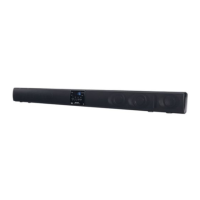
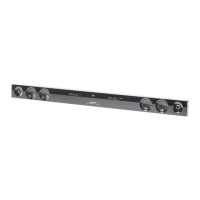
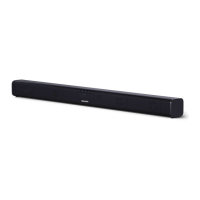
The SHARP HT-SB32D is a sound bar home theatre system designed to enhance the audio experience of flat panel TVs (LED, LCD, and plasma). It offers various connectivity options, including optical, audio-in, and Bluetooth with NFC for seamless integration into a home entertainment setup.

Function Description:

The HT-SB32D serves as an external speaker system for televisions, DVD players, Blu-Ray players, digital tuners, and other audio sources. It features left and right channel speakers, along with a remote control for convenient operation. The sound bar supports multiple sound modes, including Cinema, Music, News, and Bypass (flat sound effect), allowing users to tailor the audio output to their content. A Surround button activates a surround sound effect, indicated by an orange light.

One of its key features is Bluetooth connectivity, enabling wireless audio streaming from compatible devices like smartphones and tablets. This is further simplified by Near Field Communication (NFC) technology, which allows for one-touch pairing by simply tapping an NFC-enabled device or the supplied NFC tag to the sound bar's detection area. The system also includes an auto power on/off function, which can automatically turn the sound bar on when an audio signal is detected from a connected source (in Bluetooth standby mode) and turn it off after a period of inactivity.

The sound bar provides visual indicators for its operational status: the On/Standby/Input Indicator changes color (green for Optical In, cyan for Audio In, blue for Bluetooth) to show the selected input source. The PAIRING indicator (blue) blinks during Bluetooth pairing and stays solid when connected. The AUDIO FORMAT indicator lights up to show the detected audio format (blue for Dolby Digital, violet for PCM).

Important Technical Specifications:

  • Power Source: DC IN 19V - 3.42A, supplied by an AC/DC adaptor (AC 100 - 240V ~ 50/60Hz).
  • Power Consumption: 10 W during operation, 0.4 W in low power consumption standby mode, and < 2 W in Bluetooth Standby mode.
  • Maximum Output Power: MPO: 60 W (30 W + 30 W) at 10% T.H.D. RMS: 30 W (10% T.H.D.) and 24 W (1% T.H.D.).
  • Speaker System: 2-way, featuring 5.7cm woofers and 2.5cm soft dome tweeters.
  • Input Terminals:
    • Analog input (AUDIO IN): Stereo mini socket Ø 3.5mm, 500mV/47kohms.
    • Optical digital input (OPTICAL): Square type x 1.
  • Bluetooth Frequency Band: 2.400GHz - 2.480GHz.
  • Compatible Bluetooth Profile: A2DP (Advanced Audio Distribution Profile), AVRCP (Audio/Video Remote Control Profile).
  • Bluetooth Version: Bluetooth Specification version 2.1 + EDR.
  • Dimensions: Width: 940mm, Height: 73mm, Depth: 83mm.
  • Weight: 2.3 kg (5.1 lbs.).
  • Operating Temperature Range: 5°C - 35°C (41°F - 95°F).
  • Stand-by Power Consumption: 0.4W.

Usage Features:

  • Installation: The sound bar can be placed on a flat surface in front of a TV or wall-mounted using appropriate screws (not supplied). Spike legs are provided for tabletop placement. Pattern paper is included to assist with wall-mounting screw placement. Safety wires (not supplied) are recommended for fall prevention in both tabletop and wall-mounted setups.
  • Connectivity:
    • Wired: Connects to TVs, DVD players, Blu-Ray players, or digital tuners via optical or analog audio cables. The INPUT button cycles through available sources.
    • Bluetooth: Allows wireless audio streaming from Bluetooth-enabled devices. The PAIRING button initiates pairing mode.
    • NFC: Simplifies Bluetooth pairing for NFC-enabled Android devices (Android 4.1, Jelly Bean, or higher) by tapping the device or an NFC tag to the sound bar's detection area. NFC tags with velcro tape are supplied for convenient placement.
  • Controls:
    • Front Panel: Includes On/Standby, Input, Pairing, Surround, Volume Down, Volume Up buttons, and various indicators (On/Standby/Input, Pairing, Surround, Audio Format, Remote Sensor, NFC detection area).
    • Remote Control: Provides comprehensive control over power, mute, sound modes (Cinema, Music, News, Bypass), surround, input selection, Bluetooth pairing, play/pause, skip up/down, and volume. It also includes TV operation buttons for compatible SHARP TVs (On/Standby, Input Select, Channel Up/Down, Volume Up/Down).
  • Sound Modes: Dedicated buttons on the remote control allow selection of Cinema, Music, News, or Bypass sound effects.
  • Volume Control: Adjustable via front panel buttons or remote control. Volume auto fade-in ensures a gradual increase to the last set level when the sound bar is turned on.
  • Muting: The MUTE button on the remote control temporarily silences the audio.
  • Auto Power On/Off: The sound bar can automatically power on when an audio signal is detected (in Bluetooth standby mode) and enter standby mode after 15 minutes of no audio signal (Optical In/Audio In) or 1 minute of no Bluetooth connection/15 minutes in pause/stop mode.
  • Audio Format Detection: The AUDIO FORMAT indicator displays whether Dolby Digital (blue) or PCM (violet) audio is being received via the optical input.
  • Bluetooth Disconnection: Can be achieved by disconnecting from the source device, turning off the Bluetooth device, or turning off the sound bar.

Maintenance Features:

  • Cleaning: The cabinet should be periodically wiped with a soft cloth. Harsh chemicals (petrol, paint thinner, etc.) and oil should not be used.
  • Battery Replacement: The remote control uses a CR 2025 coin lithium battery. Instructions are provided for safe battery replacement.
  • Troubleshooting: A comprehensive troubleshooting chart helps identify and resolve common issues related to no sound, noise, distorted sound, unresponsive controls, power issues, NFC/Bluetooth connection problems, and remote control malfunction.
  • Factory Reset: A procedure is outlined to reset the sound bar to factory settings, clearing all stored data.
  • Condensation: Advice is given on how to handle condensation inside the unit or on the remote control transmitter.

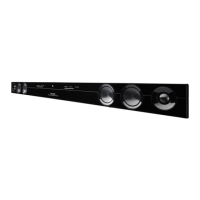
Sharp HT-SB32D Specifications

General IconGeneral
BrandSharp
ModelHT-SB32D
CategorySpeaker System
LanguageEnglish

Related product manuals