EasyManua.ls Logo

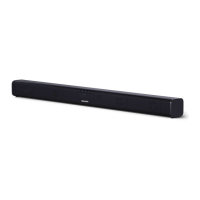
Sharp HT-SBW420 - User Manual

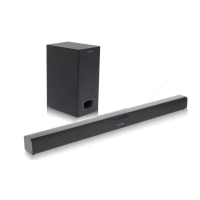
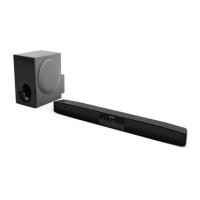
Sharp HT-SBW420
52 pages
Print Icon
To Next Page IconTo Next Page
Loading...
HT-SBW420
User manual
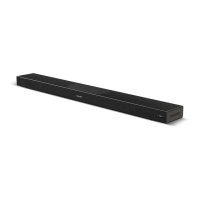
2.1 All-in-One Wi-Fi Soundbar
EN ESDE IT FR PL

Other manuals for Sharp HT-SBW420

Questions and Answers

  • J
    Jim GarciaAug 8, 2025
    What to do if the Sharp HT-SBW420 Speaker System remote control does not work?
    • O
      Olivia MejiaAug 9, 2025
      If the remote control for your Sharp Speaker System isn't working, try the following: * First, select the correct source before pressing any playback control button. * Reduce the distance between the remote and the unit. * Ensure the battery is inserted correctly, with the polarities (+/-) aligned as indicated. * Replace the battery. * Aim the remote directly at the sensor on the front of the unit.
  • K
    Katherine RamirezAug 13, 2025
    What to do if there is no sound on my Sharp Speaker System?
    • W
      Wesley RobbinsAug 13, 2025
      To troubleshoot a Sharp Speaker System with no sound, try these steps: * Increase the volume using the remote or the soundbar. * Ensure the soundbar isn't muted by pressing the MUTE button. * Select a different input source using the source buttons. * Set the TV output to PCM. * Connect directly to your Blu-ray or other source, as some TVs don't pass through digital audio. * If your TV is set to variable audio output, change it to FIXED or STANDARD. Refer to your TV's manual for instructions. * If using Bluetooth, make sure the volume on your device is turned up and it is not muted.
  • Y
    yeseniakellerAug 18, 2025
    How to troubleshoot no power on a Sharp Speaker System?
    • A
      Adrian PerkinsAug 18, 2025
      If your Sharp Speaker System isn't getting power: * Check that the power adapter is properly connected. * Ensure the AC outlet has power. * Press the standby button on the remote or soundbar to turn it on.
  • J
    Jordan HardingAug 25, 2025
    How to fix buzzing or humming sound on Sharp HT-SBW420 Speaker System?
    • E
      Erica SmithAug 25, 2025
      If you hear buzzing or humming from your Sharp Speaker System: * Make sure all cables and wires are securely connected. * Try connecting a different source device (TV, Blu-ray player, etc.) to see if the buzzing persists. * Connect your device to a different input on the soundbar.
  • E
    estoneAug 29, 2025
    What to do if Wi-Fi mode has no sound on Sharp HT-SBW420?
    • C
      Charles HawkinsAug 29, 2025
      To troubleshoot Wi-Fi mode without sound on your Sharp Speaker System: * Verify that your PC or smartphone and the soundbar are on the same network. * Confirm that the soundbar is in Wi-Fi mode. * If using the app, check if the music is being sent to the speaker.
  • T
    Tyler SheppardSep 2, 2025
    What to do if the Sharp HT-SBW420 Speaker System connection is lost periodically during Wi-Fi mode playback?
    • N
      nicole56Sep 3, 2025
      To address periodic connection loss during Wi-Fi mode playback on your Sharp Speaker System: * Ensure your Wi-Fi device is not in Power Saving / Stamina mode. * If Power saving mode is necessary, add the “Sharp Player” app to the device's exceptions.

Sharp HT-SBW420 Specifications

General IconGeneral
Subwoofer TypeWireless
HDMI Inputs1
BluetoothYes
Channels2.1
HDMI ARCYes
Optical InputYes
USBYes
Soundbar Power Output180W
HDMI Output1
Remote ControlYes
TypeSoundbar
Audio Formats SupportedDolby Digital

Related product manuals