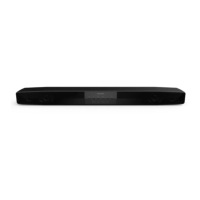
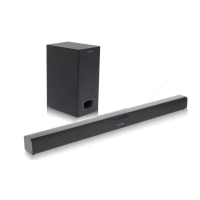
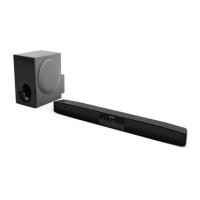
Digitalconnection:
ConnecttotheTVusinganopticaldigitalaudio
cableoracoaxialdigitalaudiocable.
Tooptical
TV digitalaudio
Coaxialdigital
audiocable
(commercially
available)
ToCOAXIAL
inputsocket
Sound
bar
ToselectDIGITAL! (coaxial input} or DIGITAL
2 (optical input) function:
¢ On theunit: PressFUNCTIONbuttonrepeat-
edlyuntil'dl" or"d2" isdisplayed.
¢ Onremotecontrol:PressDIGITAL1orDIGITAL
2buttonand"dl" or "d2" isdisplayed.
Analog connection:
IftheTV/monitorhasanaudiooutput,connectittothe
LiNEIN1 orLINEIN2jacksontherearoftheunit,
Toselect LINEINi or LINEIN 2function:
¢ On theunit: PressFUNCTIONbuttonrepeat-
edlyuntil'LI" or"L2" isdisplayed.
¢ On remotecontrol:PressLINEbuttonrepeat-
edlyuntil"LI" or"L2" isdisplayed.
Notes:
¢ If theTV volumeis continuouslyin low level,
the unit will automaticallypoweroff. increase
the TVoutput volumetoenjoythe soundfrom
the speaker.
¢ If thespeakervolume is continuouslyin very
highlevel,the unit willmuteandrecoverafter
3seconds.
jack
Connectto the digitaltuner,etc, usingan optical
digitalaudiocableor acoaxialdigitalaudiocable.
Toselect DIGITAL1(coaxial input} or DIGITAL
2 (optical input}function:
€ On the unit: PressFUNCTIONbuttonrepeat-
edlyuntil"dl" or "d2"is displayed.
€ On remotecontrol:PressDIGITAL1orDIGITAL
2 buttonand"dl" or 'd2" is displayed.
Tocoaxialdigitalaudio
Soundbar
Note:
Whenconnectingwith anopticaldigitalcable,set
thedigitaloutputofthedigitaltunertoPCM.Refer
totheoperationmanualofthedigitaltuner.



 To Next Page