EasyManua.ls Logo

Sharp KD-NHA9S6GW2-EN - User Manual

Sharp KD-NHA9S6GW2-EN
36 pages
Print Icon
To Next Page IconTo Next Page
Loading...
Home Appliances
User Manual
EN
KD-NHA9S6GW2-EN
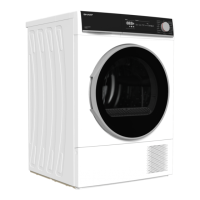
Tumble Dryer

Questions and Answers

  • A
    April DavisAug 16, 2025
    What to do if my Sharp Dryer won't start?
    • C
      Cindy BrooksAug 16, 2025
      If your Sharp Dryer won't start, ensure it's properly plugged into the socket. Also, check that the loading door is completely closed and that you've set a program and pressed the Start/Pause button. Deactivate the child lock if it's enabled. In case of a power failure, press the Start/Pause key to resume the program.
  • B
    brownanthonyAug 18, 2025
    Why does my Sharp Dryer take so long to dry?
    • L
      Lindsay BurnsAug 19, 2025
      If your Sharp Dryer takes too long to dry, the lint filter's surface may be clogged; wash it with lukewarm water. The heat exchanger might also be clogged, so clean it. Ensure the ventilation grills are open to prevent the room temperature from rising excessively. Clean the humidity sensor if it has limescale. Avoid overloading the dryer, and select a higher spin speed on your washing machine to ensure laundry is sufficiently spun before drying.
  • T
    Tim BakerAug 21, 2025
    What to do if laundry is still damp after using my Sharp Dryer?
    • N
      Nicholas LewisAug 22, 2025
      If your laundry is damp after drying in your Sharp Dryer, it might be because the program isn't suitable for the load. Check the care labels and select an appropriate program, using time programs if needed. Also, a clogged lint filter or heat exchanger can cause this; wash the filter with lukewarm water and clean the heat exchanger. Avoid overloading the dryer, and ensure your laundry is spun at a higher speed in the washing machine beforehand. Remember that hot laundry may feel more humid.
  • E
    Erik GardnerAug 25, 2025
    How to fix the filter cleaning warning symbol on my Sharp KD-NHA9S6GW2-EN Dryer?
    • G
      ghowellAug 26, 2025
      If the filter cleaning warning symbol is on in your Sharp Dryer, the lint filter might be unclean. Clean the filter. Also, the filter seat might be clogged by lint; clean the filter seat. If there's a layer obstructing the lint filter's surface, wash the filter with lukewarm water.
  • L
    Leslie ReyesAug 28, 2025
    What does it mean when the water tank symbol is flashing on my Sharp Dryer?
    • R
      Robert NunezAug 28, 2025
      If the water tank warning symbol is on or flashing on your Sharp Dryer, the water tank may be full. Empty the water tank. If the product is connected directly to the water outlet, check the water discharge hose for bending.
  • D
    Deanna MorseAug 30, 2025
    Why are the filter and heat exchanger cleaning symbols flashing on my Sharp KD-NHA9S6GW2-EN Dryer?
    • D
      Diana LopezAug 31, 2025
      If the filter and heat exchanger cleaning warning symbols are flashing on your Sharp Dryer, the filter seat might be clogged by lint. Clean the filter seat. Also, there might be a layer obstructing the surface of the lint filter, so wash it with lukewarm water. The heat exchanger could also be clogged; clean it.
  • L
    Lori SotoSep 3, 2025
    How to fix the heat exchanger cleaning warning symbol on my Sharp KD-NHA9S6GW2-EN Dryer?
    • B
      Brenda LiuSep 3, 2025
      If the heat exchanger cleaning warning symbol is on for your Sharp Dryer, the heat exchanger may be unclean. Clean the heat exchanger.
  • A
    Andrea MeadowsSep 6, 2025
    Why is my Sharp KD-NHA9S6GW2-EN leaking water from the loading door?
    • A
      Alexandria BrockSep 6, 2025
      To resolve water leaking from the loading door of your Sharp Dryer, clean the inner surfaces of the loading door and the surfaces of the gasket of the loading door to remove any accumulated lint.
  • L
    lucaslouisSep 9, 2025
    What to do if the loading door of my Sharp KD-NHA9S6GW2-EN opens by itself?
    • A
      Andrea SmithSep 9, 2025
      If your Sharp Dryer's loading door opens on its own, it might not be closed properly. Push the loading door until you hear the closing sound.
  • K
    kingkristenSep 12, 2025
    Why have my clothes shrunk after using my Sharp KD-NHA9S6GW2-EN Dryer?
    • A
      Amanda GarzaSep 12, 2025
      If your clothes have shrunk, felted, or deteriorated after using your Sharp Dryer, the program used might not be suitable for the type of laundry. Check the care labels on your laundry items and select a suitable program.

Sharp KD-NHA9S6GW2-EN Specifications

General IconGeneral
BrandSharp
ModelKD-NHA9S6GW2-EN
CategoryDryer
LanguageEnglish

Related product manuals