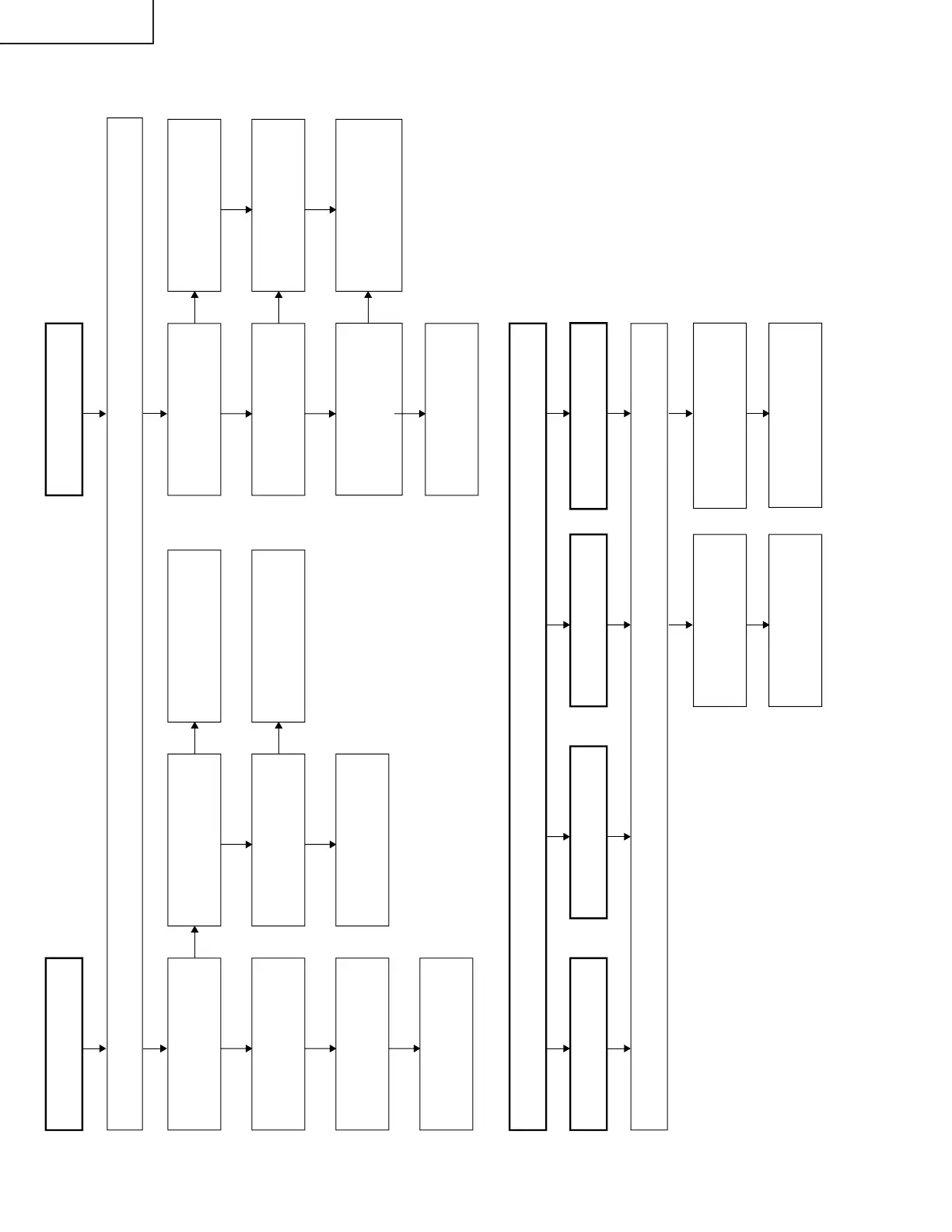
No picture and sound
No colour
No TV colour
No S-VIDEO colour
Yes
No
Do F3701and F3702
function?
Check all the settings on the microprocessor s adjust process menu.
No
Are secondary outputs
(+38V, +9V, +5V, -8V, -20V)
of T3701 as specified?
Yes
Are the oscillation waveform
at T3701 s primary side as
specified?
Yes
No
Disconnect F3701and
F3702. Is the load side
short-circuited?
Yes
No
Is any of T3701 s primary
side, Q3700 and S4701 short-
circuited?
Check J3701, its peripheral
parts and connection cable.
Replace F3701 and F3702.
Check S4701 and
connection cable.
Check the secondary-side
load of T3701.
Fluorescent lamp
Yes
No
Do F6700, F6701,
F6702, F6703, and
F6704 function?
Yes
No
Is Pin (34) of IC1201 at H ?
Yes
No
Are the oscillation waveforms
at the primary side of T6700,
T6702, T6704, T6706, and
T6708 as specified?
Yes
Replace F6700, F6701,
F6702, F6703, and F6704.
No
Is input at Pin (71) of IC801
as specified?
Check SC3405, SC line and
peripheral parts.
Yes
Check the line, IC1201 and
its peripheral parts.
Check Q6700 - 6714, T6700
- 6709 and their peripheral
parts.
Replace the fluorescent lamp
and check the oscillation
waveform again.
No VIDEO colour
Check all the settings on the microprocessor s adjust process menu.
No COMPONENT colour
No
Is input at Pins (4) and (6) of
IC801 as specified?
Check J3404, PB line, PR line
and peripheral parts.












 To Next Page