EasyManua.ls Logo

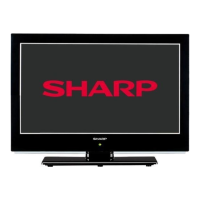
Sharp LC-22LE510K - User Manual

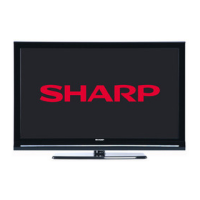
Sharp LC-22LE510K
41 pages
Print Icon
To Next Page IconTo Next Page
Loading...
LC-22LE510K
LCD COLOUR TELEVISION OPERATION MANUAL
ENGLISH
50186842
SHARP ELECTRONICS (Europe) GmbH
Sonninstraße 3, D-20097 Hamburg
SHARP CORPORATION
http://www.sharp-eu.com

Table of Contents

Question and Answer IconNeed help?

Do you have a question about the Sharp LC-22LE510K and is the answer not in the manual?

Summary

Important Safety Precautions

Remote Control Operations

Using USB Inputs

USB Device Connection and Usage

How to connect and utilize USB devices for playback and recording.

Connecting External Media Devices

PC and AV Connectivity

Basic TV Operations

Electronic Programme Guide (EPG)

Accessing and using the EPG for program information and scheduling.

EPG and Recording Management

EPG Program Options

Managing program information and setting timers via EPG.

Recording via EPG

Initiating program recordings directly from the EPG.

Initial TV Setup

First Time Installation

Step-by-step guide for the initial TV setup process.

Channel Management

Channel List Operations

Station Management and Media Browser

Media Playback via USB

Accessing and playing media files from a connected USB device.

USB Media Playback Details

Video Playback and Options

Playing video files from USB, including slideshow and playback controls.

Music and Photo Playback

Playing audio files and viewing photos from a USB device.

Recording and Media Settings

Recordings Library Access

How to access and manage recorded programs.

Timeshift Recording Guide

Instructions for using the timeshift recording feature.

Recording and Playback Features

Instant Recording Function

How to start recording a program instantly.

Watching Recorded Content

Accessing and playing back previously recorded programs.

Picture Format Options

Picture Settings Configuration

Sound and TV Settings

Sound Settings Configuration

Adjusting audio parameters like volume, equalizer, and balance.

Configuring General TV Settings

Accessing and modifying overall TV settings like language and parental controls.

Conditional Access and Language

Configuring Language Preferences

Setting preferred languages for menus, audio, subtitles, and teletext.

System Preferences and Timers

Language Settings Details

Detailed options for setting preferred languages for various TV functions.

Parental Control Setup

Configuring parental locks for programs and menus.

Timer Settings Management

Setting sleep timers and managing program timers.

Timer and Recording Configuration

Programme Timer Operations

Adding, editing, and deleting program timers.

Recording Configuration Options

Settings for recording timers, timeshift, and disk formatting.

System Configuration Settings

Date;Time and Source Settings

Configuring the TV's date, time, and enabling/disabling input sources.
Detailed Other Settings

Advanced Features and Teletext

Appendix E: Software Upgrade

Product Specifications

Sharp LC-22LE510K Specifications

General IconGeneral
BrandSharp
ModelLC-22LE510K
CategoryLCD TV
LanguageEnglish

Related product manuals