EasyManua.ls Logo

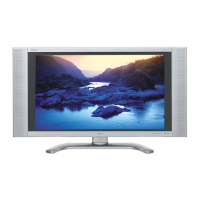
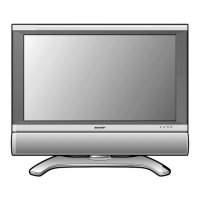
Sharp LC-26DA5U - User Manual

Sharp LC-26DA5U
210 pages
Print Icon
To Next Page IconTo Next Page
Loading...
LIQUID CRYSTAL TELEVISION
TÉLÉVISEUR ACL
TELEVISOR CON PANTALLA DE CRISTAL LIQUIDO
TELEVISOR DE CRISTAL LÍQUIDO
OPERATION MANUAL
MODE D’EMPLOI
MANUAL DE OPERACIÓN
MANUAL DE OPERAÇÃO
LC
-
26DA5U
LC
-
32DA5U
ENGLISH
SHARP ELECTRONICS CORPORATION
Sharp Plaza, Mahwah, New Jersey 07430-2135
SHARP CORPORATION
LC-26DA5U/LC-32DA5U
ESPAÑOL
FRANÇAIS
Printed in Mexico
Imprimé au Mexique
Impreso en México
Impresso no México
TINS-B945WJZZ
05P08-MX-NG
PORTUGUÊS
OPERATION MANUAL
MANUAL DE OPERACIÓN
MODE D’EMPLOI
MANUAL DE OPERAÇÃO
Products that have earned the ENERGY STAR
®
are designed
to protect the environment through superior energy efficiency.
Les produits agréés ENERGY STAR
®
sont conçus pour
protéger l’environnement par un rendement énergétique
supérieur.

Table of Contents

Other manuals for Sharp LC-26DA5U

Questions and Answers

  • B
    Brian GilbertAug 12, 2025
    What to do if my Sharp LC-26DA5U has no power?
    • M
      michael09Aug 12, 2025
      First, ensure that you have pressed the TV POWER button on the remote control. If the indicator on the TV does not light up, try pressing TV POWER on the remote again. Also, check if the AC cord is disconnected and verify that the power is turned on.
  • J
    Jeffery GreeneAug 16, 2025
    Why is my Sharp LC-26DA5U LCD TV remote control not working?
    • R
      Renee SmithAug 16, 2025
      Make sure the FUNCTION is set to the TV position. Check if the batteries are correctly inserted with the proper polarity. If the batteries are old, replace them with new ones. Strong or fluorescent lighting may also interfere with the remote's operation, as can a fluorescent light near the remote control sensor.
  • C
    Charles SchaeferAug 19, 2025
    Why does my Sharp LC-26DA5U LCD TV suddenly turn off?
    • D
      Denise ElliottAug 19, 2025
      The sleep timer might be set. Also, check the power control settings. If the unit’s internal temperature has increased, remove any objects blocking the vent or clean the vent.
  • E
    Ethan ValdezAug 23, 2025
    How to fix no sound on Sharp LC-26DA5U LCD TV?
    • M
      Monica WhiteAug 23, 2025
      Check if the volume is too low. Also, check if “Variable” is selected in “Output Select.”
  • C
    Courtney GrayAug 27, 2025
    What to do if my Sharp LCD TV has no picture?
    • K
      Kim YoungAug 27, 2025
      Verify that the connection to other components is correct, and that the correct input signal source and input are selected after the connection. Also, ensure that the picture adjustment is correct and that “On” is not selected in “Audio Only”.
  • H
    Heather WaltonAug 31, 2025
    Why is the picture cut off on my Sharp LC-26DA5U LCD TV?
    • K
      Kimberly TannerAug 31, 2025
      Check if the image position is correct and whether the screen mode adjustments, such as picture size, are correctly configured.
  • K
    Kelsey SimmonsSep 3, 2025
    Why does my Sharp LCD TV have strange color?
    • J
      Jose TaylorSep 4, 2025
      Adjust the picture tone. Also, the picture may look dark if the room is too bright.
  • J
    Jacob RobinsonSep 7, 2025
    What to do if Sharp LC-26DA5U unit cannot be operated?
    • H
      Harry JohnsonSep 7, 2025
      External influences such as lightning or static electricity may cause improper operation. To resolve this, turn on the power of the TV or unplug the AC cord and replug it in after 1 or 2 minutes, then try operating the unit again.

Summary

Sharp TV Operation Manual

Important Information and Warnings

Declaration of Conformity

Trademarks

Important Safety Instructions

Additional Safety Information

Safety guidelines for power sources, overloading, object entry, and service.

Transporting the TV Safely

Guidelines for safe handling and moving the television to prevent damage.

Outdoor Antenna Grounding

Instructions for properly grounding an outdoor antenna system for safety.

Quick Reference Guide

Ventilation and Cleaning Tips

Best practices for maintaining ventilation and cleaning the TV screen and cabinet.

Quick Installation Tips

Step-by-step guidance for the initial setup and connection of the television.

Supplied Accessories

Part Names Identification

TV Components

Identification of physical parts and controls on the television set.

Remote Control Overview

Identification of buttons and functions on the remote control.

Preparation for Use

Using the Remote Control

Instructions on how to effectively use the remote control for TV operation.

Remote Control Cautions

Warnings about handling the remote control to prevent damage or malfunction.

Antenna Connections

Guidance on connecting antennas for optimal TV reception.

Watching TV

Powering the TV On and Off

Steps to power on the television and enter standby mode.

Initial Setup Procedures

Procedures for first-time setup: language, antenna, and channel search.

Language and Antenna Settings

Selecting preferred language and configuring antenna connection type.

Channel Search and Selection

Automatic channel scanning and methods to change channels.

Volume and Sound Adjustments

How to adjust volume, mute sound, and use surround sound effects.

MTS;SAP Stereo Mode Settings

Adjusting audio modes for stereo and secondary audio programs.

Basic Adjustment Settings

Menu Item Overview

Overview of available menu options for picture, setup, option, audio, and power control.

EZ Setup and Channel Management

Guided setup for initial TV configuration, channels, memory, and favorites.

Picture Adjustment Options

Customizing picture settings: brightness, contrast, color, sharpness, and OPC.

Advanced Picture Settings

Fine-tuning picture quality with color temperature and advanced options.

Sound Adjustment Options

Customizing audio: treble, bass, balance, and surround sound.

Power Control Settings

Energy saving features: auto power off for no signal or inactivity.

Using External Equipment

Displaying External Equipment Images

Viewing images from connected external devices like DVD players or tuners.

Selecting Input Signals

Choosing the correct input source for external devices connected to the TV.

Connecting Various AV Devices

How to connect DVD, TV STB, VCR, game consoles, and camcorders.

HDMI Equipment Connection

Steps for connecting devices with HDMI output to the TV's HDMI input.

Useful Adjustment Settings

Image Position Adjustment

Adjusting the horizontal and vertical position of the displayed picture.

Input Source Selection and Labeling

Selecting input sources and customizing their displayed names.

Picture Flip and AV Mode

Rotating image orientation and selecting preferred picture viewing modes.

4:3 Program Aspect Ratio

Adjusting aspect ratios for older 4:3 content on a widescreen display.

Digital Noise Reduction and Audio

Improving video quality and setting TV for audio-only playback.

Output Select, Sleep Timer, and Color System

Controlling audio output, setting sleep timer, and selecting color system.

Closed Caption Display

Displaying subtitles for dialogue, narration, and sound effects in TV programs.

Parental Control Settings

Secret Number and Status Setup

Establishing a secret number and enabling/disabling parental control status.

V-CHIP Level Configuration

Configuring V-Chip settings to filter content based on age and rating systems.

Movie and TV Rating Systems

Applying MPAA and TV Parental Guidelines for content filtering.

Canadian Ratings and V-CHIP Control

Setting parental controls using Canadian ratings and managing V-CHIP blocking.

Other Viewing Options

Image Freezing and Remote Presets

Capturing still images and programming the remote for other AV devices.

Manufacturer Codes for Remote Control

Lists of codes for VCR, DVD/LD, CATV/SAT, and Audio brands.

Cable and Satellite Control Buttons

Operating cable converters and satellite tuners using the TV remote control.

VCR and DVD Control Buttons

Using the remote control to operate VCR and DVD player functions.

Appendix and Specifications

Stand Removal and Wall Mounting

Instructions for detaching the stand and mounting the TV on a wall.

Troubleshooting Common Issues

Solutions for common problems encountered with the television's operation.

Temperature Use Cautions

Precautions for operating the TV in extreme temperature conditions.

RS-232 C Port Specifications and Commands

Details and commands for controlling the TV via an RS-232C connection.

Response Codes and Command Table

Understanding TV responses and using the RS-232C command table.

Technical Specifications

Technical specifications and dimensions for the LC-26DA5U and LC-32DA5U models.

Dimensional Drawings

Factory Preset Settings

Service and Warranty Information

Consumer Limited Warranty Details

Details of the warranty coverage for consumer products.

Model Specific Warranty Information

Information specific to the product model, including number and description.

Canadian Limited Warranty

Canadian Consumer Electronics Warranty

Warranty terms for Sharp consumer electronics products sold in Canada.

Product Warranty Periods Summary

Summary of warranty periods for different types of Sharp products.

Sharp LC-26DA5U Specifications

General IconGeneral
BrandSharp
ModelLC-26DA5U
CategoryLCD TV
LanguageEnglish

Related product manuals