CAUTION
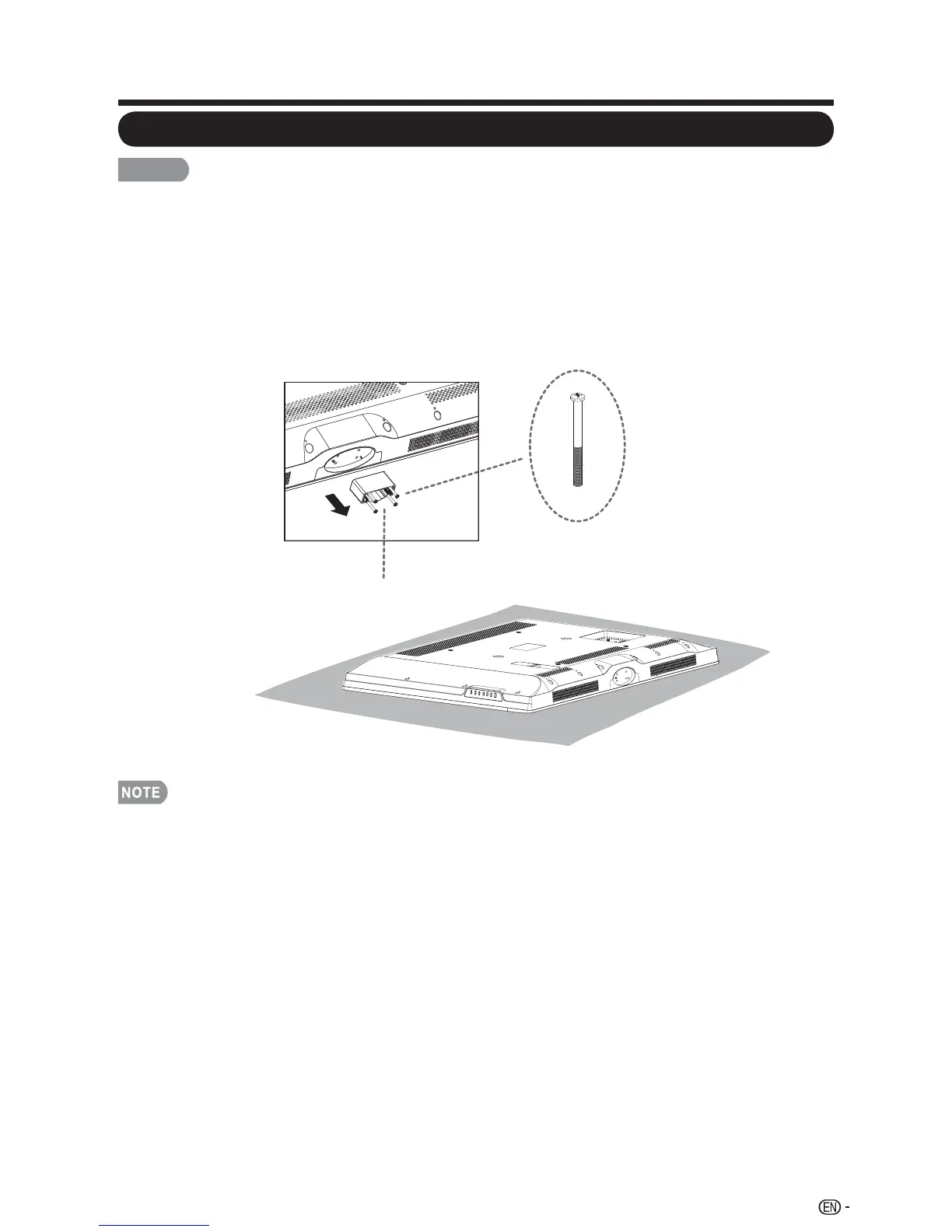
Please use care when disassembling cabinet, stand, and pillar for wall •
mounting.
Detach the stand neck in the correct direction.•
Do not remove the stand neck from the TV unless using an optional wall mount •
bracket to mount it.
Loosen the 4 screws that secure the stand neck by using a cross-head screwdriver. 1.
Remove stand cover from the TV set.
To attach the stand neck, perform the steps in reverse order.•
Do not force or overtighten and do not install without stand covers.•
9
QUICK REFERENCE
Detaching the stand neck for wall mounting
Stand Cover
LC-46SV49U




 To Next Page