EasyManua.ls Logo

Sharp LC-40LE431U - Option and Closed Caption Settings

Sharp LC-40LE431U
40 pages
Print Icon
To Next Page IconTo Next Page
To Previous Page IconTo Previous Page
Loading...
On-Screen
Display
Menu
Option
Setting
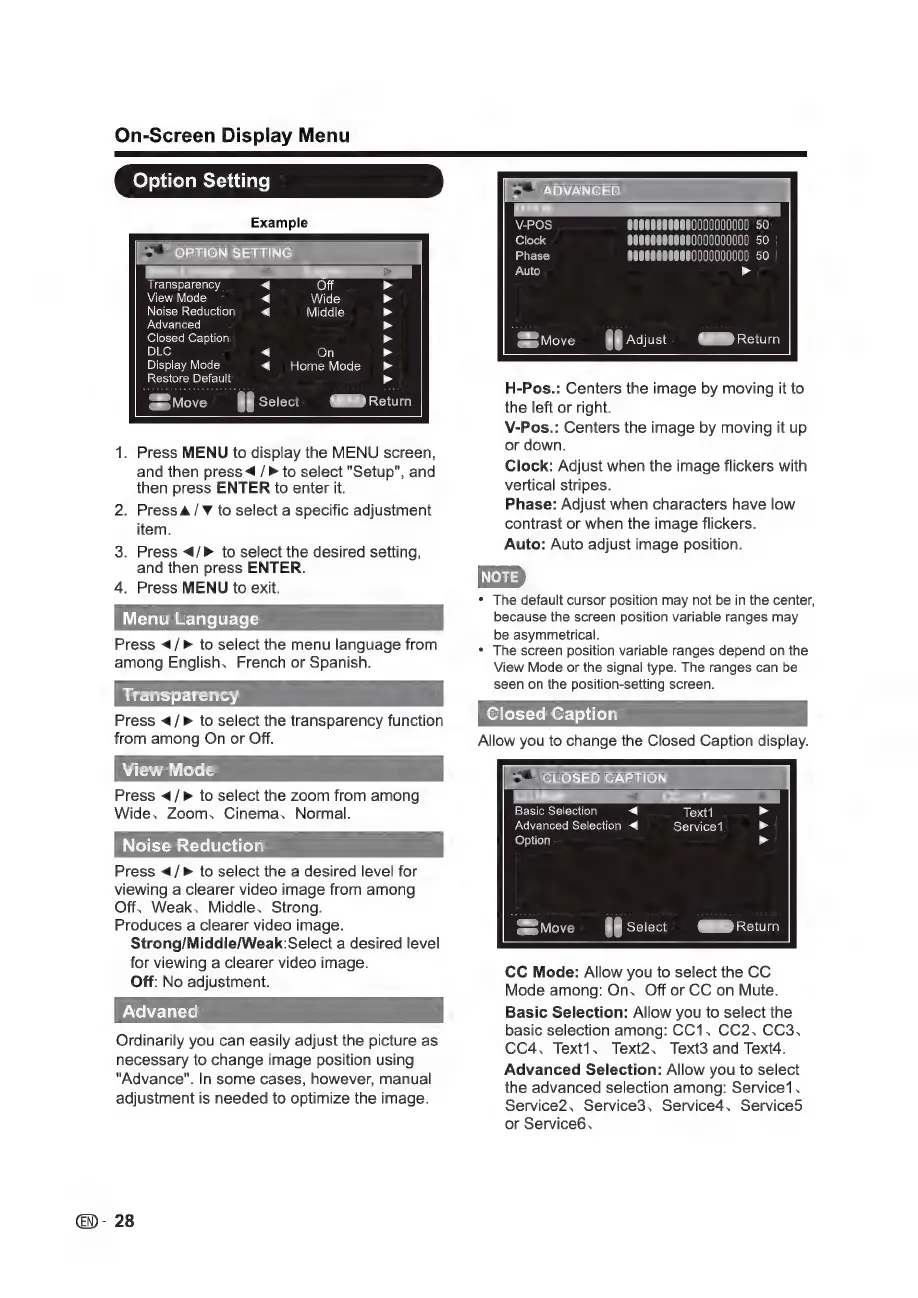
Example
>
*
OPTION
SETTING
“Off
Wide
Middle
Transparency
View
Mode
Noise
Reduction
Advanced
<
<
Closed
Caption
DLC
On
Display
Mode
Home
Mode
Restore
Default
JMAMABAADAAAS
Y
=
.
Press
MENU
to
display
the
MENU
screen,
and
then
press
4
/
>
to
select
"Setup",
and
then
press
ENTER
to
enter
it.
Press
A/V
to
select
a
specific
adjustment
item.
3.
Press
4/»
to
select
the
desired
setting,
and
then
press
ENTER.
4.
Press
MENU
to
exit.
Menu
Language
Press
</>
to
select
the
menu
language
from
among
English,
French
or
Spanish.
Press
</>
to
select
the
transparency
function
from
among
On
or
Off.
Press
</>
to
select
the
zoom
from
among
Wide,
Zoom,
Cinema,
Normal.
Noise
Reduction
Press
</>
to
select
the
a
desired
level
for
viewing
a
clearer
video
image
from
among
Off.
Weak,
Middle,
Strong.
Produces
a
clearer
video
image.
Strong/Middle/Weak:Select
a
desired
level
for
viewing
a
clearer
video
image.
Off:
No
adjustment.
Advaned
Ordinarily
you
can
easily
adjust
the
picture
as
necessary
to
change
image
position
using
"Advance".
In
some
cases,
however,
manual
adjustment
is
needed
to
optimize
the
image.
N
="
ADVANCED
>
000000000
50
000000000
50
00000000000
50
>
MENO
Return
AN
Adjust
H-Pos.:
Centers
the
image
by
moving
it
to
the
left
or
right.
V-Pos.:
Centers
the
image
by
moving
it
up
or
down.
Clock:
Adjust
when
the
image
flickers
with
vertical
stripes.
Phase:
Adjust
when
characters
have
low
contrast
or
when
the
image
flickers.
Auto:
Auto
adjust
image
position.
e
The
default
cursor
position
may
not
be
in
the
center,
because
the
screen
position
variable
ranges
may
be
asymmetrical.
+
The
screen
position
variable
ranges
depend
on
the
View
Mode
or
the
signal
type.
The
ranges
can
be
seen
on
the
position-setting
screen.
Closed
Caption
Allow
you
to
change
the
Closed
Caption
display.
Move
>"
CLOSED
CAPTION
Basic
Selection
<
Text1
Advanced
Selection
«4
Service1
(END
Return
ae
Select
CC
Mode:
Allow
you
to
select
the
CC
Mode
among:
On,
Off
or
CC
on
Mute.
Basic
Selection:
Allow
you
to
select
the
basic
selection
among:
CC1,
CC2, CC3,
CC4,
Text1,
Text2,
Text3
and
Text4.
Advanced
Selection:
Allow
you
to
select
the
advanced
selection
among:
Service1,
Service2,
Service3,
Service4,
Services
or
Service6,

Other manuals for Sharp LC-40LE431U

Related product manuals