11
3. Daily operation
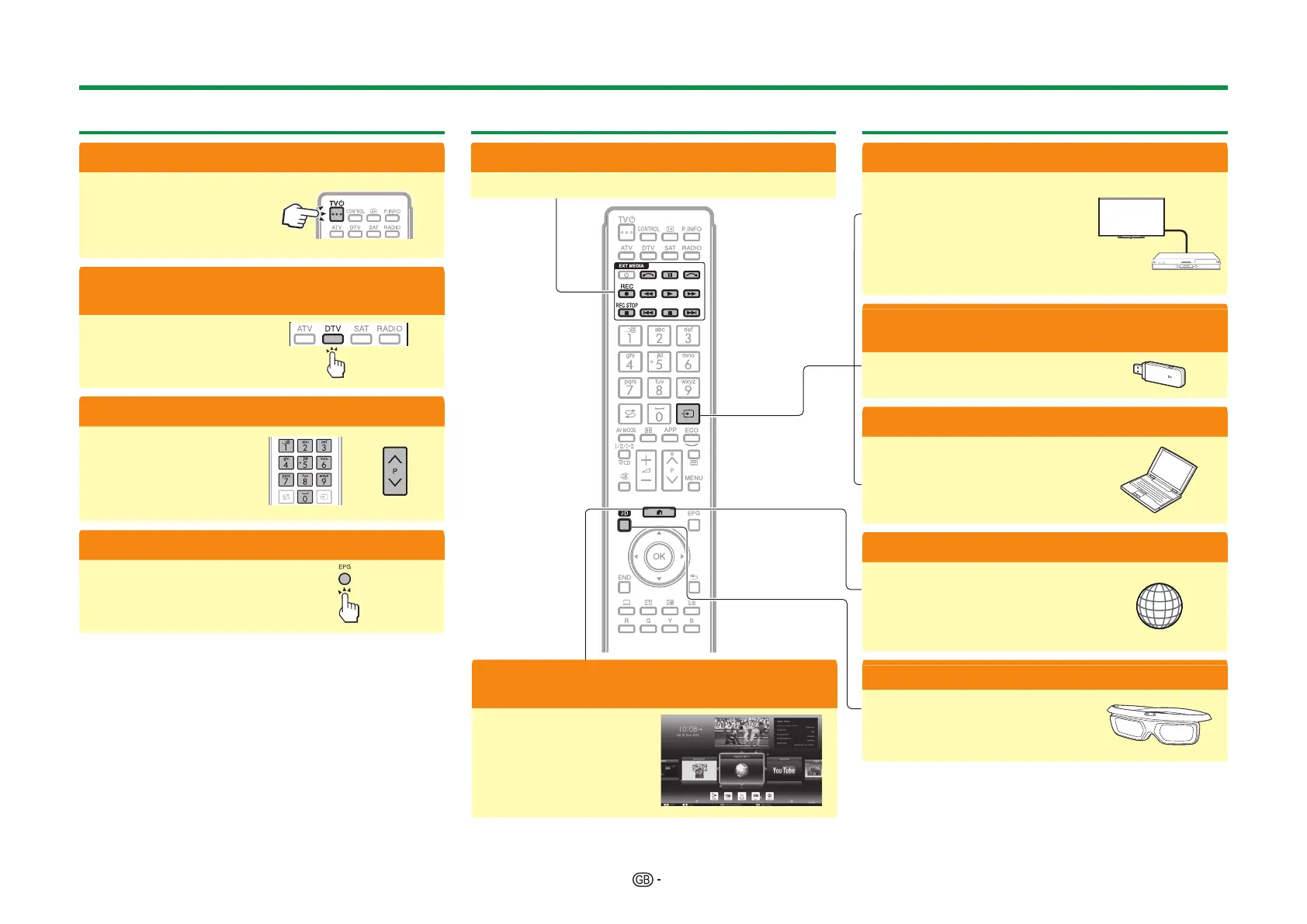
1 Turn on/off the TV
(Page 19)
• You can turn on/off the
power using both the
remote control and the
TV.
2 Switch between digital, satellite and
analogue broadcast
(Page 19)
3 Change channels
(Page 19)
• You can also select a
channel from “HOME” >
“CH list”.
4 Select a programme using EPG
(Pages 22_24)
4. Advanced features
1 Use USB-recording function
(Pages 52_54)
5. Enjoy additional features
1 Connect external devices
Connection overview
(Pages 27_32)
• Be sure to turn off the TV and
any devices before making any
connections.
Switch input sources
(Page 19)
2 Enjoy photos, music and video stored
in USB media/Home network
(Pages 55_58)
3 Display a PC image on the TV screen
(Pages 59_63)
4 Enjoy internet service* with the TV
(Pages 13 and 64_67)
* The following service is now
available:
• YouTube™ (Page 13)
• Net TV (Pages 66–67)
5 Watch 3D images
(Pages 68_77)
• Some menu items are greyed
out in 3D mode. This is not a
malfunction.
Quick guide
2 Adjust TV settings and enjoy internet
service
(Pages 36_50)
• You can launch Internet
connection and Home
network functions, as
well as perform settings
for the TV from the
“HOME” screen.


 To Next Page