EasyManua.ls Logo

Sharp LC-65D64U - User Manual

Sharp LC-65D64U
152 pages
Print Icon
To Next Page IconTo Next Page
Loading...
SERVICE MANUAL
Parts marked with " " are important for maintaining the safety of the set. Be sure to replace these parts with specified ones for maintaining the
safety and performance of the set.
This document has been published to be used for
after sales service only.
The contents are subject to change without notice.
SAFETY PRECAUTION
IMPORTANT SERVICE SAFETY
PRECAUTION............................................................ i
PRECAUTIONS A PRENDRE LORS DE LA
REPARATION ........................................................... ii
PRECAUTIONS FOR USING LEAD-FREE
SOLDER ...................................................................iii
CHAPTER 1. SPECIFICATIONS
[1] SPECIFICATIONS .................................................1-1
CHAPTER 2. OPERATION MANUAL
[1] OPERATION MANUAL ..........................................2-1
CHAPTER 3. DIMENSIONS
[1] DIMENSIONS ........................................................3-1
CHAPTER 4. REMOVING OF MAJOR PARTS
[1] REMOVING OF MAJOR PARTS ...........................4-1
CHAPTER 5. ADJUSTMENT
[1] ADJUSTMENT PROCEDURE ...............................5-1
CHAPTER 6. TROUBLE SHOOTING TABLE
[1] TROUBLE SHOOTING TABLE..............................6-1
CHAPTER 7. MAJOR IC INFORMATIONS
[1] MAJOR IC INFORMATIONS..................................7-1
CHAPTER 8. OVERALL WIRING/BLOCK DIAGRAM
[1] OVERALL WIRING DIAGRAM ..............................8-1
[2] SYSTEM BLOCK DIAGRAM .................................8-3
CHAPTER 9. PRINTED WIRING BOARD ASSEMBLIES
[1] MAIN Unit...............................................................9-1
[2] TERMINAL Unit......................................................9-9
[3] SIDE Unit ............................................................. 9-11
[4] R/C, LED Unit.......................................................9-13
[5] KEY Unit...............................................................9-14
CHAPTER 10. SCHEMATIC DIAGRAM
[1] DESCRIPTION OF SCHEMATIC DIAGRAM.......10-1
[2] R/C, LED Unit.......................................................10-2
[3] MAIN Unit.............................................................10-3
[4] TERMINAL Unit..................................................10-37
[5] SIDE Unit ...........................................................10-43
[6] KEY Unit.............................................................10-47
Parts Guide
TopPage
CONTENTS
In the interests of user-safety (Required by safety regulations in some countries) the set should
be restored to its original condition and only parts identical to those specified should be used.
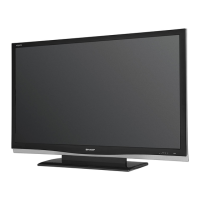
LCD COLOR TELEVISION
No. S77L8LC65D64U
LC-65D64UMODEL
LC-65D64U

Questions and Answers

  • A
    adamselizabethAug 12, 2025
    How to fix Sharp LC-65D64U when it has no power?
    • H
      Hannah MillerAug 12, 2025
      If your Sharp LCD TV has no power, ensure you've pressed the TV POWER button on the remote. If the indicator on the TV doesn't light up, press the POWER button on the TV itself. Also, check if the AC cord is disconnected and verify that the power is turned on.
  • G
    Gloria JohnsonAug 16, 2025
    What to do if my Sharp LCD TV has no sound?
    • W
      Wayne ClementsAug 16, 2025
      If your Sharp LCD TV has no sound, check if the volume is too low or if 'Variable' is selected in 'Output Select'. Also, verify that you haven't accidentally pressed the MUTE button on the remote.
  • M
    Martha RobinsonAug 20, 2025
    How to fix Sharp LC-65D64U remote control that is not working?
    • L
      Leah WheelerAug 20, 2025
      If the remote control unit for your Sharp LCD TV isn't working, ensure the FUNCTION is set correctly to the TV position. Check if the batteries are inserted with the correct polarity (+, -) and replace them if they are worn out. Also, avoid using the remote under strong or fluorescent lighting, and ensure no fluorescent lights are near the remote control sensor.
  • K
    krichardsAug 23, 2025
    Why does my Sharp LC-65D64U suddenly turn off?
    • S
      sally27Aug 23, 2025
      If your Sharp LCD TV suddenly turns off, check if the sleep timer is set and review the power control settings. Additionally, ensure the unit's internal temperature hasn't increased by removing any objects blocking the vents or cleaning the vents.
  • T
    Tamara MorrisonAug 27, 2025
    What to do if my Sharp LCD TV has no picture?
    • M
      Matthew FoleyAug 27, 2025
      To troubleshoot a Sharp LCD TV with no picture, first ensure the connections to other components are correct and the correct input signal source is selected. Verify the correct input is selected and picture adjustments are properly configured. Also, check if 'On' is selected in 'Audio Only' and ensure a compatible signal is being input.
  • T
    Terri ReyesAug 31, 2025
    How to fix Sharp LC-65D64U that failed to receive broadcast?
    • O
      Olivia AndersonAug 31, 2025
      To troubleshoot a Sharp LCD TV that failed to receive a broadcast, check the antenna cable and ensure the antenna is correctly set up.
  • J
    Jessica GarciaSep 3, 2025
    What to do if my Sharp LC-65D64U LCD TV says no broadcast now?
    • K
      Kathleen McmahonSep 3, 2025
      To address the 'No broadcast now' message on your Sharp LCD TV, check the broadcast time in the program guide.
  • M
    Mason HughesSep 7, 2025
    What to do if my Sharp LC-65D64U LCD TV unit cannot be operated?
    • J
      Juan ColeSep 7, 2025
      If your Sharp LCD TV unit cannot be operated, external influences such as lightning or static electricity may be the cause. Try turning the TV off and then on again, or unplug the AC cord, wait 1 or 2 minutes, and then plug it back in.

Summary

Safety Precautions

Important Service Safety Precaution

Essential safety guidelines for service technicians.

Repair Precautions

Precautions to take during repair procedures.

Safety Notice

Special safety characteristics of TV parts and replacement guidelines.

Fire and Shock Hazard Checks

Procedures to ensure fire and shock hazard prevention.

Critical Safety Information

Crucial safety information regarding part replacements.

Chapter 4 Removing Major Parts

Disassembly Procedures

Step-by-step guide to disassembling the TV's main parts.

Chapter 5 Adjustment

Adjustment Procedure Overview

Procedures for set adjustments after component replacement.

Software Upgrade Process

Process for updating the unit's internal software.

Adjustment Mode Access

How to access and leave the service adjustment mode.

Chapter 6 Troubleshooting

No Video Troubleshooting

Troubleshooting no video across various input types.

No Audio Troubleshooting

Troubleshooting no audio across various input types.

LED Error Indicators

Understanding LED status for error notifications.

Parts Guide

Sharp LC-65D64U Specifications

General IconGeneral
Screen Size65 inches
Display TypeLCD
Backlight TypeLED
Smart TVYes
HDMI Ports4
Audio Output10W x 2
Aspect Ratio16:9
Refresh Rate120Hz
Built-in Wi-FiYes
Resolution1920 x 1080 (Full HD)

Related product manuals