02/12/18 MD_MT290H_UK_3.fm
16
MD-MT290H
Basic Operation
-Recording-
Recording
Before recording
Cancel the hold mode.
The portable MD does not work whilst in the hold mode.
As for the details, see page 14.
1
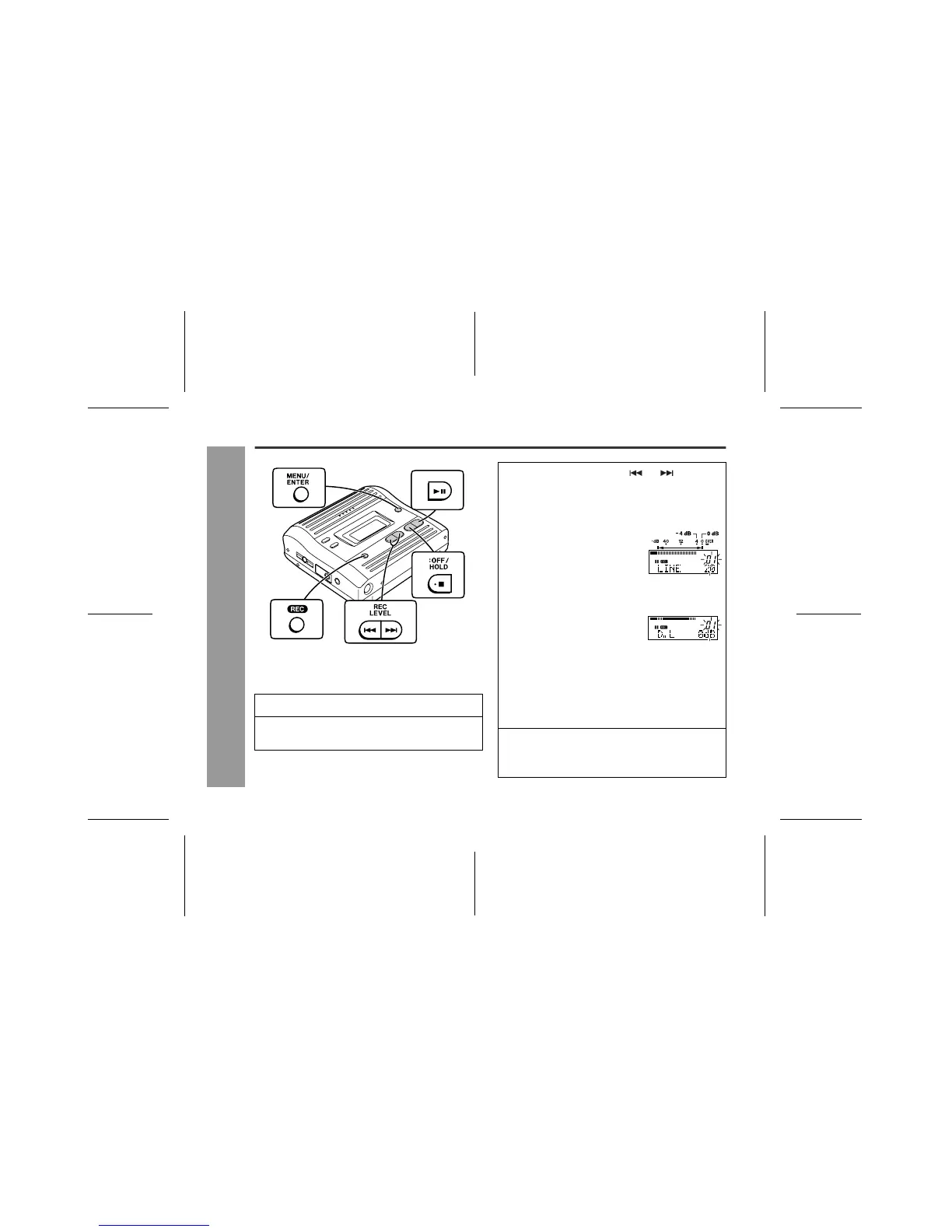
Press the REC button.
2
Begin playback on the stereo system con-
nected to this portable MD.
3
Press the REC LEVEL or button to
adjust the recording level.
Analogue recording (connecting with analogue
cable)
Adjust the recording level so
that the maximum sound vol-
ume from the source makes the
reading swing somewhere be-
tween -4 dB and 0 dB.
Digital recording (connecting with digital cable)
You can adjust the level in 1 dB
increments between + 10 dB
and - 10 dB.
Once you adjust the recording level, the setting is re-
tained even after the recording stops. (For cancella-
tion instructions for the digital recording level, see
page 31.)
The sound from the earphones does not change
even if the digital recording level is adjusted.
4
Press the PAUSE button on the stereo sys-
tem to enter the playback pause mode.
Here, you can search for the track to be recorded.
0 - 30
+ 10 dB to - 10 dB



 To Next Page