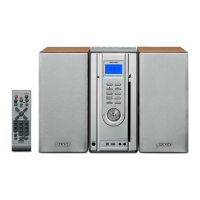
MD-X5H/CP-X5H
– 28 –
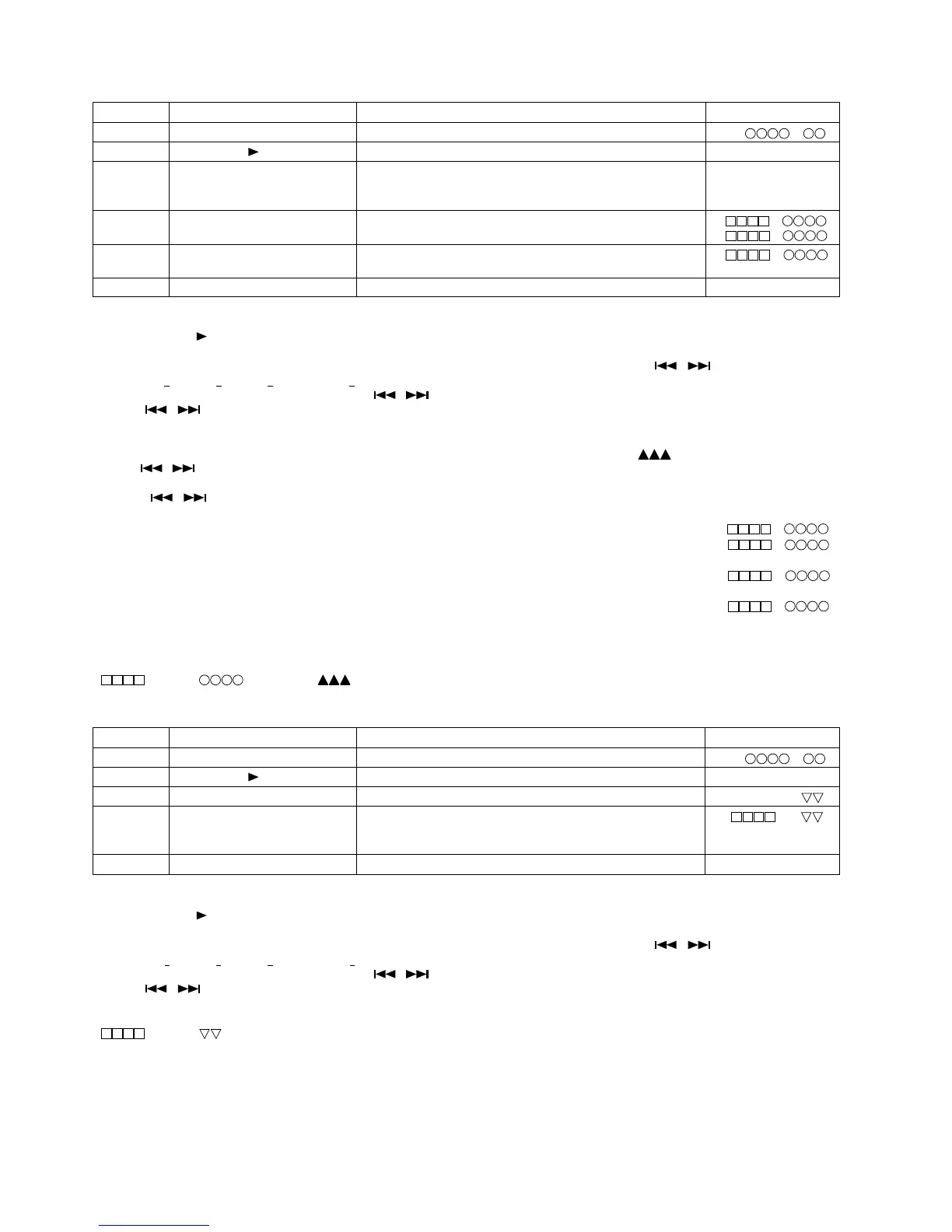
8. TEST-PLAY mode
Step 1 Testmode STOP state [ t s m e ]
Step 2 Press the CD MD EDIT button. TEST-PLAY menu [ T E S T _ P L A Y _ ]
Step 3 Press once the CD STOP button. ADRES setting (Target address initial value is indicated) [ A D R E S _ 0 0 5 0 ]
Press once the MD PLAY button.
While searching, set the search output to "H". To start continuous play,
return it to "L".
Step 4 Continuous playback (pit section) (Address + C1 error indication) [s c ]
Continuous playback (groove section)
(Address + C1 error indication) [a c ]
Step 5 Press once the CD STOP button. (Address + ADIP error indication) [a a ]
Continuous playback (groove section)
Step 6 Press once the MD STOP button. TEST-PLAY menu [ T E S T _ P L A Y _ ]
Step No.
Setting Method
Remarks Display
• If the MD STOP button is pressed while the TEST-PLAY menu is displayed, TEST mode STOP state is set.
• If the MD PLAY button is pressed while the TEST-PLAY menu is displayed, continuous playback is started from the current pickup position.
• Whenever the CD
MD EDIT button is pressed in the address setting mode, the address changes as follows.
0 0 5 0 → 0 3 C 0 → 0 7 0 0 → 0 8 A 0 → 0 0 5 0 → …………
• Whenever the CD STOP button is pressed in the address setting mode, the digit which is changed with -
/ + changes as follows.
0 0 5 0 → 0 0 5 0 → 0 0 5 0 → 0 0 5 0 → …………
• The digit of address which has been specified with - / + and CD STOP button in the address setting mode is set to +01H/-01H.(0~F)
* If the -
/ + button is held down, the setting changes continuously with 100 ms cycle.
• If the TRACK EDIT button is pressed in the continuous playback mode, the number of jump lines changes as follows.
1 line → 10 line → 400 line → 1 line → …………
* After the number of jump lines is indicated for one second, the address indication is restored. [
T R _ J U M P ]
• If the -
/ + button is pressed in the continuous playback mode, the specified number of lines is jumped in the FWD/REV
direction.
* If the -
/ + button is held down, the setting changes with 100 ms cycle.
• Whenever the CD STOP button is pressed in the continuous playback mode, the indication changes as follows.
* Pit section Continuous playback (SUBQ address indication + C1 error indication) remains. [s
c ]
* Groove section Continuous playback (ADIP address indication + C1 error indication) remains. [a c ]
↓
Continuous playback (ADIP address indication + ADIP error indication) remains. [a a ]
↓
Continuous playback (ADIP address indication + C1 error indication) remains. [a
c ]
↓
•
: Adress, : Error late, : Jump lines
………
9. TEST-REC mode
Step 1 Testmode STOP state [ t s m e ]
Step 2 Press the CD MD EDIT button. TEST-REC menu [ T E S T _ R E C _ _ ]
Step 3 Press once CD STOP button. ADRES setting (indication of address initial value) [ a 0 0 5 0 _ p w ]
Step 4 Press once the MD PLAY button.
While searching, set the search output to "H". To start continuous play,
[ a p w ]
return it to "L".
Continuous recording
Step 5 Press once the MD STOP button. TEST-REC menu [ T E S T _ R E C _ _ ]
Step No.
Setting Method
Remarks Display
• If the MD STOP button is pressed while the TEST-PLAY menu is displayed, TEST mode STOP state is set.
• If the MD PLAY button is pressed while the TEST-REC menu is displayed, continuous record is started from the current pickup position.
• Whenever the CD
MD EDIT button is pressed in the address setting mode, the address changes as follows.
0 0 5 0 → 0 3 C 0 → 0 7 0 0 → 0 8 A 0 → 0 0 5 0 → …………
• Whenever the CD STOP button is pressed in the address setting mode, the digit which is changed with -
/ + changes as follows.
0 0 5 0 → 0 0 5 0 → 0 0 5 0 → 0 0 5 0 → …………
• The digit of address which has been specified with -
/ + and CD STOP button in the address setting mode is set to +01H/-01H.(0~F)
* If the -
/ + button is held down, the setting changes continuously with 100 ms cycle.
• If the VOL UP/VOL DOWN button is pressed in TEST-REC mode and continuous record mode, the laser record power changes.
(Servo gain changes also according to the record power.)
•
: Adress, : Laser power cord


 To Next Page