EasyManua.ls Logo

Sharp XL-MP130 - User Manual

Sharp XL-MP130
42 pages
Print Icon
To Next Page IconTo Next Page
Loading...
03/12/17 XL-MP130_FRONT.fm
TINSEA016AWZZ
Thank you for purchasing this SHARP product.
To obtain the best performance from this product, please read this
manual carefully. It will guide you in operating your SHARP product.
XL-MP130
MICRO COMPONENT SYSTEM
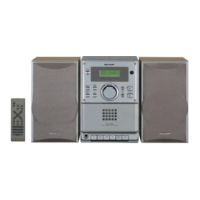
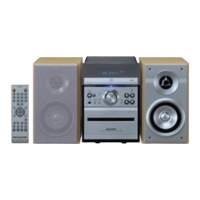
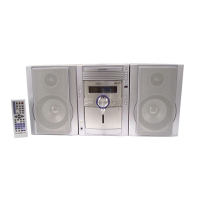
XL-MP130 Micro Component System consisting of XL-MP130 (main unit)
and CP-MP130 (speaker system).
Accessories
Please confirm that the following accessories are included.
MODEL
OPERATION MANUAL
XL-MP130
Note:
Only the above accessories are included.
Remote control 1
(RRMCGA038AWSA)
AM loop antenna 1
(QANTL0005AWZZ)
FM antenna 1
(92LFANT1746A)

Other manuals for Sharp XL-MP130

Questions and Answers

  • A
    Angela LynchJul 28, 2025
    Why is there no sound coming from my Sharp Stereo System?
    • T
      Tonya GibsonJul 29, 2025
      There could be several reasons why you're not hearing any sound: the volume level might be set to "0", headphones could be connected, or the speaker wires might be disconnected.
  • J
    Jose BraunAug 1, 2025
    What to do if my Sharp XL-MP130 Stereo System buttons are not responding?
    • J
      Joanna ClineAug 2, 2025
      If your unit is not responding when a button is pressed, try setting the unit to the power stand-by mode and then turning it back on. If the unit still malfunctions, reset it.
  • T
    Timothy SmithAug 6, 2025
    Why won't my Sharp XL-MP130 Stereo System play a disc properly?
    • L
      lynchshawnAug 6, 2025
      If playback doesn't start, stops midway, or isn't performed correctly, check if the disc is loaded upside down, if the disc satisfies the standards, or if the disc is distorted or scratched.
  • D
    David CampbellAug 11, 2025
    How to fix the clock on my Sharp Stereo System?
    • J
      Jasmine ParksAug 11, 2025
      If the clock is not set to the correct time, it could be due to a power failure. Reset the clock to resolve this.
  • Q
    qgarzaAug 15, 2025
    Why does my Sharp XL-MP130 skip or stop during playback?
    • J
      Jacob BarnettAug 15, 2025
      Skipping or stopping during playback can occur if the unit is near excessive vibrations, if the disc is very dirty, or if condensation has formed inside the unit.
  • A
    Allison MartinezAug 19, 2025
    Why is my Sharp XL-MP130 Stereo System radio making unusual noises?
    • S
      Susan SotoAug 19, 2025
      Unusual noises from the radio may be caused by the unit being placed near a TV or computer, or by improper placement of the FM or AM loop antenna. If the antenna is near the AC power cord, move it away.
  • K
    Kurt SanchezAug 23, 2025
    What to do if condensation causes my Sharp XL-MP130 to malfunction?
    • E
      Emily HughesAug 23, 2025
      If condensation causes the unit to malfunction due to sudden temperature changes or operation in a humid environment, leave the power on with no disc in the unit until normal playback is possible, which should take about an hour. Also, wipe off any condensation on the transmitter with a soft cloth before operating the unit.

Summary

SHARP Micro Component System Introduction

Important Safety and Compliance Notes

Safety Warnings and Graphical Symbols

Explains safety precautions, graphical symbols, and warnings concerning electrical hazards.

General Safety Instructions - Part 1

Basic Safety Guidelines and Precautions

Covers reading instructions, cleaning, water exposure, attachments, and ventilation.

Electrical Safety and Usage Precautions

Addresses power sources, grounding, cord protection, and attachment plugs.

General Safety Instructions - Part 2

Outdoor Antenna and Lightning Safety

Provides guidance on outdoor antenna grounding, lightning protection, and power line safety.

Operational Hazards and Servicing Requirements

Warns against liquid entry, overloading, improper servicing, and specifies conditions requiring repair.

System Connections Guide

Antenna and Speaker Wiring Procedures

Illustrates how to connect FM/AM antennas and speakers to the main unit.

Detailed Connection Procedures

Basic Operation: Controls and Functions

Basic Operation: Clock Settings

CD and MP3;WMA Disc Playback

CD;MP3;WMA Disc Operations

Advanced Disc Playback Features

Disc Selection and Direct Search

Disc Playback Modes

Programmed Playback

MP3;WMA File Navigation

File Search and Naming Conventions

Introduces searching MP3/WMA files by folder or title, and guidelines for file naming.

MP3;WMA File Search Methods

Folder and Title Based Searching

Step-by-step guide for searching MP3/WMA files using folder or title criteria.

MP3;WMA Character Search

Searching by Entering Names

Explains how to search for files by entering names using character input on the remote.

MP3;WMA Programmed Playback

Programming Folders and Titles for Playback

Details how to program entire folders or titles for playback, and manage programmed contents.

Radio Operation

Tuning Radio Stations and FM Stereo

Guides on tuning radio stations manually and automatically, and receiving FM stereo broadcasts.

Radio Station Management

Cassette Tape Playback

Loading and Playing Cassette Tapes

Step-by-step guide for loading a cassette tape and initiating playback.

Cassette Tape Functions

Recording from External Sources

Cassette Recording Operations

Advanced Features: Timer Operation

Understanding Timer Playback and Recording

Explains the concepts of timer playback and recording, including ONCE and DAILY timer types.

Configuring Timer Settings

Setting Playback or Recording Timers

Step-by-step guide to set timer mode, source, and time for playback or recording.

Managing Timer Operations

Timer Activation and Cancellation Procedures

Details on how timers operate, checking settings, canceling timers, and reusing memorized settings.

Sleep Operation

Sharp XL-MP130 Specifications

General IconGeneral
BrandSharp
ModelXL-MP130
CategoryStereo System
LanguageEnglish

Related product manuals