EasyManua.ls Logo

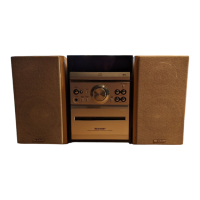
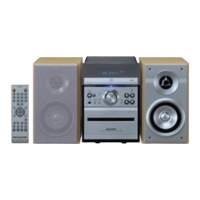
Sharp XL-MP10H - User Manual

Sharp XL-MP10H
33 pages
Print Icon
To Next Page IconTo Next Page
Loading...
04/10/6 XL-MP10H(H)_FRONT.fm
TINSZA033SJZZ
MIKRO KOMPONENTEN SYSTEM
MICRO-CHAÎNE
SISTEMA MICRO
MIKRO KOMPONENT SYSTEM
MICRO SISTEMI
MICRO SYSTEEM
SISTEMA DE MICRO COMPONENTE
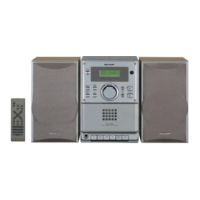
MICRO COMPONENT SYSTEM
MODELL
MODÈLE
MODELO
MODELL
MODELLO
MODEL
MODELO
MODEL
XL-MP10H
BEDIENUNGSANLEITUNG
MODE D’EMPLOI
MANUAL DE MANEJO
BRUKSANVISNING
MANUALE DI ISTRUZIONI
GEBRUIKSAANWIJZING
MANUAL DE OPERAÇÃO
OPERATION MANUAL
Mikro Komponenten System XL-MP10H besteht aus XL-MP10H
(Hauptgerät) und CP-S10H (Lautsprechersystem).
Micro-chaîne XL-MP10H composée de XL-MP10H (appareil
principal) et CP-S10H (enceinte acoustique).
Sistema micro XL-MP10H que consta de XL-MP10H (aparato
principal) y CP-S10H (sistema de altavoces).
XL-MP10H mikro komponent system bestående av XL-MP10H
(huvudenhet) och CP-S10H (högtalarsystem).
Micro sistemi XL-MP10H composto da XL-MP10H (apparecchio
principale) e CP-S10H (sistema di diffusori).
XL-MP10H micro systeem bestaande uit XL-MP10H (hoofdtoes-
tel) en CP-S10H (luidsprekersysteem).
XL-MP10H Sistema de Micro Componente composto de XL-
MP10H (unidade principal) e CP-S10H (sistema de alto-falante).
XL-MP10H Micro Component System consisting of XL-MP10H
(main unit) and CP-S10H (speaker system).
DEUTSCH
FRANÇAIS
ESPAÑOL
SVENSKA
ITALIANO
NEDERLANDS
PORTUGUÊS
ENGLISH
Siehe Seiten i
bis vi und D-1
bis D-24.
Se reporter aux
pages i à vi et
F-1 à F-24.
Consulte las
páginas i a vi y
S-1 a S-24.
Hänvisa till
sidorna i till vi
och V-1 till V-
24
.
Leggere le
pagine i a vi e
I-1 a I-24.
Raadpleeg de
bladzijden i t/m
vi en N-1 t/m N-24.
Favor consultar
as páginas i a vi
e P-1 a P-24.
Please refer to
pages i to vi
and E-1 to E-24.
8
1
2
3
4
5
6
7

Other manuals for Sharp XL-MP10H

Questions and Answers

  • B
    Brandon GomezAug 18, 2025
    What to do if the Sharp Stereo System remote control does not operate?
    • C
      castrojohnAug 18, 2025
      If the remote control for your Sharp Stereo System isn't working, consider these potential causes: * Ensure the AC power lead of the unit is plugged in. * Check that the battery polarity is correct. * Replace the batteries if they are dead. * Make sure you are within the correct distance and angle. * Ensure the remote control sensor isn't exposed to strong light.
  • N
    nandersonAug 21, 2025
    Why is there no sound coming from my Sharp Stereo System?
    • E
      emily53Aug 21, 2025
      If no sound is coming from your Sharp Stereo System, there might be a few reasons: * Check if the volume level is set to '0'. * Make sure headphones are not connected. * Verify that the speaker wires are properly connected.
  • C
    curtisrichardAug 23, 2025
    What to do if my Sharp Stereo System does not respond when a button is pressed?
    • J
      jonesmichaelAug 23, 2025
      If your Sharp Stereo System isn't responding when you press a button, try setting the unit to power stand-by mode and then turning it back on. If the unit still malfunctions, reset it.
  • A
    Alexander MartinAug 26, 2025
    Why playback does not start on my Sharp XL-MP10H Stereo System?
    • M
      Madison Rowe MDAug 26, 2025
      If playback won't start on your Sharp Stereo System, check if the disc is loaded upside down, if the disc meets the required standards, and if the disc is distorted or scratched.
  • B
    Brian CortezAug 28, 2025
    How to stop unusual noises from Sharp XL-MP10H Stereo System radio?
    • W
      Wanda CooperAug 28, 2025
      If your Sharp Stereo System's radio is making unusual noises, it might be because the unit is placed near a TV or computer. If located nearby, try moving the aerial away from the AC power lead.
  • B
    Bryan PetersonAug 30, 2025
    What to do if Sharp XL-MP10H playback sounds are skipped?
    • J
      John WilliamsAug 31, 2025
      If the playback on your Sharp Stereo System skips or stops, it might be due to excessive vibrations near the unit, a very dirty disc, or condensation inside the unit.
  • S
    Steven BradleySep 2, 2025
    Why is the clock on my Sharp Stereo System not set to the correct time?
    • M
      Melissa HurstSep 2, 2025
      If the clock on your Sharp Stereo System is not set to the correct time, it may be due to a power failure. Reset the clock.
  • A
    Alicia CervantesSep 4, 2025
    What to do if my Sharp XL-MP10H Stereo System has condensation inside?
    • M
      Michael VaughnSep 5, 2025
      If sudden temperature changes cause condensation inside the cabinet or on the remote of your Sharp Stereo System, leave the power on with no disc (or cassette) in the unit until normal playback is possible (about 1 hour). Wipe off any condensation on the transmitter with a soft cloth before operating the unit.
  • G
    Grace ParkerSep 7, 2025
    Why is there sound fluctuation in my Sharp XL-MP10H?
    • C
      Cheryl BellSep 7, 2025
      If you are experiencing sound fluctuation with your Sharp Stereo System, it could be due to dirty capstans, pinch rollers, or heads.
  • M
    Monica ParkerSep 10, 2025
    Why can't I record tracks with proper sound quality on my Sharp Stereo System?
    • J
      Jeremy YoungSep 10, 2025
      If you cannot record tracks with proper sound quality on your Sharp Stereo System, check if you are using a normal tape. Note that you cannot record on a metal or CrO tape.

Summary

Special Notes and Compliance

Regulatory Compliance Information

Details on EG directives and product conformity.

Important Safety Warnings

Critical safety information regarding operation and internal hazards.

General Safety Precautions

Appliance Safety and Environmental Notes

Guidelines for safe operation, environment, and avoiding water/heat.

Laser Product Classification

Classification of the product as a Class 1 Laser Product.

Laser Handling Procedures

Safe Laser Operation Guidelines

Procedures and warnings for handling laser components safely.

Laser Diode Specifications and Warnings

Laser Diode Technical Details

Specifications for the laser diode's material, wavelength, and output.

Invisible Laser Radiation Alert

Warning regarding invisible laser radiation when the unit is open.

Product Introduction and Accessories

Included Accessories

List of accessories supplied with the product.

System Precautions and Care

General operating precautions, volume control, and CD care.

Controls and Indicators

System Control Layout

Identification and reference pages for system controls and indicators.

Remote Control Functions

Details on remote control buttons and their operations.

System Connections and Setup

Aerial and Speaker Setup

Instructions for connecting aerials and speakers.

Power Connection and Remote Control Setup

Connecting AC power and setting up the remote control.

Basic Operation

Sound Adjustment

Controlling volume, bass, and treble levels.

Clock Setting

Procedure for setting the system's clock.

Disc Playback

Playing CDs and discs with MP3/WMA files.

Radio Operation

Tuning into radio stations and receiving FM stereo.

Tape Playback

Instructions for playing cassette tapes.

Advanced Features and Recording

Advanced Disc Playback Functions

Locating tracks, portions, and selecting folders/tracks.

Radio Station Management

Storing, recalling, scanning, and clearing preset stations.

Cassette Tape Recording

Preparing for recording and recording from discs/radio.

Timer and Sleep Operations

Setting timer playback and sleep operation modes.

Troubleshooting and Maintenance

Troubleshooting Guide

Common problems and their possible causes for various system components.

Maintenance and Reset Procedures

Cleaning components, handling malfunctions, and resetting the system.

System Specifications

Technical details and performance figures for the system.

Sharp XL-MP10H Specifications

General IconGeneral
TypeMicro Component System
CD PlayerYes
Playable file formatsCD-DA, MP3
BluetoothYes
USB PortYes
RadioFM
Speakers2-way speakers

Related product manuals