04/11/1 XL-MP10H(H)E2.fm
E-20
ENGLISH
TINSZA033SJZZ
XL-MP10H
8
Advanced Features
Timer and sleep operation
This may be operated only with the remote control.
Timer playback:
The unit turns on and plays the desired source (disc or tuner) at a
preset time.
Sleep operation:
The radio or disc can be turned off automatically.
Note:
The timer and sleep operations are not available during tape mode.
Before setting timer:
! Timer playback
Continued to the next page
1 Check that the clock is set to the correct time (refer to page 8).
2 Load a disc to be played.
1
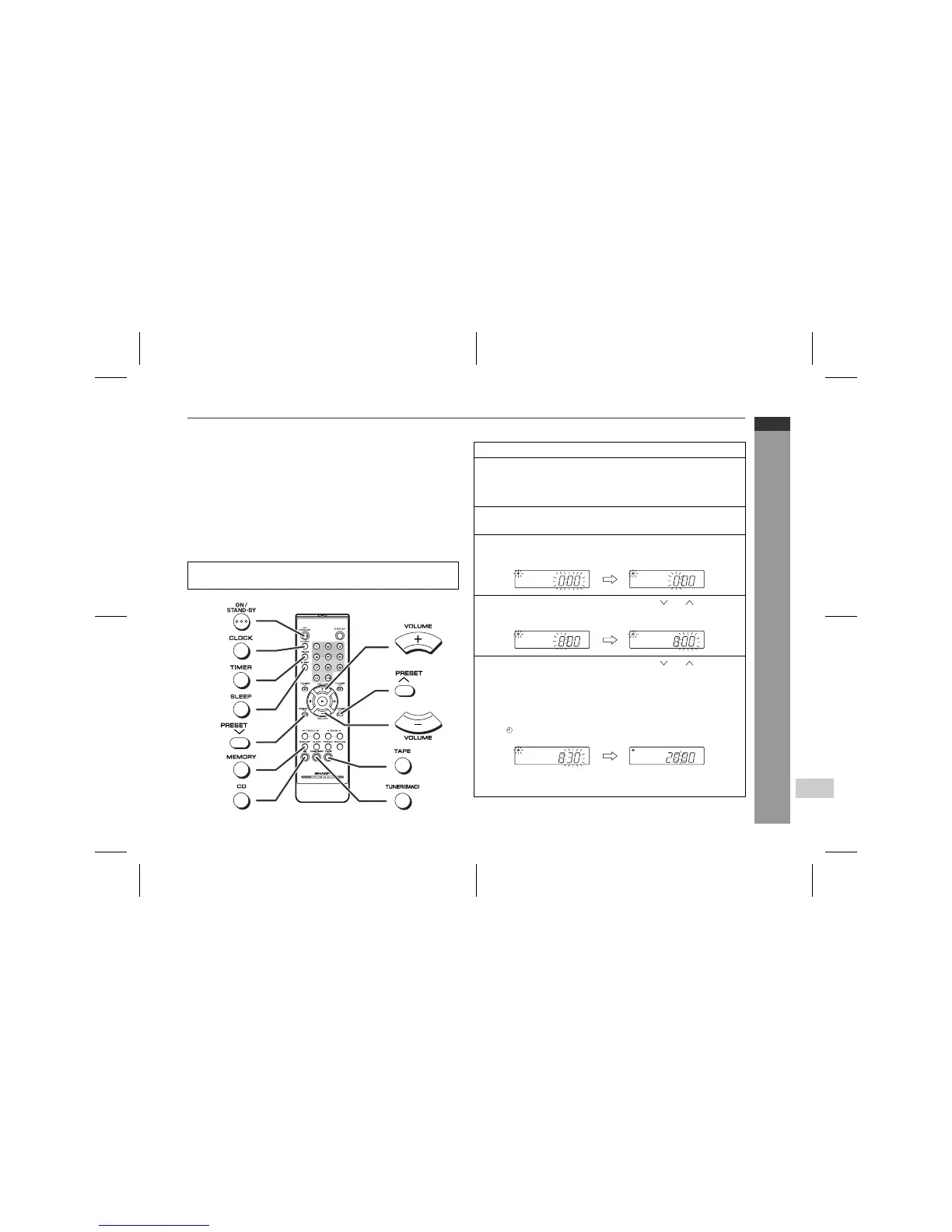
Press the ON/STAND-BY button to turn the power on.
2
Press the CD or TUNER (BAND) button to select the de-
sired function.
When you selected the TUNER (BAND), tune in to the desired
station.
3
Adjust the volume using the VOLUME buttons.
Do not turn the volume up too high.
4
Press the TIMER button and within 6 seconds, press the
MEMORY button.
5
Within 1 minute, press the PRESET ( or ) button to
specify the hour to start, then press the MEMORY button.
6
Within 1 minute, press the PRESET ( or ) button to
specify the minutes to start, then press the MEMORY but-
ton.
"
The timer playback starting time, function, and volume will be
displayed, and then the unit will enter the stand-by mode au-
tomatically.
"
" " will appear and the current time will be displayed.
To cancel the timer playback:
Press the ON/STAND-BY button to turn the power on.


 To Next Page