EasyManua.ls Logo

Sharp XL-MP110H - User Manual

Sharp XL-MP110H
48 pages
Print Icon
To Next Page IconTo Next Page
Loading...
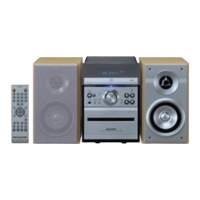
MIKRO KOMPONENTEN SYSTEM
MICRO-CHAÎNE
SISTEMA MICRO
MIKRO KOMPONENT SYSTEM
MICRO SISTEMI
MICRO SYSTEEM
SISTEMA DE MICRO COMPONENTE
MICRO COMPONENT SYSTEM
MODELL
MODÈLE
MODELO
MODELL
MODELLO
MODEL
MODELO
MODEL
XL-MP110H
BEDIENUNGSANLEITUNG
MODE D’EMPLOI
MANUAL DE MANEJO
BRUKSANVISNING
MANUALE DI ISTRUZIONI
GEBRUIKSAANWIJZING
MANUAL DE OPERAÇÃO
OPERATION MANUAL
Mikro Komponenten System XL-MP110H besteht aus XL-MP110H (Hauptgerät)
und CP-MP110H (Lautsprecher-system).
Micro-chaîne XL-MP110H composée de XL-MP110H (appareil principal) et de
CP-MP110H (enceinte acoustique).
Sistema micro XL-MP110H que consta de XL-MP110H (aparato principal) y CP-
MP110H (sistema de altavoces).
XL-MP110H mikro komponent system bestående av XL-MP110H (huvudenhet)
och CP-MP110H (högtalarsystem).
Micro sistemi XL-MP110H composto da XL-MP110H (apparecchio principale) e
CP-MP110H (sistema di diffusori).
XL-MP110H micro systeem bestaande uit XL-MP110H (hoofdtoestel) en CP-
MP110H (luidsprekersysteem).
XL-MP110H Sistema de Micro Componente composto de XL-MP110H (unidade
principal) e CP-MP110H (sistema de alto-falante).
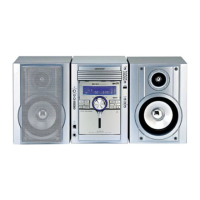
XL-MP110H Micro Component System consisting of XL-MP110H (main unit)
and CP-MP110H (speaker system).
Siehe Seiten i bis vi und D-1 bis D-40.
Se reporter aux pages i à vi et F-1 à F-40.
Consulte las páginas i a vi y S-1 a S-40.
DEUTSCH
Favor consultar as páginas i a vi e P-1 a P-40.
PORTUGUÊS
FRANÇAIS
ESPAÑOL
Hänvisa till sidorna i till vi och V-1 till V-40.
Leggere le pagine i a vi e I-1 a I-40.
Raadpleeg de bladzijden i t/m vi en N-1 t/m N-40.
SVENSKA
ITALIANO
NEDERLANDS
Please refer to pages i to vi and E-1 to E-40.
ENGLISH

Other manuals for Sharp XL-MP110H

Questions and Answers

  • B
    Brandy SmithAug 9, 2025
    Why is my Sharp XL-MP110H remote control not working?
    • M
      murraydavidAug 9, 2025
      If your Sharp Stereo System's remote control isn't working, ensure the AC power lead is plugged in, the batteries have the correct polarity, and the batteries aren't dead (replace them if necessary). Also, make sure the distance and angle are correct, and that the unit's sensor isn't exposed to strong light. Try adjusting these factors to restore remote control functionality.
  • R
    Richard JohnsonAug 13, 2025
    How to fix a Sharp Stereo System CD player that is not working?
    • B
      Brianna MorrisAug 14, 2025
      If the CD function on your Sharp Stereo System isn't working, the objective lens of the optical pickup may be dirty. Clean the objective lens and then check if the playback operation is working.
  • J
    James GutierrezAug 19, 2025
    What to do if there is no sound from my Sharp Stereo System?
    • J
      Jon MayoAug 19, 2025
      If you're not hearing any sound from your Sharp Stereo System, first, check the volume level and adjust it if it's set to "0". Next, ensure that headphones are disconnected. Finally, verify that the speaker wires are properly reconnected.
  • B
    brittany41Aug 25, 2025
    Why does playback skip on my Sharp XL-MP110H?
    • K
      kennethortizAug 25, 2025
      If playback on your Sharp Stereo System skips or stops, it could be due to excessive vibrations near the unit. Move the unit away from such sources. Also, check if the disc is dirty and clean it if necessary. In case condensation has formed inside the unit, leave the power on without a disc (or cassette) for about 1 hour until normal playback is possible.
  • J
    Jennifer RodriguezAug 29, 2025
    What to do if my Sharp XL-MP110H Stereo System doesn't start playing?
    • A
      Amy ParkerAug 29, 2025
      If your Sharp Stereo System isn't playing correctly, first, make sure the disc is loaded correctly. If it still doesn't work, verify that the disc meets the required standards. If the disc is distorted or scratched, replace it.
  • T
    Theresa BlankenshipSep 3, 2025
    What to do if buttons on my Sharp Stereo System do not respond?
    • B
      Bryan SmithSep 3, 2025
      If your Sharp Stereo System does not respond when a button is pressed, set the unit to the power stand-by mode and then turn it back on. If the unit still malfunctions, reset it.

Sharp XL-MP110H Specifications

General IconGeneral
CD PlayerYes
Cassette DeckYes
BluetoothNo
USB PortNo
Tuner BandsFM, AM
RadioFM/AM
CD Player TypeSingle-disc
Playable MediaCD, CD-R, CD-RW

Related product manuals