Network (Web Page)
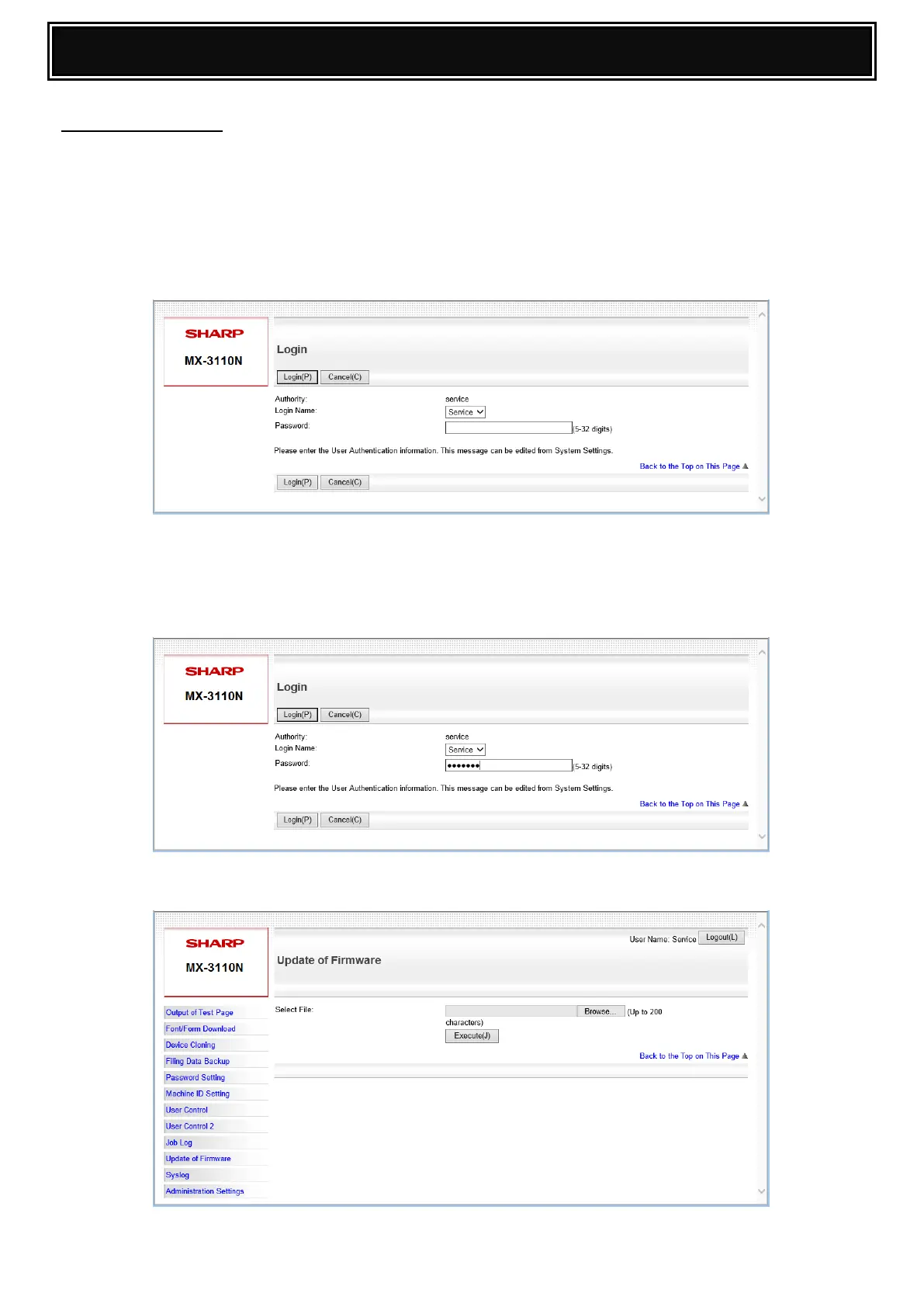
1. Open a web browser and enter the following URL :-
http://ipaddress/service_login.html or http://ipaddress/service_account.html
Example: http://192.168.0.131/service_login.html
Note: If User Authentication (username & password) is enabled, open the device
webpage and “login” using the service username and password (as below):-
2. Select/Enter the “Service” Username and Password to access the Service Webpage and click
Login:-
Default Username: service
Password: service
3. When the service webpage opens, click Update of Firmware:-




 To Next Page