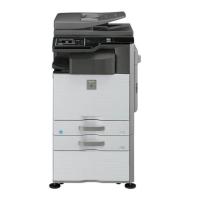
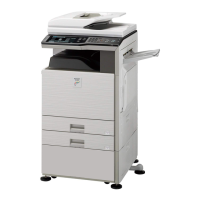
Is it possible to Tandem
MX-2610/3110/3610N with another
MX colour device?
Tandem operation is only supported with
MX-2610/3110/3610N & MX-4111/5111N series.
What is the recommended
resolution/dimensions when using
custom images for the HOME Screen
and Button Icons?
The maximum image size which can be uploaded to the
Home Screen is 1024 x 544.
Depending on the number of icons displayed on the
HOME screen, please use the following:-
Pattern 1: Icon Qty 4 : Size 160 x 160
Pattern 2: Icon Qty 8 : Size 160 x 160
Pattern 3: Icon Qty 8 : Size 100 x 100
Pattern 4: Icon Qty 12 : Size 100 x 100
Pattern 5: Icon Qty 12 : Size 86 x 86
Pattern 6: Icon Qty 18 : Size 86 x 86
Is it possible to print onto Banner
Paper up to 1200mm in length?
The MX2610/3110/3610 series can support printing up
to 1200mm in length from the bypass tray only
however, a special PCL6 print driver and setting change
(Sim26-50, Item F) is required.
How do you print User Account
information when User Control is
enabled?
Select Settings - User Control - Default Settings.
Scroll down and select the required option from User
Information Print menu.
Note: The Administrators password will be required.
The FAX icon is not displayed correctly
on the Home Screen, even after
adding the FAX icon via system
settings once the fax expansion kit is
installed.
After installing the MXFX11 Fax Expansion Kit, execute
Sim 66-10 to perform a memory clear.
The FAX icon will then be displayed correctly, once its
added to the HOME Screen via System Settings
(Operation Settings - Home Screen).
If the unit has varying , or bad registration and SIM
50-22 does not fix , try the following.
1. In SIM 50-20 , items A to I , set to default of 100 ,
then try 50-22 again .
2. Fit Polysliders as per service bulletin COP1985 .
3. Check surface of primary transfer belt , and make
sure there are no scratches where the sensors read.
4. Make sure Primary transfer belt rotates freely , and
check drive gear is not damaged.
5. Replace Complete Drum Assy.
Intermittent black stripe, only when
using copy mode
Check if a section of LEDs within the scanner lamp unit
fail to light. Replace the LED PWB - PG Section 14, Item
4 CPWBN1927FCE1 if required.
Is it possible to install an SD Card from
MX-2310U onto MX-3110N?
The SD Cards are pre-formatted and installed with the
boot firmware for the relevant device therefore, they
are not compatible. However, an SD Card from MX-
2610N can be installed on MX-3110N or MX-3610N.





 To Next Page