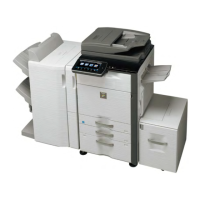
Is it possible to Tandem
MX-4141/5141N series with another
MX colour device?
Tandem operation is only supported with
MX-4141/5141N series only.
Is it possible to retain the Destination
Address (Image Send Mode), once the
current Scan operation is complete?
To enable this function, change,
SIM55-03 SW30-3 from 0 (default) to 1.
Once enabled, go to System Settings-Image Send
Settings-Operation Settings menu and enable the “Hold
Address for a while after scanning is completed” option
for the relevant Image Send mode.
DOCUMENT FILING / PUBLIC FOLDER
Unable to browse the NAS/Public
Folder, even though the Public
Folder/NAS settings are enabled
within the Network Settings menu.
The NBT/WINS Port (Security setting) must be enabled
to use NAS/Public storage. For security measures, this
port setting is disabled as default.
Can you use Domain User Accounts to
browse the NAS/Public Folders?
NAS/Public Folders support local accounts only
(programmed on MFP)
Loss of Developer from one or more
Developer units due to MC Grid
contamination.
Check the Waste Toner Box and ensure the Waste
Toner Box Cover Cushions (PMLT-2166FCZZ) are
properly installed.
If the Toner Box Cover Cushion is damaged or missing,
this will allow waste toner to build up on the MC Grid,
causing the developer to be pulled from the DV unit.
Error K, C, M, Y in Sim44-26 and/or
machine hangs in Sim46-74 when
trying to print the calibration sheet.
Check/replace CF card on the MFP PWB.
Out of paper indicated for the
MXDE21 Tandem Desk Drawer.
MFP indicates paper empty when the Tandem Tray is
inserted and paper is present.
Check operation of DCDT (Tandem Tray Insertion
Detector) sensor using Sim 4.
Replace DCDT sensor if necessary.
Which additional options are required
for full functionality when using
Sharpdesk Mobile via the wireless
access point?
Unable to connect to Office 365 email
account when using Sharpdesk Mobile
v2.0
When using Office 365, you need to specify the
following information within Email Server Settings on
Sharpdesk Mobile:-
Hostname: m.outlook.com
Port Number: 993
SSL: ON




 To Next Page