MX3500N SIMULATION 7 – 94
If there is no item over [↑], the display grays out and the
operation is invalid.
If there is any item under [↓], an active display is made and
item is shifted.
If there is no item over [↓], the display grays out and the
operation is invalid.
2) Enter the set value with 10-key.
* Press [C] key to clear the entered values.
3) When [OK], [↑], [↓] button, [COLOR], or [BLACK] key is
pressed, the current entered value is saved to EEPROM and
RAM.
* Copying can be performed also by pressing [COLOR]/
[BLACK] key.
* When [CLOSE] button is pressed, the display is shifted to
the copy basic screen of simulation.
<Set range and default value of each setup>
* Item A, C, E: When the set value is increased by 1, the magnifi-
cation ratio is increased by 0.02%.
* Item B, D, F: When the set value is increased by 1, the magnifi-
cation ratio is increased by 0.01%.
* When D is adjusted, F is varied accordingly. (The individual
adjustment cannot be made.) * MX-3501N/4501N only
* This adjustment affects PC scanning and other scanning other
than copy.
48-5
Purpose
Adjustment
Function (Purpose)
This adjustment is executed when a satis-
factory result is not obtained when a differ-
ent copy magnification ratio is specified and
copying is made after adjustment of the sub
scanning direction image magnification
ratio with SIM 48-1.
When there is an error in the copy magnifi-
cation ratio in reduction copy, the adjust-
ment value of high speed mode is adjusted.
When there is an error in the copy magnifi-
cation ratio in enlargement copy, the adjust-
ment value of low speed mode is adjusted.
This is the magnification ratio adjustment in
the scan system.
Section
RSPF/DSPF/Scanner
Item
Adjustment
Operation/Procedure
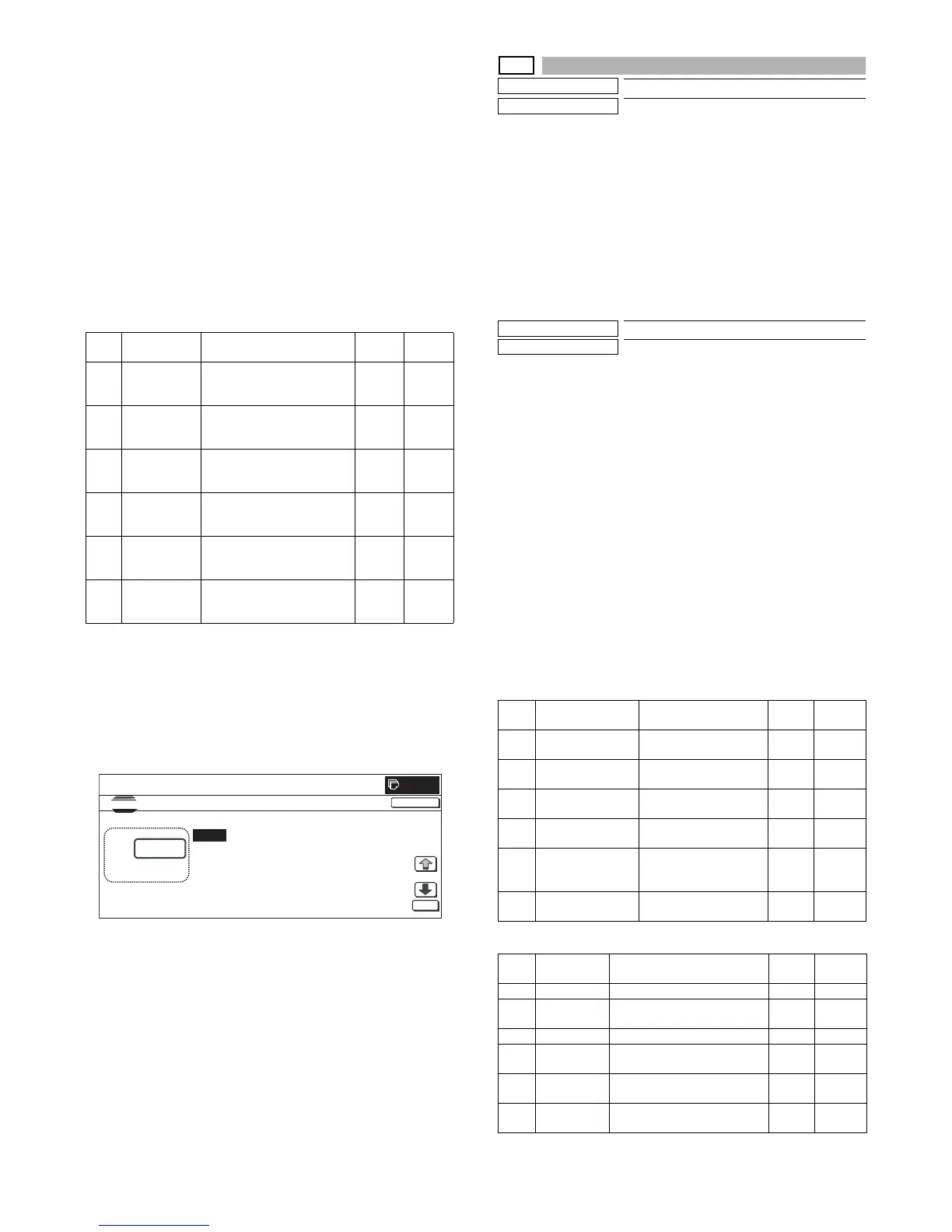
1) Select the set item with [↑] and [↓] buttons.
The highlighted set value is switched and the value is dis-
played in the setting area.
* If there is any item over [↑], an active display is made and
item is shifted.
If there is no item over [↑], the display grays out and the
operation is invalid.
If there is any item under [↓], an active display is made and
item is shifted.
If there is no item over [↓], the display grays out and the
operation is invalid.
2) Enter the set value with 10-key.
* Press [C] key to clear the entered values.
3) When [OK], [↑], [↓] button, [COLOR], or [BLACK] key is
pressed, the current entered value is saved to EEPROM and
RAM.
<Set range and default value of each setup>
[MX-3500N/4500N]
[MX-3501N/4501N]
Item Display Content
Set
range
Default
value
A CCD (MAIN) SCAN, main scan
magnification ratio
adjustment (CCD)
1 to 99 50
B CCD (SUB) SCAN, sub scan
magnification ratio
adjustment (CCD)
1 to 99 50
C SPF (MAIN) RSPF/DSPF document front
surface magnification ratio
adjustment (Main scan)
1 to 99 50
D SPF (SUB) RSPF/DSPF document front
surface magnification ratio
adjustment (Sub scan)
1 to 99 50
E SPFB (MAIN) RSPF/DSPF document back
surface magnification ratio
adjustment (Main scan)
1 to 99 50
F SPFB(SUB) RSPF/DSPF document back
surface magnification ratio
adjustment (Sub scan)
1 to 99 50
㩷㩷
CLOSE
0



 To Next Page