MX3500N ADJUSTMENTS 6 – 33
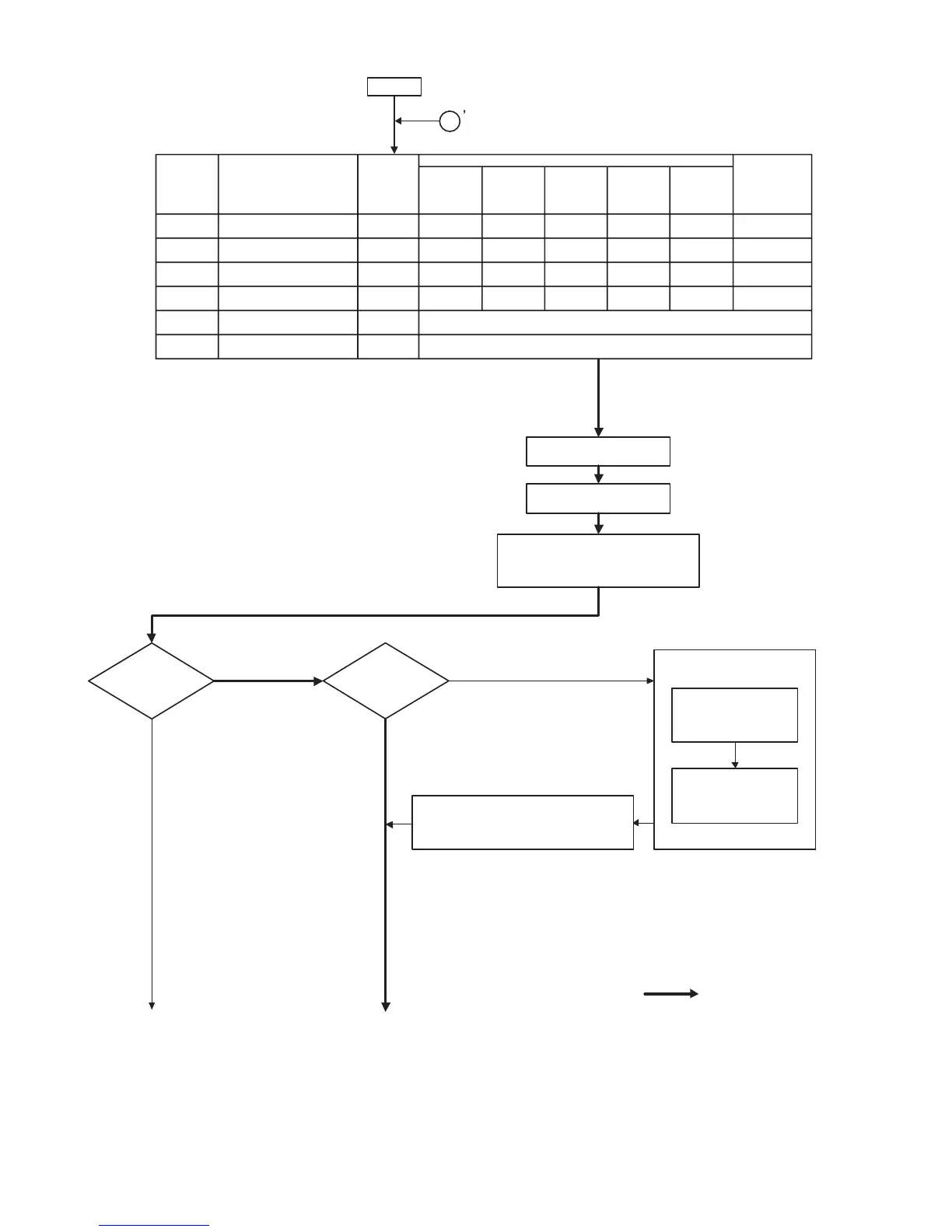
(2) Flowchart of the copy color balance/density adjustment procedures
The necessar y work items for each condition are marked with "
∗
."
START
㧝
Process correction is forcibly
performed. (SIM 44-6)
Execute the half tone image
correction. (SIM 44-26)
Check the copy color balance/density.
(Manual operation) Text/Printed photo mode
(Test chart UKOG-0162FCZZ/
UKOG-0283FCZZ is used.)
Are the copy
color balance and density
at satisfactory
levels?
No
Is the CCD replaced?
Yes
Set the ST chart
(UKOG-0280FCZZ) on
the original table.
Perform ADJ 20A
CCD gamma adjustment.
SIM 63-3 (Normal document mode)
Enter the SIM 63-03
mode and press the
EXECUTE key.
Check the copy color balance/density.
(Manual operation) Text/Printed photo mode
(Test chart UKOG-0162FCZZ/
UKOG-0283FCZZ is used.)
(to Next page)
No
Yes
(to Next page) : Standard adjustment flow
After
replacing
OPC drum
After
replacing
developer
drum
After
replacing
transfer belt
After
replacement
of the image
density sensor
After cleaning
scanner
(reading)
section
When in
install/repair/check
(without replacing
consumable parts)
OPC drum counter clear 24-7
∗
Developer counter clear 24-5
∗
ADJ 5A Color image density sensor
calibration
44-13
∗
ADJ 7 OPC drum phase adjustment 50-22 (44-31)
∗
ADJ 6 Image skew adjustment
(LSU (writing) unit)
64-1/61-4
ADJ 10 Image registration adjustment
(Print engine section)
50-22 (50-20/
50-21)
SimulationWork itemJOB No
∗
∗
When in repair, check/maintenance (with replacing consumable parts)



 To Next Page