MX3500N DRIVE SECTION P – 3
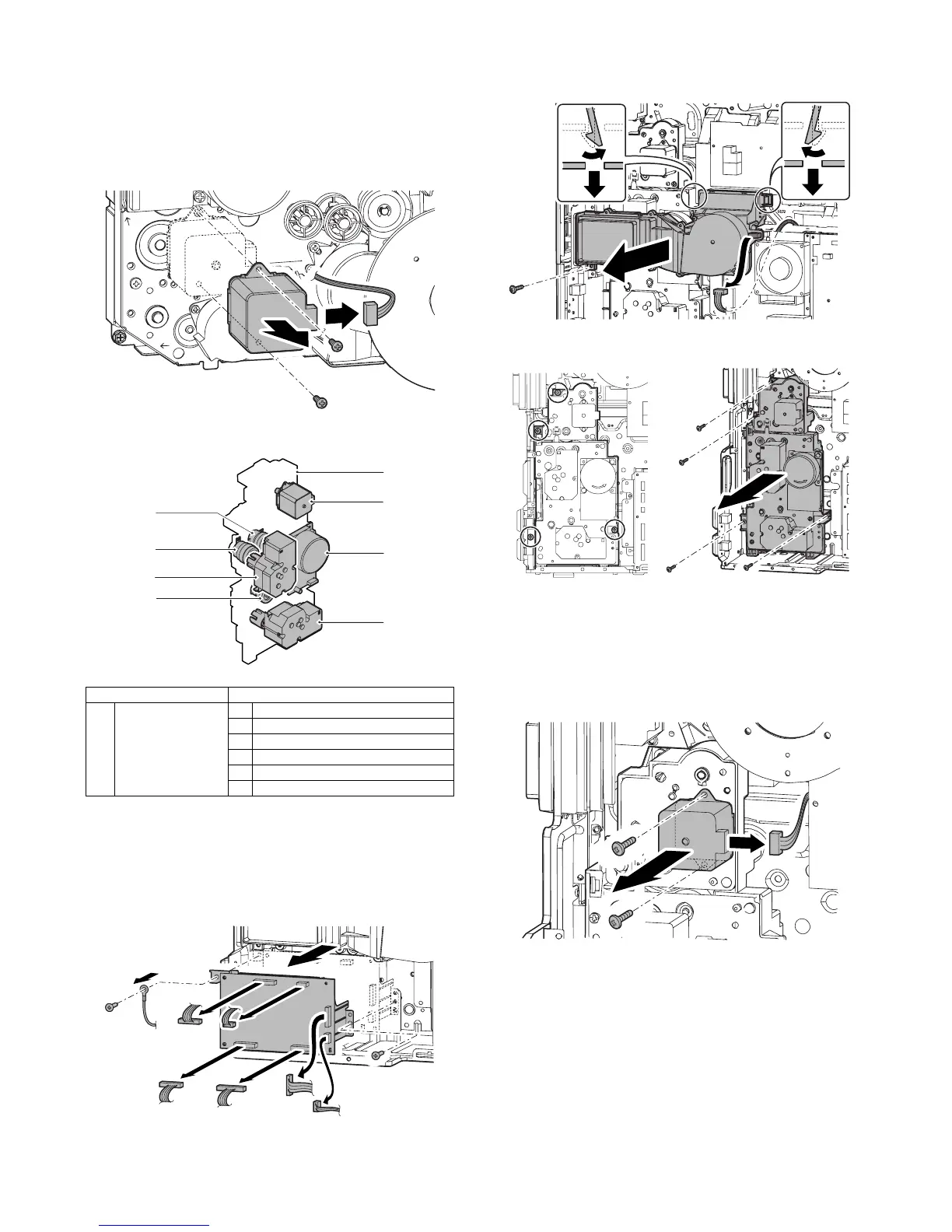
i. Belt motor
1) Remove the rear cabinet. (Refer to Rear Cabinet in External
Outfit Section.)
2) Open the control box.
3) Remove the flywheel.
4) Remove the connector and the screws, then remove the belt
motor.
B. Paper feed drive section
(1) Paper feed drive unit
1) Remove the rear cabinet. (Refer to Rear Cabinet in External
Outfit Section.)
2) Open the control box.
3) Remove the connector, the screws and the grounding terminal,
then remove the driver main PWB unit.
4) Remove the connector and the screws. Release the pawl, then
remove the filter box unit.
5) Remove the connector and remove the paper feed drive unit.
a. Transport motor
1) Remove the rear cabinet. (Refer to Rear Cabinet in External
Outfit Section.)
2) Open the control box.
3) Remove the connector and the screws, then remove the trans-
port motor.
Unit Parts
(1) Paper feed drive unit a Transport motor
b Paper feed motor
c Paper tray lift-up motor
d Paper feed clutch (Paper feed tray 1)
e Paper feed clutch (Paper feed tray 2)
f Tray vertical transport clutch
(1)-a
(1)-b
(1)-c
(1)
(1)-d
(1)-f
(1)-c
(1)-e



 To Next Page