1-108
BEFORE USING THE MACHINE►ADDRESS BOOK
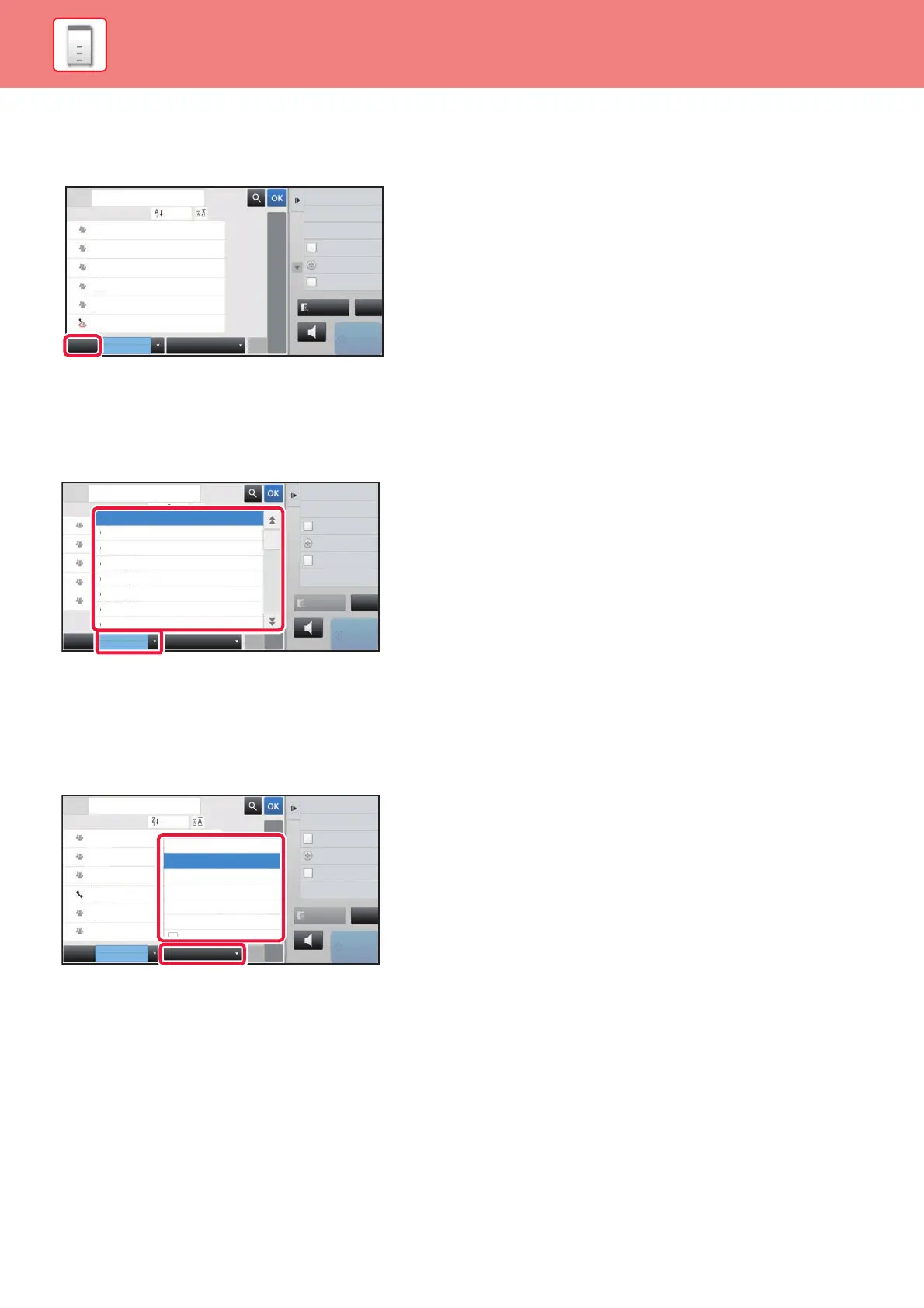
Narrowing by frequent Use
Tap the [Frequent Use] key and select an address in the screen that appears.
Addresses registered as "Frequent Use" addresses are shown.
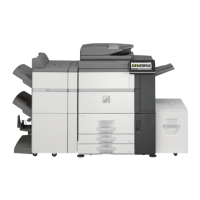
Narrowing by category
Tap the [Category] key to select a category on the screen that appears.
The "Contacts" and "Group" in the selected category appear on a list.
The narrowed-down condition is displayed under the [Category] key.
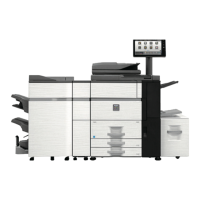
Narrowing by job type
Tap the [Narrow Down] key to select a job on the screen that appears.
To narrow by "Group", tap the [Group] key.
The "Contacts" and "Group" for the selected job appear on a list.
The narrowed-down condition is displayed under the [Narrow Down] key.
Preview
Sending History
Call by Search Number
Global Address Search
Start
Speaker
A
D
G
J
M
P
T
W
Add New
Direct TX
Send Same Image
as Fax Address
Frequent
Use
Fax
Narrow Down
All
Category
Sort
Address
BBB
AAA
CCC
CCC
DDD
DDD
ABC
CA
Preview
Start
Speaker
Sending History
Print Individual List
Call by Search Number
Add New
Direct TX
Send Same Image
as Fax Address
W
Frequent
Use
Fax
Narrow Down
All
Category
Sort
Address
B
B
A
A
C
ABC
Fax
Category 4
Category 0
Category 5
Category 6
Category 3
Category 2
Category 1
CA
Preview
Sending History
Print Individual List
Call by Search Number
Start
Speaker
A
W
Add New
Direct TX
Send Same Image
as Fax Address
Frequent
Use
Fax
Narrow Down
All
Category
Sort
Address
BBB
CCC
AAA
CCC
ABC
All
E-mail
FTP/Desktop
Network Folder
Internet Fax
Fax
Group
BBB
CCCCCC
BBB
AAA
CA


 To Next Page