7-14
MANUAL FINISHING►OPERATION OF MANUAL FINISHING
PUNCH FUNCTION
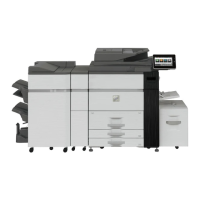
If a punch module is installed, holes can be punched in paper.
Tap the [2 Hole Punch] key under "Punch".
• Paper sizes that are available for the punch function are 8-1/2 " × 11"R to 11" × 17" (B5R to A3).
• You cannot use 12" × 18" (A3W) size papers, and special media such as transparency film.
• The punch function cannot be used with the saddle stitch or paper folding functions. However, it can be used with them if
the paper size used is 11" × 17", A3 or B4 for Z-fold.
• 2 Hole Punch is used as an example. The specifications of the punch module vary by country and region.
To cancel the punch function:
Tap the [Off] key.
Upper Tray
Output Tray Inserter
Staple
Off
1 Staple
at Back
2 Hole
Punch
Saddle
Fold
Half Fold
C-Fold
1 Staple
at Front
2 Staples
Saddle
Stitch
Off
Off
Accord-
ion Fold
Copies/Pages
Type and Size
Double
Fold
Z-Fold
Detail
Punch Fold
Middle Tray
Lower Tray
Start
CA
Upper Tray
Lower Tray
Plain 1
Plain 1
8½x11
8½x11


 To Next Page